How to Repurpose Content with AI: The 4-Hour Weekly System (2026)
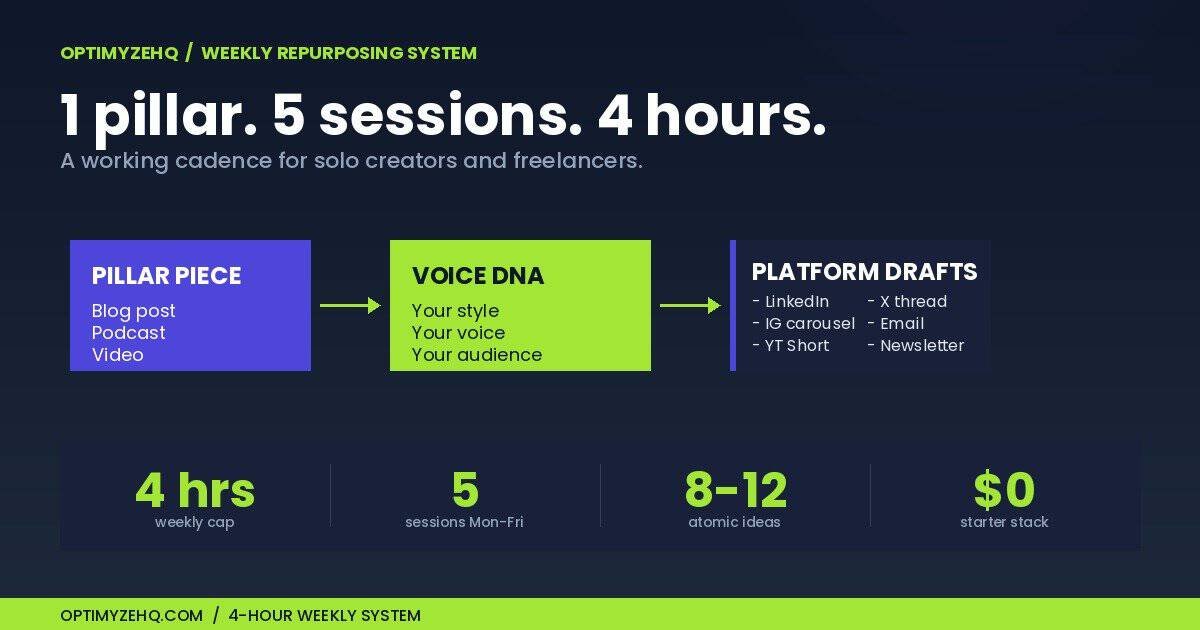
You don’t need more content ideas. You need a system that turns the content you already make into a week’s worth of posts, threads, and emails. In about 4 hours.
That’s what this guide is. A working weekly cadence, 7 prompts you can copy and use today, the exact stack that runs at $0, $50, or $200 a month, and the one method that stops AI output from sounding like AI.
Justin Welsh runs a $5M solo business on a 4-hour content cadence. Dan Koe turns one newsletter into 21 posts a week. The system below adapts what they do for solo creators and freelancers who don’t have a team behind them.
Skip ahead if you want. The cadence is in section 1, the prompts are in section 3, and the toolkit is at the bottom. Everything else explains why this works in 2026 and what’s changed since the AI repurposing advice you read in 2023.
Who this system is for
- Solo creators publishing weekly content
- Freelancers managing client content
- Coaches or consultants turning expertise into posts
- Small teams repurposing blogs, videos, or newsletters
This system works best when you already have some kind of recurring content habit. If you’re publishing ad-hoc with no rhythm, build the habit first, then add the system.
What you need before starting
- One weekly pillar content format (blog, video, podcast, or newsletter)
- One AI assistant (Claude, ChatGPT, or Gemini)
- One place to store ideas (Notion, Airtable, or a simple spreadsheet)
- One scheduling tool (Buffer, Hypefury, or your platform’s native scheduler)
- One simple measurement habit (one KPI per channel, reviewed weekly)
1. The 4-Hour Weekly Cadence
Repurposing fails when it’s a vague intention. It works when it’s a calendar block.
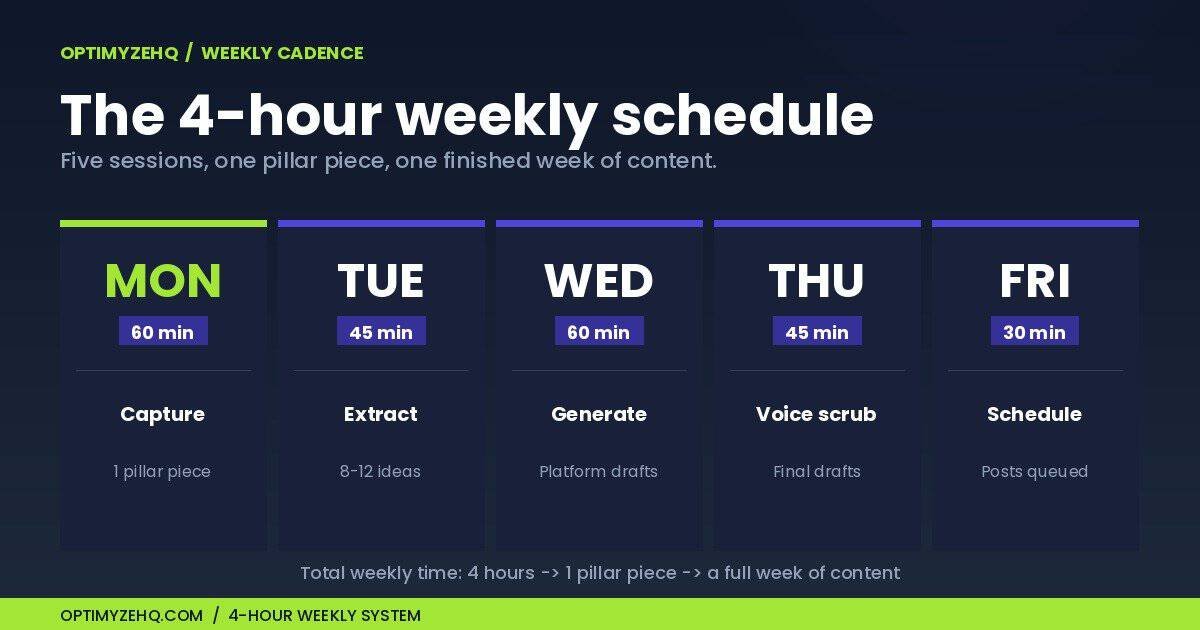
Here’s the cadence. One pillar piece per week, broken across 5 short sessions. Total time: 4 hours.
| Day | Session | Time | Output |
|---|---|---|---|
| Monday | Capture the pillar | 60 min | 1 long-form piece (blog, video, or podcast) |
| Tuesday | Extract atomic ideas | 45 min | 8–12 reusable insights in your Notion pipeline |
| Wednesday | Generate platform drafts | 60 min | LinkedIn post, X thread, IG carousel, email |
| Thursday | Voice scrub + human edit | 45 min | Final drafts that sound like you |
| Friday | Schedule and measure | 30 min | Posts queued + last week’s metrics reviewed |
The pillar is the source. Everything else is downstream.
Repurposing isn’t duplicating
Before the cadence, one distinction worth nailing down. Repurposing and duplicating look similar from the outside. They produce very different results.
| Repurposing | Duplicating |
|---|---|
| Adapts the idea to the platform’s format and audience | Copies the same message everywhere |
| Improves reach by meeting people where they are | Often feels lazy or repetitive to your audience |
| Same insight, different angle and format | Same words, different URL |
One pillar, many assets. Here’s what that looks like in practice. Say your pillar piece is a 1,500-word blog post called “How to Create a Content Calendar.” Repurposed correctly, it becomes:
- LinkedIn post: one specific lesson from the blog post (the biggest mistake people make), 150 words
- X thread: a 7-step summary of the framework, one tweet per step
- Email: a personal reflection on what changed when you started using a calendar
- Instagram carousel: a visual checklist of the 5 calendar fields that matter
- YouTube Short: the single most counterintuitive tip, in 30 seconds
Five assets, all from the same source, none of them identical. That’s repurposing.
One warning before the cadence: this only works if the pillar piece is strong enough to support multiple smaller ideas. A weak source produces weak repurposed assets, faster.
Monday: Capture the pillar (60 min)
Pick one format and stick with it for at least 90 days. A blog post, a 15-minute YouTube video, or a 30-minute podcast episode all work. The key is that it has to be substantive enough to fragment.
If you’re a writer, this is your weekly long-form piece. If you’re a podcaster or video creator, this is your weekly episode. If you’re a freelancer, this is the case study, technical walkthrough, or client-facing teardown you would have written anyway.
Don’t overthink the topic. The hub-and-spoke model only works if there’s a hub.
Tuesday: Extract atomic ideas with Claude Projects (45 min)
Open your Claude Project (instructions for setting one up in section 2), paste your pillar piece, and run the atomic idea extraction prompt from section 3.
You’re looking for 8 to 12 insights that can stand on their own. Each one should pass the “would I post this on its own?” test. Drop them into a Notion database with columns for source, status, platform, and content type.
This is the part most creators skip. They try to repurpose the whole pillar in one move, which produces generic summaries. Atomic ideas produce specific posts.
Here’s a Notion database structure that works for this stage. Create one database with these columns:
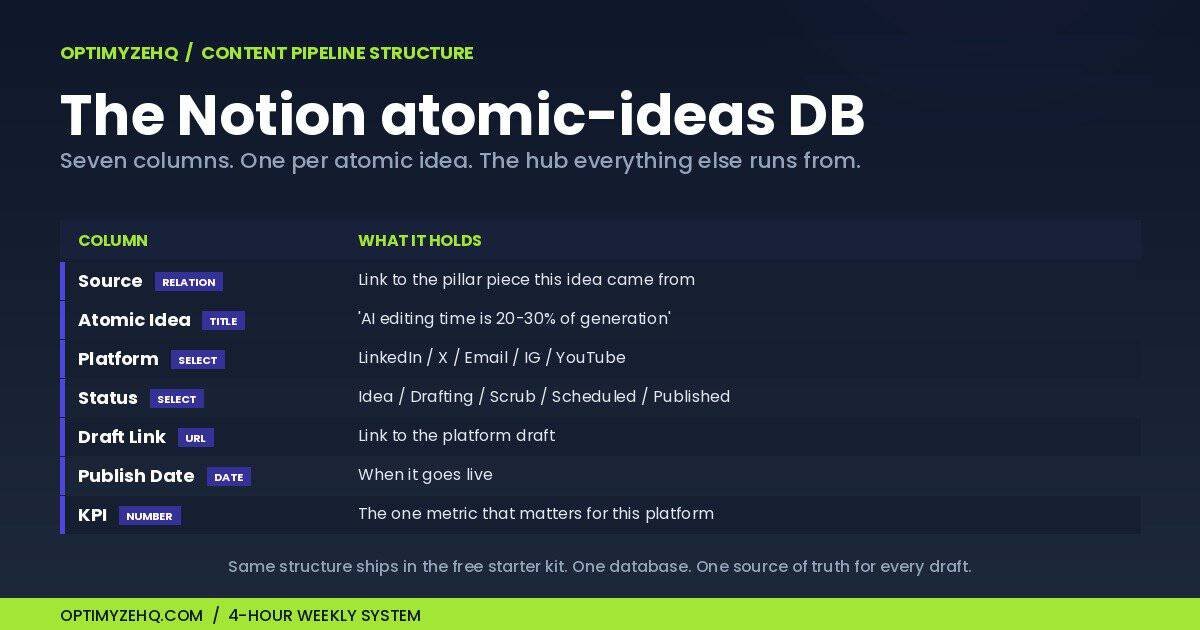
| Column | Type | Example |
|---|---|---|
| Source | Relation | Link to pillar piece |
| Atomic Idea | Title (text) | “AI editing time is 20-30% of generation time” |
| Platform | Select | LinkedIn / X / Email / IG / YouTube |
| Status | Select | Idea / Drafting / Scrub / Scheduled / Published |
| Draft Link | URL | Link to the draft |
| Publish Date | Date | When it goes live |
| KPI | Number | The one metric that matters per platform |
This is exactly the structure inside the free Notion template you’ll find in the Starter Kit at the bottom of this post.
Wednesday: Generate platform drafts (60 min)
For each atomic idea you want to ship this week, run the platform-specific prompts from section 3. One idea can become a LinkedIn post, an X thread, and a Reel script in under 10 minutes per idea.
Don’t try to use every platform. Pick the 2 or 3 where your audience actually is.
Thursday: Voice scrub and human edit (45 min)
This is the step that separates working repurposing from AI slop. Run every draft through the Voice DNA scrub prompt (section 2). Then read each post out loud. If a sentence doesn’t sound like something you’d say to a friend, rewrite it.
Plan to spend 20% to 30% of the time you saved on generation back on editing. That math is honest. Anyone telling you AI does it all in 5 minutes is selling something.
Friday: Schedule and measure (30 min)
Queue everything in Buffer, Hypefury, or your scheduler of choice. Then check last week’s numbers. One KPI per channel. Engagement rate on social, click-through on email, time-on-page on the blog. Kill formats that don’t move after 4 weeks.
That’s the whole loop. Repeat next Monday.
2. The Voice Problem Most Articles Skip
Here’s the uncomfortable part. 52% of consumers reduce engagement with content they suspect is AI-generated. On LinkedIn, more than half of long-form posts are now AI-written, and the algorithm has started to deprioritize them.
If your repurposed content sounds like everyone else’s repurposed content, you’re worse off than if you’d posted nothing.
Most guides hand-wave this with “always review and edit.” That’s not a method. Here’s one.
Build your Voice DNA file
A Voice DNA file is a 1-page document that teaches an AI model how you write. The template:
5 always-say phrases. Words and phrases that show up in your writing. Specific to you.
5 never-say phrases. Words you’d never use. Include AI-tell words like “delve,” “leverage,” “unlock,” “in today’s fast-paced world.”
3 punctuation rules. For example: “I never use em-dashes between two clauses. I use periods or commas instead.”
3 opening patterns. How your posts and emails actually start.
Audience profile. One paragraph on who you’re writing to.
3 sample posts. Paste 3 of your best-performing posts as the gold standard.
Save this as a file. Load it into a Claude Project as the project knowledge, or paste it into a Custom GPT system prompt.
The Voice DNA scrub prompt
Once your Voice DNA is loaded, every draft runs through this scrub before it ships:
You are a voice editor reviewing content for AI tells: patterns that
make writing sound generic and machine-generated.

VOICE DNA REFERENCE:
[Already loaded as project knowledge]

DRAFT TO REVIEW:
[Paste your draft here]

YOUR TASK:
1. Score the draft 1 to 10 for how closely it matches the Voice DNA.
   10 = indistinguishable from the sample posts.
2. List every line that violates a Voice DNA rule and explain why.
3. Flag em-dashes used as commas, "not just X but Y" constructions,
   "delve," "unlock," "leverage," and any other generic AI patterns.
4. For every flagged line, rewrite it in the writer's voice.
5. Return: (a) the audit, (b) a clean rewritten draft.

Do not change facts or arguments. Only adjust voice and rhythm.
Run every draft through this. The outputs sound like you because they’re scored against you.
Honest editing math
A piece that takes 90 minutes to write from scratch takes about 30 minutes to repurpose with AI. But you’ll spend 10 to 15 of those minutes editing. Net savings: roughly 50%.
That’s still huge. But it isn’t the 95% the AI hype crowd claims.
3. The Prompt Library
Seven prompts. Copy them. Adapt them to your voice. Save them in a Claude Project or a prompt manager. These are the workhorses of the cadence.
Note: these prompts work best when your AI tool already has your Voice DNA file loaded as project knowledge or a custom system prompt. Without it, the outputs will be technically correct but generic.
Prompt 1: Atomic idea extraction
You are reading a long-form piece of content I created.

Your job: extract 10 atomic ideas. Each idea must:
- Stand on its own without needing the rest of the piece
- Be specific (a claim, a framework, a story, a contrarian take)
- Be something I'd actually post on social media

For each idea, give me:
1. A 1-sentence summary
2. The exact quote or section it comes from
3. The best platform fit (LinkedIn, X, Instagram, YouTube Short, email)

Source piece:
[Paste your blog post, transcript, or newsletter here]
Prompt 2: Blog post → LinkedIn post
Transform the atomic idea below into a LinkedIn post.

Constraints:
- 150 to 200 words
- Hook in the first 2 lines (must work as a preview before "see more")
- One specific story, stat, or example in the body
- One clear takeaway at the end
- No emojis, no hashtags
- Match the Voice DNA loaded in this project

Atomic idea:
[Paste the atomic idea]
Prompt 3: Blog post → X thread
Turn the atomic idea below into an X thread.

Structure:
- Tweet 1: A hook that makes scrolling impossible (under 250 chars)
- Tweets 2–6: One specific point per tweet, each under 280 chars
- Tweet 7: A summary or call to action

Rules:
- Numbers, examples, or specifics in every tweet
- No threadboi clichés ("here's everything you need to know")
- Match the Voice DNA loaded in this project

Atomic idea:
[Paste the atomic idea]
Prompt 4: Podcast or video transcript → blog post
Transform this transcript into a publishable blog post.

Process:
1. Identify the 3 main arguments or insights in the transcript
2. Build an outline with H2s for each argument and H3s for sub-points
3. Write the post in my voice (Voice DNA loaded)
4. Preserve specific examples, numbers, and stories from the transcript
5. Add an intro that hooks readers in 2 sentences and a conclusion with a clear takeaway

Length: 1,500 to 2,000 words
Tone: helpful teacher, not promotional

Transcript:
[Paste full transcript]
Prompt 5: Newsletter → Instagram carousel + Reel script
Convert this newsletter into 2 outputs:

OUTPUT 1: Instagram carousel
- 7 slides
- Slide 1: Hook (max 8 words)
- Slides 2-6: One idea per slide (max 30 words each)
- Slide 7: Call to action
- Visual notes for each slide

OUTPUT 2: 30-second Reel script
- Hook in the first 3 seconds
- 3 specific points
- Final 3 seconds: call to action
- Match Voice DNA loaded in this project

Newsletter:
[Paste your newsletter]
Prompt 6: Idea matrix (Justin Welsh style)
Generate a content matrix for me.

Topics (5): [list 5 topics in your niche]
Content types (6):
1. Personal story
2. Contrarian opinion
3. Step-by-step framework
4. Failure I learned from
5. Tool or resource recommendation
6. Specific result or outcome

For each combination (5 x 6 = 30 ideas), give me:
- A working title
- A 1-sentence hook
- The platform it fits best

Match the Voice DNA loaded in this project.
Prompt 7: Atomic essay (Dickie Bush style)
Turn the rough notes below into a 350-word atomic essay.

Structure:
- Hook (2 sentences max): a strong claim or surprising fact
- Context (1 paragraph): why this matters now
- Insight (1 paragraph): the specific framework, lesson, or result
- Application (1 paragraph): what the reader does next
- Closer (1 sentence): a memorable line that crystallizes the idea

Match the Voice DNA loaded in this project. No filler. Every sentence earns its place.

Rough notes:
[Paste your raw notes, voice memo transcript, or thoughts]
These 7 prompts cover roughly 80% of the repurposing you’ll do in a week. The Free AI Starter Kit (linked at the end of this post) includes the Notion content pipeline that organizes everything they produce.
4. The 2026 Stack at Three Price Points
You don’t need every tool. Pick the tier that matches your situation.
Heads up: prices and plan limits change often. The figures below were verified in April 2026. Check each tool’s pricing page before committing to a stack.
Free tier ($0/month)
What you get: full repurposing capability with longer turnaround times.
- Claude Free (Anthropic) for long-form repurposing and Voice DNA scrubbing. The free tier handles transcripts up to about 30 minutes of audio.
- ChatGPT Free for shorter, snappier social posts.
- Buffer Free for scheduling up to 10 posts per channel. Buffer’s AI Assistant is included on the free plan, which is unusual in 2026.
- Notion Free for the content pipeline.
Limitations: rate limits on both AI tools, no Custom GPTs, no Claude Projects with persistent files.
Solo creator tier ($50/month)
This is the sweet spot for most people.
- Claude Pro ($20/mo) for Projects with persistent Voice DNA files and 1M-token context windows. Claude Sonnet 4.6 is the model to use.
- ChatGPT Plus ($20/mo) for image generation, Tasks (40/month for scheduled jobs), and Custom GPTs.
- Buffer Essentials ($6/mo) or Hypefury ($19/mo) for scheduling.
What you can run: the full 4-hour cadence, plus Custom GPTs trained on your voice for instant drafting.
Pro creator tier ($200/month)
For creators producing video and podcast pillars. Claude Pro plus ChatGPT Plus ($40/mo). Riverside Pro ($24/mo) for studio-quality recording with Magic Clips built in. Castmagic ($35/mo) for podcast to 40+ assets in one click. Opus Clip Pro ($29/mo) or Submagic ($23/mo) for video to vertical short-form. Make.com Core ($10.59/mo) for automating handoffs between tools. Buffer Team ($12/mo) for multi-channel scheduling. Notion Plus ($10/mo) for the team or client-facing pipeline.
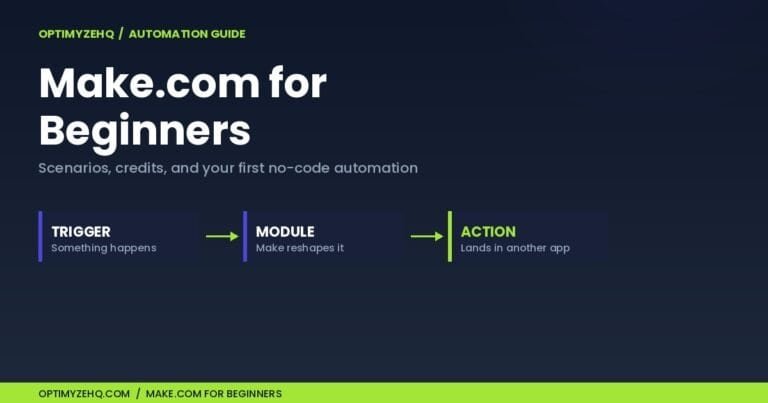
Make.com runs roughly 3 to 5 times cheaper than Zapier at equivalent volume in 2026, which is why most automation-savvy creators have switched. If you want to build the underlying automation that runs this cadence end-to-end, the step-by-step build is in How to Build a No-Code AI Content Pipeline. For choosing between Make.com, n8n, and Zapier, see Make.com vs n8n vs Zapier for solo creators.
Which AI model for which job
| Task | Best model in 2026 |
|---|---|
| Long transcripts (60+ min) and full blog post repurposing | Claude Sonnet 4.6 (1M-token context) |
| Voice DNA scrubbing and editorial review | Claude Opus 4.7 |
| Image generation, ideation, and visual content briefs | GPT-5.5 Thinking |
| Scheduled recurring jobs (Tasks) | GPT-5.5 Pro |
| Multi-document summarization and research | Gemini 3.1 Pro |
Don’t try to do everything in one model. The 90-second cost of switching is paid back the first time you get a usable draft on the first try.
5. Real Workflows from Real Creators
Three working systems, in case the cadence above feels abstract.
You don’t need to copy any of these creators exactly. The useful part is the structure that all three share: one strong source asset, multiple adapted outputs, and a review loop.
Justin Welsh: $5M solo business on 4 hours a week
Welsh writes one weekly newsletter, then breaks it into 12 social posts across LinkedIn and X. He uses a Notion content library with auto-recycle dates. Every post gets reposted at +6, +12, +18, and +24 months. After 3 years, he’s never starting from scratch.
His public Content Matrix prompt (prompt 6 above is adapted from it) generates 30 post ideas in a single run. The whole system is designed for one person with no employees.
Dan Koe: One newsletter, 21 posts
Koe’s variation uses a 2-phase prompt system. Phase 1 asks Claude to extract clarifying questions from the newsletter (“What was the strongest claim? What’s the most counterintuitive part?”). Phase 2 generates 21 platform-specific variations from the answers.
Result: 7 LinkedIn posts, 7 X posts, and 7 IG captions per newsletter. Total prep time: under 90 minutes.
Matt Gray’s Content Waterfall
Gray scales from one X thread into 14 pieces of content over 6 weeks. The breakdown: 5 individual tweets pulled from the thread, 2 TikToks, 2 YouTube Shorts, 2 Reels, 1 LinkedIn carousel, 1 Instagram carousel, and 1 newsletter section.
The key insight from Gray’s system: the same idea performs differently depending on format and timing. Don’t treat repurposing as duplication. Treat it as testing the same insight against different audiences.
6. Will This Hurt Your SEO?
Short answer: no, in most cases. Google does not generally treat duplicate or repurposed content as an automatic penalty. The real risk is low-quality, scaled, or manipulative content.
Google’s John Mueller has confirmed in public Q&As that there is no automatic duplicate content penalty. Republishing the same idea across LinkedIn, X, and your blog does not, on its own, hurt your rankings. What can hurt you is publishing thin, repetitive content with no added value across many pages of your own site.
What Google actually penalizes is “scaled content abuse,” the practice of generating low-quality content at volume to manipulate rankings. A solo creator turning one good blog post into one good LinkedIn post is the opposite of that.
The bigger SEO question in 2026 is AI Overviews. They now trigger on roughly 48% of searches, up 58% year over year. Click-through on top organic results is down 34.5%.
Here’s the opportunity. Sites that get cited inside AI Overviews see CTR jump as much as 35%. To get cited, you need content that answers specific questions clearly, in structured formats (FAQ schema, HowTo schema, definition lists). Repurposing content into FAQ blocks and step-by-step guides is one of the highest-impact SEO moves you can make right now.
Don’t repurpose less because you’re worried about SEO. Repurpose better.
7. Seven Pieces of Outdated Advice to Ignore
Most “AI repurposing” articles still ranking on page one were written in 2023 or 2024. Half of what they recommend is wrong in 2026.
| Outdated claim (2023–2024) | What’s actually true in 2026 |
|---|---|
| “Always disclose AI use.” | Platform-specific. LinkedIn requires opt-out for AI training (Nov 2025). YouTube requires disclosure for synthetic media. Blogs and X don’t require it. The FTC’s October 2024 rule applies to fake testimonials and reviews, not all AI content. |
| “Use GPT-3.5 to save money.” | GPT-3.5 is deprecated. GPT-5.5-nano is now cheaper, faster, and better. Claude Haiku 4.5 is even cheaper for short-form work. |
| “Google penalizes AI content.” | False. Google penalizes scaled, low-quality, manipulative content regardless of how it was made. Helpful AI-assisted content ranks fine. |
| “Duplicate content is a penalty.” | There is no automatic penalty. The real risk is thin, low-value content at scale, not the same idea adapted across platforms. |
| “AI can’t write in your voice.” | Solved by Claude Projects, Custom GPTs, and the Voice DNA method. The “AI can’t sound like me” line is now a skill issue, not a tool issue. |
| “Faceless AI YouTube is the future.” | YouTube suspended thousands of inauthentic-content channels in waves throughout January 2026. Faceless channels using stock footage and AI voiceovers are now actively risky. |
| “Em-dashes mean it’s AI.” | Em-dashes were a Claude tell in 2024. Both major models have been retrained to use them sparingly. The tell now is overuse of “It’s not just X, it’s Y” constructions. |
If your repurposing playbook is more than 6 months old, audit it.
8. Freelancer-Only: Confidentiality and Voice-Per-Client
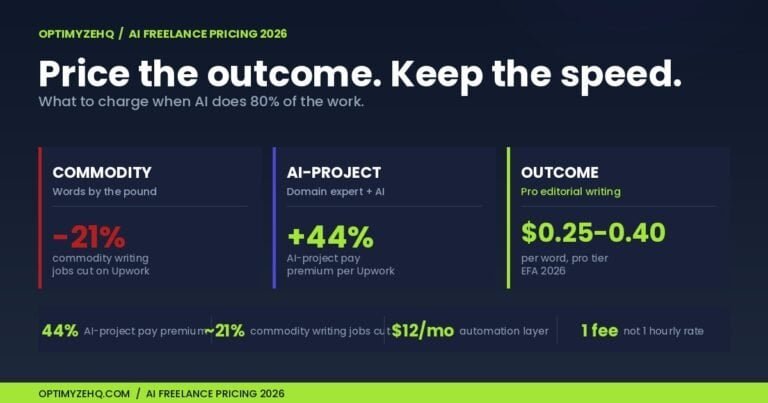
If you’re a freelancer using this system on client work, three rules. (And once it runs, the harder question is what to charge: see what to charge when AI does 80% of the work.)
Strip client identifiers before any AI prompt. Replace company names, product names, and personal names with placeholders ([CLIENT], [PRODUCT], [PERSON]). Add them back manually after generation. This is non-negotiable for clients with confidentiality clauses.
One Claude Project per client. Each client gets their own Voice DNA file, their own brand guidelines as project knowledge, and their own prompt library. Don’t mix voices in a single project. Cross-contamination is the #1 reason freelance AI workflows produce off-brand output.
Disclose AI use in your client agreement, not in every deliverable. The FTC’s October 2024 rule on fake reviews and testimonials applies to consumer-facing claims, not B2B service work. But your client deserves to know how their content is being made. Put it in the SOW once. Don’t watermark every email.
LinkedIn’s November 3, 2025 update lets users opt out of having their data used to train AI models. If you’re posting on behalf of clients, check their preference and document it.
Privacy note for sensitive client material: before uploading anything confidential to an AI tool, check that tool’s data retention and training settings. Claude Pro/Team plans don’t train on your inputs by default. ChatGPT lets you toggle “Improve the model for everyone” off in Settings. For NDA-bound work, prefer Claude Projects or ChatGPT Team workspaces over consumer accounts, and document the tool you used in the SOW.
9. Measurement: One KPI Per Channel
Don’t measure repurposed content the same way across platforms. Each channel rewards different behavior.
Blog: time on page and email signup rate. Pageviews are vanity. LinkedIn: dwell time and meaningful comments. Likes are vanity. X: profile visits and link clicks. Likes are vanity. Instagram: saves and shares. Likes and follows are vanity. Email: click-through rate on the primary CTA. Open rate is now noise (post Apple Mail Privacy Protection). YouTube: average view duration. Subscribers and views are downstream.
After 4 weeks of consistent posting on a platform, you usually have enough early signal to decide whether a format is worth improving, testing further, or dropping. If a format isn’t moving the KPI after 4 weeks, that’s data, not failure. Kill it without ceremony.
10. Frequently Asked Questions
Q: Does repurposing content with AI hurt SEO?
No. Google has confirmed multiple times that there is no duplicate content penalty. What Google penalizes is scaled, manipulative, low-quality content. Repurposing one good piece into multiple good pieces is fine.
Q: ChatGPT or Claude for content repurposing?
Both. Claude Sonnet 4.6 wins for long-form work, transcripts, and voice matching. GPT-5.5 wins for ideation, image generation, and scheduled tasks. Most serious creators in 2026 run both.
Q: How much editing is really needed?
Plan for 20% to 30% of the time you saved on generation to come back as editing time. A piece that takes 90 minutes to write from scratch takes about 30 minutes with AI, of which 10 to 15 minutes is editing.
Q: Can I run this system entirely free?
Yes. Claude Free, ChatGPT Free, Buffer Free, and Notion Free will get you through the full 4-hour cadence. You’ll hit rate limits with longer pieces, and you won’t have persistent project knowledge. But the system works.
Q: Do I need to disclose that I used AI?
Depends on the platform and context. YouTube requires disclosure for synthetic media. LinkedIn lets you opt in or out of AI training. The FTC’s 2024 rule applies to fake reviews and testimonials. For your own blog or social posts, there’s no legal requirement, but transparency builds trust.
Q: What if I don’t have a long-form piece to start with?
Record a 20-minute voice memo. Transcribe it with Otter.ai or Whisper (free). That’s your pillar. The atomic idea extraction prompt works on transcripts.
Q: What’s the difference between repurposing and reposting?
Reposting is publishing the same content on multiple platforms with little or no change. Repurposing adapts the same idea to fit each platform’s format, length, and audience. Reposting saves time but rarely performs. Repurposing takes a few minutes more per platform and consistently outperforms.
Q: What should I do if the AI output sounds generic?
Three things to check, in order. First, is your Voice DNA file actually loaded as project knowledge or a custom system prompt? Most “AI sounds generic” complaints come from skipping this step. Second, are your “never-say” phrases specific enough? “Don’t sound corporate” is too vague; “never use the word ‘leverage'” is enforceable. Third, run the Voice DNA scrub prompt (section 2) on every draft before shipping. If it still sounds off after all three, your voice samples in the DNA file may be too similar to each other; add 2 or 3 posts that show different sides of how you write.
Sources and further reading
Key sources used to build this article:
- Model releases: OpenAI: GPT-5.5 announcement (April 2026), Google: Gemini 3.1 Pro announcement (February 2026), Anthropic news (Claude Sonnet 4.6 / Opus 4.7).
- Creator workflows: Justin Welsh’s 730-Day Content Library newsletter; Dan Koe’s two-phase prompt system (publicly shared on his X account); Matt Gray’s Content Waterfall (publicly shared on his LinkedIn account).
- SEO and AI Overviews: Google Search Central’s public guidance on duplicate content and scaled content abuse; John Mueller’s public Q&A statements (cited via Search Engine Journal); industry tracking of AI Overview impact on CTR.
- Stats on AI content perception: HubSpot State of Marketing reports, Hootsuite Social Media Trends 2026, ArtSmart and NetInfluencer 2026 surveys on consumer engagement with AI-generated content.
- Platform policies: LinkedIn’s November 2025 AI training opt-out announcement; YouTube’s January 2026 inauthentic content suspension waves (covered in major tech press); the FTC’s October 2024 final rule on fake reviews and testimonials.
Stats and platform policies in this space change quickly. Always verify against primary sources before quoting them.
The system, not the tools
Everything in this guide will be partially obsolete in 12 months. Models will get better. Prices will shift. The exact tools in section 4 will change.
What won’t change: the cadence (capture, extract, generate, scrub, measure), the Voice DNA method, and the discipline of treating repurposing as a system instead of a habit you’ll get to “when there’s time.”
Build the system. The tools take care of themselves.
Want to run this system without rebuilding everything from scratch?
The 7 prompts above, the Voice DNA template, and a pre-built Notion content pipeline are bundled in the Free AI Starter Kit.
Inside: 5 copy-paste Claude prompts (the workhorses of the cadence, plus the Voice DNA scrub), a Notion Content Pipeline template you can duplicate in one click, and setup instructions for your first Claude Project. Built for solo creators and freelancers running a 4-hour weekly cadence.
Get the Free AI Starter Kit →Built and tested by OptimyzeHQ. For the full done-for-you version, check the Creator Content Engine.
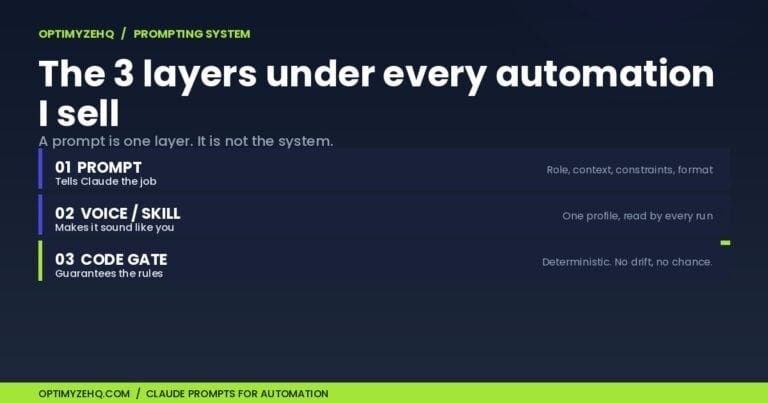
Related on OptimyzeHQ: the prompting system that powers the repurposing workflow in this post.
The bigger picture: this repurposing system is one of five I use to run a one-person business. See how they fit together in AI workflows for solopreneurs.
More ready-to-run prompts: AI prompts for freelancers shares three tested prompts, including the blog outliner that feeds this repurposing system.
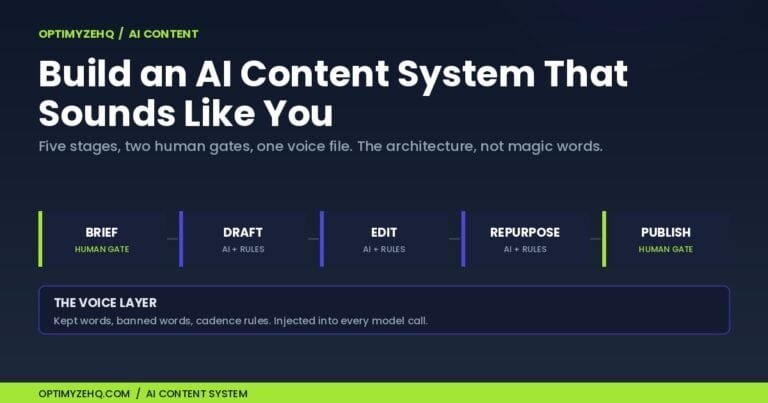
Zoom out: repurposing is stage 4 of a larger build. The full five-stage architecture, voice layer included, is in how to build an AI content system.
Just one post to repurpose? This system spreads across podcasts, video, and your newsletter. For the focused walkthrough of turning a single post into a week of social, with the exact prompts, see how to repurpose a blog post into social media.