

Plan 90 days of pillar content in one afternoon
The Pillar Content Planner is a Notion template that turns scattered content ideas into a working plan: pillars mapped, 90 days scheduled, every piece briefed before you draft it. It feeds the Creator Content Engine, or works standalone.
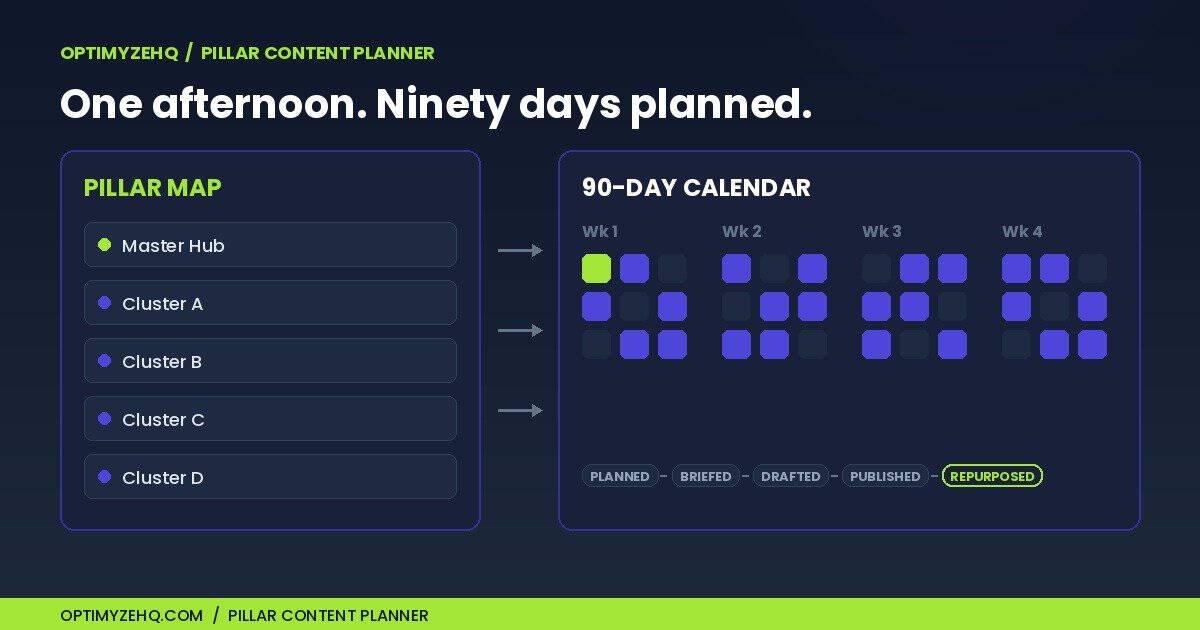
What’s inside the Pillar Content Planner
Two connected databases, a brief template, and a quarterly planning workflow. Nothing to configure, nothing to connect. Duplicate it and start planning.
- Pillar Map database. Define 3 to 5 pillars: the topics you want to be known for, each with a head keyword and the product or offer it feeds.
- 90-Day Content Calendar. Every piece carries its pillar relation, focus keyword, search intent, funnel stage, status, and target date.
- Content Brief Template. Nine sections that make drafting start warm: reader, keyword, outline, internal links, sources, and scope.
- Quarterly Planning Checklist. The one-afternoon workflow, phase by phase, with honest time estimates. Then a 15-minute weekly loop.
- Four working views. A 90-day calendar, a status board, a this-week filter, and a by-pillar table. All pre-built.
- The real OptimyzeHQ plan, pre-loaded. Five pillars and 16 pieces with their actual keywords, funnel stages, and publish dates. A worked example you clear when ready.
The calendar runs a five-stage pipeline: Planned, Briefed, Drafted, Published, Repurposed. The mechanism underneath is the relation between the two databases: every piece points at the pillar it supports, so the hub-and-spoke structure of your content stays visible at a glance, not implied.
How it works
- Duplicate the planner into your Notion workspace. One click from the delivery email; a free personal Notion account is enough.
- Block one afternoon and run the Quarterly Planning Checklist: pick pillars (about 60 minutes), map spokes (about 60 minutes), schedule the quarter (about 30 minutes), brief the first two weeks (about 45 minutes).
- Work the weekly loop. Fifteen minutes: open the This Week view, advance statuses, brief the next piece so drafting never starts cold.
- Publish and repeat. When a piece goes live, mark it Published. Next quarter, the same afternoon refreshes the plan, faster.
Feeds the Creator Content Engine, or works standalone
The Creator Content Engine is OptimyzeHQ’s paid repurposing system built on Make and Claude: it takes one finished pillar piece and writes five platform drafts. The planner is its missing front half. The planner’s pipeline ends where the engine’s begins.
The handoff is deliberately manual. When a piece reaches Published, you copy three fields into the engine’s Pillar Inputs database: the Title, the Source Type, and the finished piece into Full Content. Set Status to Ready to Repurpose and the engine takes it from there. About two minutes, no sync to configure, no automation between the two products. A step-by-step handoff checklist ships inside the planner’s brief template.
Don’t own the engine? Nothing in the planner assumes you do. It works with any production process: writing by hand, dictating, or whatever drafting tools you already use.
Who this is for (and not)
Built for
- Solo creators and freelancers publishing one to two pieces a week
- Anyone running, or wanting to run, a hub-and-spoke content strategy
- Creator Content Engine owners who want the planning layer in front of it
- People with fifty scattered ideas and no system that holds them
Not for
- Anyone wanting AI to write the content. The planner contains no AI and no prompts.
- Anyone expecting automation. Nothing runs by itself; it is a Notion template.
- Keyword research. You bring the keywords; the planner gives each one a home.
- Teams needing multi-seat approval workflows. This is built for one operator.