AI Workflows for Solopreneurs: How I Run a One-Person Business on (Almost) Autopilot
This past Tuesday, a newsletter went out to my list, three clients got status updates, an overdue invoice got its second polite nudge, and a blog post went live. I spent about 40 minutes of real attention on all of it, most of that reading drafts and clicking approve. The rest ran on its own, from a desk in Saint-Sauveur, Quebec, while I worked on the one thing none of it can do for me: deciding what to build next.
That setup is what I mean by AI workflows for solopreneurs: repeatable systems where AI and a few connected tools handle the heavy, repetitive parts of running a business, and you stay in the loop only for judgment and approval. Not a single magic app. Not a bot you switch on and walk away from. A handful of small, boring pipelines that each take one recurring chore off your plate for good.
You have probably seen the headline version of where this leads. In April 2026, the New York Times profiled a telehealth company that booked $401 million in sales in its first full year with two people on the payroll. It is a real, Times-verified number. It is also a company that has since drawn an FDA warning letter and a class-action suit, and leaned on AI-generated ads it could not fully control, so I would not hold it up as a template for anything. The honest version of the trend is quieter and more useful: per Carta, the share of new startups with a solo founder rose from 23.7% to 36.3% over the past few years, and the average seed-stage team shrank by roughly 40%. AI is not minting one-person unicorns. It is making it realistic to run a real business by yourself, because the busywork that used to require a hire can now run on rails.
I run OptimyzeHQ by myself, and this post is the actual map of how: what an AI workflow is, which one to build first, the exact stack I pay for each month, and the five systems doing the work in the background. I will also be straight about what this setup costs and what it still cannot do, because most guides on this topic skip both.
What is an AI workflow for a solopreneur (and what it isn’t)?
A tool is a thing you open. A workflow is a thing that runs. That distinction matters more than any individual app you pick.
When most people say they use AI, they mean they open Claude or ChatGPT, type a request, copy the answer, and paste it somewhere. That is a tool, and it is fine, but it still depends on you remembering to do it, every time. A workflow removes the remembering. Something happens (a form gets submitted, a date arrives, a post publishes) and a chain of steps fires on its own: pull the data, ask the model to draft something, format it, send it or file it, and flag you only when a human actually needs to look.
There are two flavors worth naming up front. Most of what I run is plain automation: deterministic pipelines built in Make.com that do the same steps in the same order every time, with an AI step in the middle to write or sort something. The newer, flashier flavor is agentic, where the model itself decides what to do next across several steps. Agents are improving fast, but they still wander and still invent things, so I keep them on a short leash and out of anything that touches a client or a dollar. More on where that line sits later.
That is also why the title says almost autopilot. Every system I describe has an approval gate somewhere, a point where a draft lands in front of me before it reaches another human. The AI does the first 80%. I do the last 20%, which is the part that carries my name. Take the human out entirely and you do not have a business on autopilot, you have a business generating mistakes at scale.
Where should you actually start?
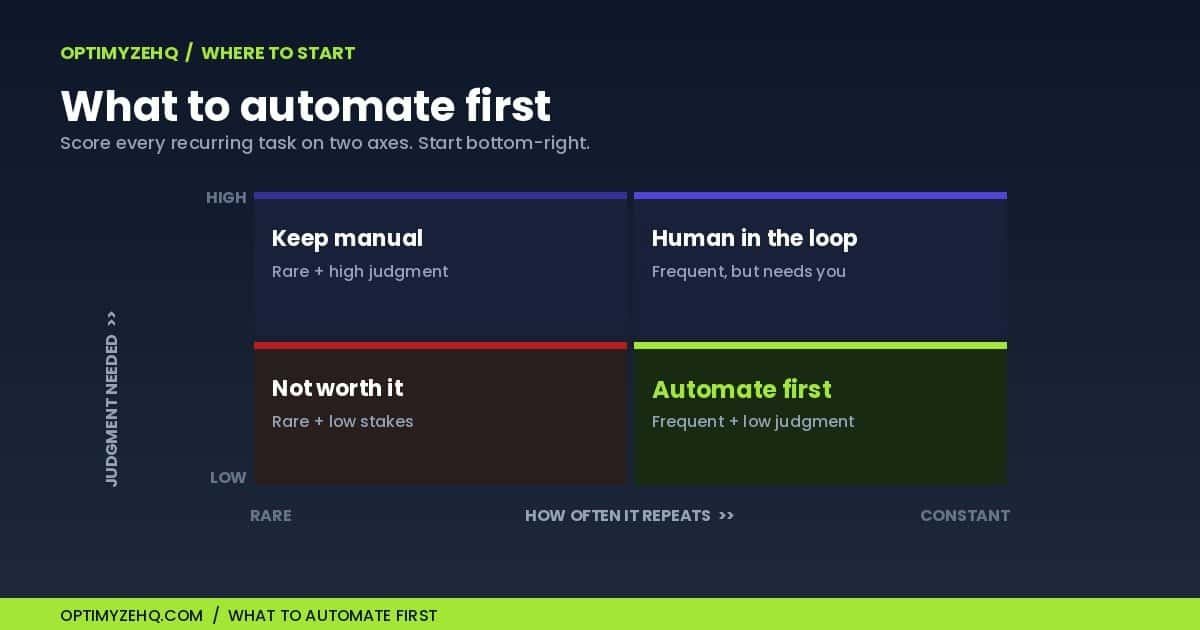
The mistake I made early, and the one I see most often, is trying to automate the interesting work first. The interesting work is exactly the work you should keep. Start at the other end, with the chores that are frequent, tedious, and low-stakes enough that a draft-then-approve loop is good enough.
My rule is three questions. How often does this task repeat? How much of it is mechanical versus genuine judgment? And what happens if the AI gets it slightly wrong before I catch it? A task that repeats every week, is mostly mechanical, and fails softly (a rough first draft, not a wire transfer) is the first thing you automate. A task you do twice a year, or one where a mistake is expensive or public, stays manual or stays behind a hard approval gate.
There is a reason to start with the boring admin specifically. The freelancermap Freelancer Study found that 43% of freelancers lose around five hours a week to unproductive tasks like chasing clients, bookkeeping, and customer care. The SBE Council’s February 2026 survey of small business owners using AI found they save a median of five hours a week. Those two numbers line up almost exactly, and they point at the same place: the five hours a week you are most likely to win back are not your creative hours, they are your admin hours. That is where AI workflows for solopreneurs pay off first.
Here is how that rule plays out across the work I actually run:
| Task | How often | Risk if wrong | What I do |
|---|---|---|---|
| Content repurposing | Weekly | Low | Automate the drafts, edit before posting |
| Newsletter draft | Weekly | Low | Automate the draft, approve before send |
| Invoice reminders | Monthly | Medium | Automate, with a hard stop once paid |
| Client status updates | Weekly | Medium | AI drafts it, I send after a quick review |
| Sales or landing copy | Occasional | High | AI for a first draft only, I write the final |
| Payments, refunds, legal | Rare | High | Keep manual, no automation |
Once you know which chore to automate, you need somewhere to build it. Here is the stack I run everything on.
The stack I run everything on
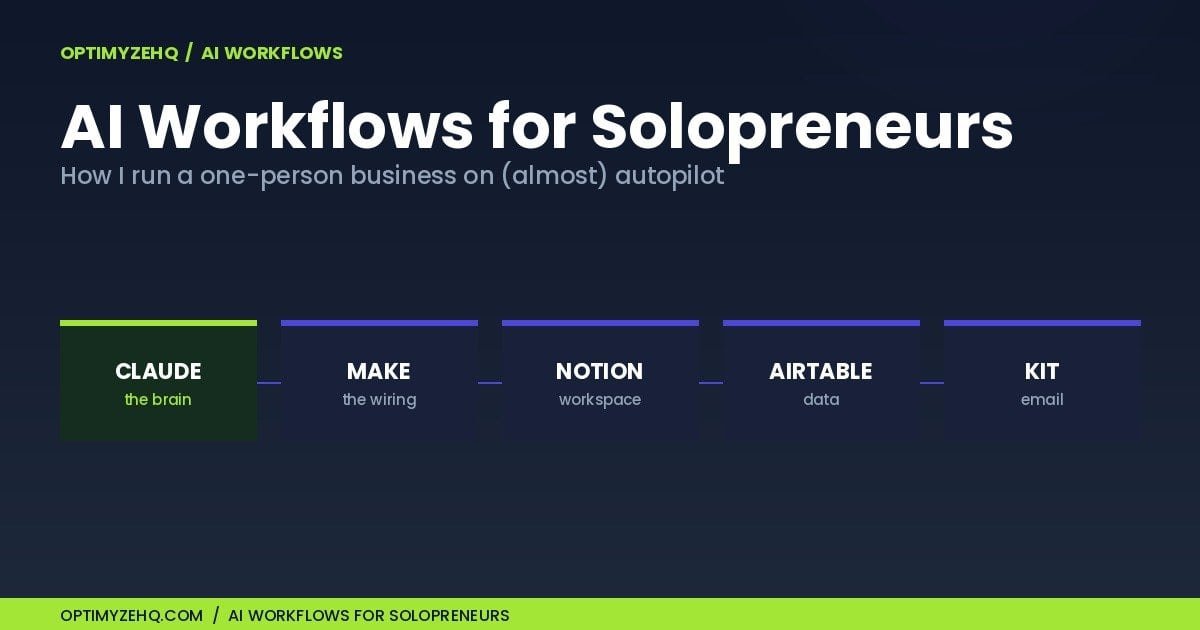
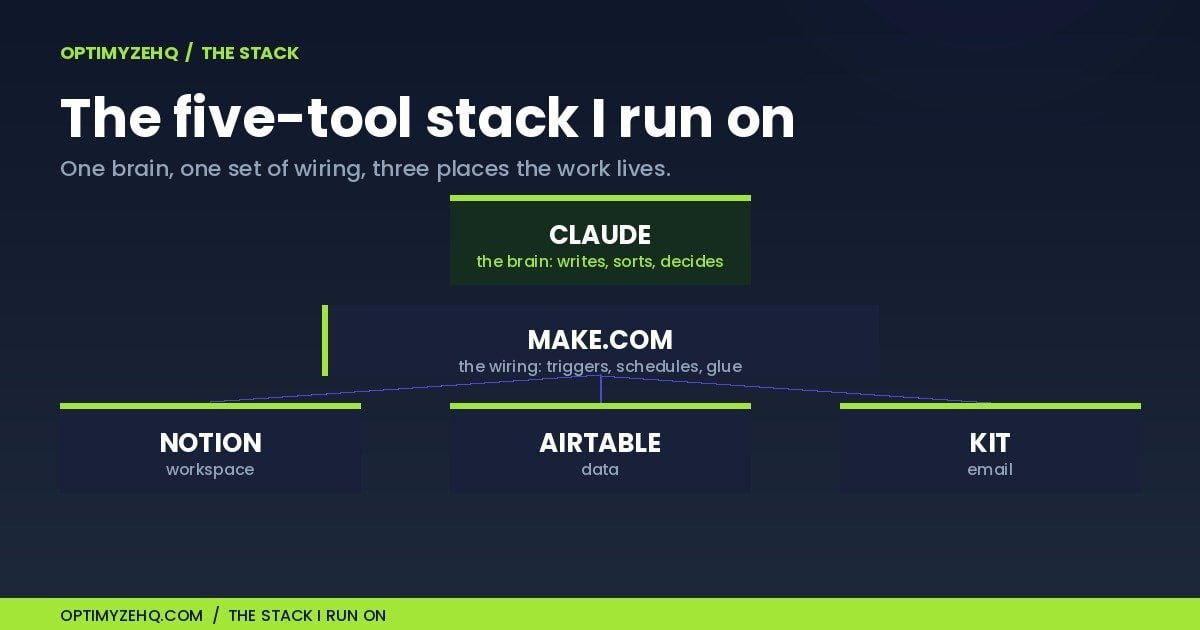
I am suspicious of stacks with fifteen tools in them. Every tool you add is another subscription, another login, another thing that breaks at 11pm. I run on five, and each one has a single clear job.
| Tool | Role | What it does |
|---|---|---|
| Claude | The brain | Writes first drafts, sorts, summarizes, and powers the AI step inside almost every workflow |
| Make.com | The wiring | Connects the tools and runs the workflows on a schedule or a trigger, with no code |
| Notion | The workspace | Holds briefs, drafts, SOPs, and the knowledge my workflows read from and write back to |
| Airtable | The structured data | Stores clients, invoices, and content as records a workflow can query and update |
| Kit | The email | Manages the list, the signup forms, and the sequences that run themselves |
Two choices in there are deliberate. I build on Make rather than Zapier because Make gives you far more runs for the money at solo scale. And I lean on Claude as the writing brain because the quality of the first draft decides how much editing I have to do, and editing is the part that still costs me time.
The five systems that run my business on (almost) autopilot
These five are the AI workflows for solopreneurs I would rebuild first if I lost everything tomorrow, in the order I would build them again.
1. One post becomes a week of content
I write one real piece, like this one. A Make scenario then runs it through Claude a dozen times over and hands me back platform-ready drafts: a LinkedIn post, an X thread, a short newsletter angle, each in my voice rather than generic AI mush. What used to be an afternoon of reformatting the same idea five ways is now twenty minutes of editing.
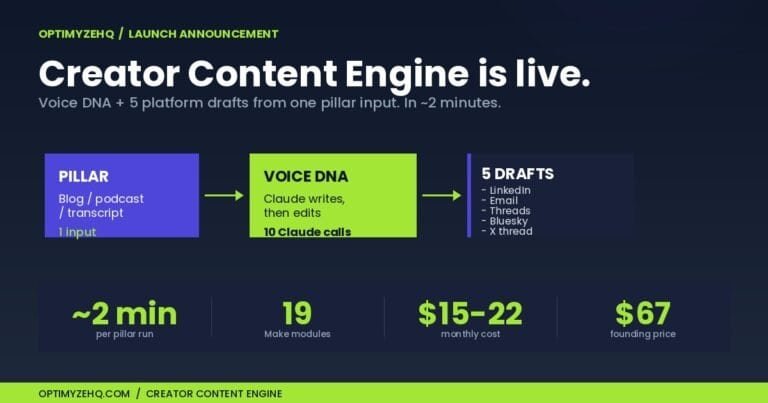
This is also the system that taught me the most about trusting models. The first version had a tell: no matter how firmly I instructed Claude to avoid em-dashes, it sprinkled them everywhere, and my drafts read like every other AI post on the internet. I stopped arguing with the prompt and added a step in the pipeline, a simple replace() function in Make, that strips them out after the model is done. The lesson stuck: when output has to be consistent, do not ask the model nicely, enforce it in the workflow. I wrote up the full approach in my guide to repurposing one post into a week of content, and I eventually packaged this exact pipeline as the Creator Content Engine, a paid template for people who would rather import this pipeline than build it from scratch.
2. The newsletter that writes its own first draft
Every week, a workflow pulls from what I have published recently, and Claude drafts the next newsletter issue from it. The blank page, the part that used to eat a half-day, is gone before I sit down. I still write the one personal line at the top, because that is the part a reader can tell a human wrote, and I still read every word before it sends. The model gets me to a solid draft. I get it to mine.
The honest limit: AI is good at the body and bad at the hook. The subject line and the opening sentence are where I spend my time, and they are worth it. I broke down the full build in how I automated my newsletter, and the productized version is the Newsletter Engine, a paid template that ships the whole build.
3. Client operations and the back office
This is the system that earns its keep in dollars, not hours. A client fills in an intake form, which creates their record in Airtable. Invoices get a polite follow-up that escalates in tone if they go unpaid, and stops the instant the money lands. Status updates and testimonial requests get drafted by Claude and wait for my approval before they go out.
The part I obsessed over was the stop. The single worst thing an automation can do is email a client a “your invoice is overdue” reminder the morning after they paid. So the payment check is guarded in several places, not one. The moment someone pays, a webhook from Stripe flips a field in Airtable, and that one field breaks the follow-up path before the next reminder can fire. Getting that wrong once would cost more trust than the whole system saves. Recovering a single overdue invoice more than pays for the stack for a year.
One note on the data, since this system holds client details: the automated steps talk to the Claude API, and Anthropic does not use API inputs or outputs to train its models by default. Even so, I keep genuinely sensitive material, like health or financial specifics, out of automated prompts unless I have checked the compliance fit first.
I documented the whole back-office build in how I automated my client back office, and it became the Client Pipeline Engine, the paid system version of the same setup.
4. Claude as my research and admin second brain
Not every useful thing is a scheduled pipeline. This one is the opposite: an everyday tool I open a dozen times a day. I keep a Claude Project loaded with my brand voice and business context, so it already knows how I write and what I am working on. I use it to research, to turn three messy voice notes into a clean SOP, and to answer “what did I decide about that thing in March” by searching my own past work. For bigger jobs I hand it the whole task and let it work.
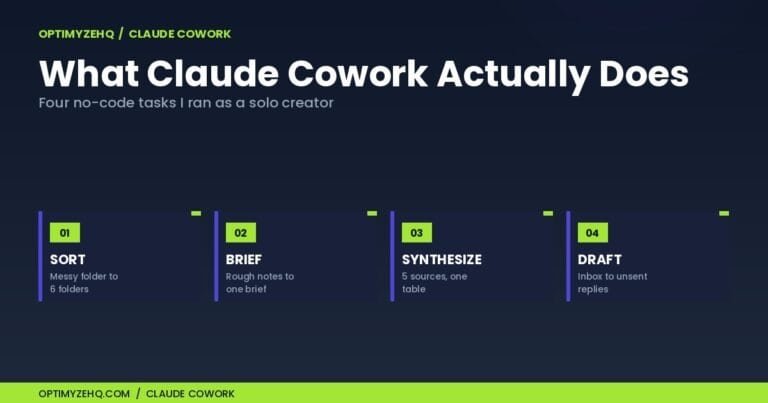
This is the “tool, not workflow” end of the spectrum, and that is fine. Not everything needs to run on a timer. If you want more out of this side, I keep a running set of the Claude prompts I reuse, and I wrote about using Claude Cowork as a solo operator for the heavier tasks.
5. Make as the connective tissue
The first four are islands without the fifth. Make is the layer that holds them together: the triggers that start each workflow, the schedules, the logic that decides what happens when. It is the least glamorous part of the stack and the one I would protect the most.
My one rule here, learned the hard way, is that boring beats clever. The workflows that have never once failed me are the plain, deterministic ones that do the same steps in the same order. Every time I have tried to make a scenario too smart, it has found a new way to surprise me at the worst moment. The whole operation runs comfortably inside Make’s 10,000-credit plan, which tells you how little compute a one-person business really needs. If you are starting from zero, I would begin with my walkthrough of building a Make and Claude workflow.
What this costs (and what it doesn’t fix)
Run the lean versions of all five and the whole stack lands between roughly $45 and $90 a month as of mid-2026, depending on whether you need the paid Airtable tier yet. Here is the honest breakdown. Claude Pro is $17 a month if you pay annually ($20 monthly). Make Core is about $9. Notion Plus is $8. Kit is free up to 10,000 subscribers, then around $33 a month on the Creator plan. Airtable is free until you cross 1,000 records in a base, then $20 a month per editor. Most months, that is the whole bill.
One thing the subscription prices hide is the AI itself, and it pays to be clear about how it is billed. Claude Pro covers my own hands-on use, the second-brain work I do by hand. The automated workflows do not run on Pro at all. They call the Claude API, which is billed separately and pay-as-you-go. At solo volume it is cheap: a typical run, reading a post and drafting a few versions of it, costs somewhere between a couple of cents and a couple of dimes, so the API side usually adds a few dollars a month rather than hundreds. I spend more on coffee in a morning than my workflows spend on AI in a week. The operations add up the same way: a fifteen-step scenario uses fifteen of Make’s ten thousand monthly credits, so you would have to run it hundreds of times to feel it. Put it next to the alternative: a part-time assistant at $20 an hour for five hours a week is $400 a month. The stack is a fraction of that, and it does not call in sick.
Prices move, and AI tools move fast, so check each tool’s current pricing page before you build your own budget.
Now the part the sales pages leave out. Here is what this setup will not do for you.
It will not fix a weak offer. Automation makes whatever you already do happen faster. If the thing you do does not sell, AI helps you fail more efficiently. Fix the offer first, then automate it.
It is not hands-off. Setup is real work, and so is maintenance. Models change, prices change, an API key expires, a tool ships an update that breaks a scenario. I spend an hour or two most weeks keeping the machine running. The systems save me far more than that, but the number is not zero.
It does not replace judgment or relationships. The model writes the draft. I decide what is true, what is on-brand, and what a particular client actually needs. That last 20% is the whole job.
And it will not make you the next two-person, $401-million company. Compressing your admin is not the same as replicating a headline. Treat the one-person-unicorn stories as proof the busywork can shrink, not as a business plan. If you have never pasted an API key or built a single automation, start smaller than this whole stack. You need a little technical comfort, not a computer science degree, but you do need to be willing to get your hands dirty.
Where AI workflows for solopreneurs are heading
I promised earlier to come back to the line between automation and agents, because it is the question I get most. Almost everything I have described is automation: fixed steps, run in order, with the model writing or sorting in the middle. Agentic systems are different. You hand the model a goal and it decides the steps itself, calling tools and reacting as it goes. That is genuinely powerful, and it is where the field is moving.
It is also where I am most careful. In Zapier’s 2026 survey of business leaders, 72% were using or testing AI agents, but the most common way to run them was with a human in the loop, and only about a fifth let agents run on their own with little oversight. Gartner expects more than 40% of agentic AI projects to be canceled by the end of 2027, mostly over cost and unclear value. And in hard tests, even top models with web access still invent facts a meaningful share of the time across long, multi-step tasks. So I use agents for low-stakes internal jobs and keep them out of anything a client sees or anything that moves money. I let one triage my inbox and draft replies I never send without reading first. That is the right altitude for an agent today. The deterministic workflow is boring, and boring is exactly what I want touching my invoices.
The bigger shift is real, though. The Federal Reserve reported that small businesses started adopting AI faster than large ones for the first time at the end of 2025. The tools get cheaper and better every few months, faster than I can keep this post current. What does not change is the shape of the advantage: a solo operator who builds a few reliable systems can cover ground that used to need a small team. That is the whole game, and it is available now, not in some agentic future.
Frequently asked questions
What is an AI workflow for solopreneurs?
An AI workflow is a repeatable system where AI and a few connected tools handle a recurring business task from start to finish, such as drafting content, sending reminders, or updating records, while you stay in the loop to approve anything that matters. It is different from opening a chatbot for a one-off answer, because it runs on its own once it is set up.
Which AI workflow should I build first?
Start with the most repetitive, low-judgment chore you do, where a rough first draft is fine and a small mistake is cheap to catch. For most solo creators that is content repurposing or a weekly newsletter draft; for freelancers with clients it is usually invoice reminders. Build one, trust it for two weeks, then add the next.
How much does a solo AI workflow stack cost?
As of mid-2026, a lean stack of Claude, Make.com, Notion, Airtable, and Kit runs roughly $35 to $90 a month, plus a few dollars of pay-as-you-go Claude API usage for the automated parts. Prices change often, so check each tool’s pricing page before you budget.
Do AI workflows replace a virtual assistant?
Not entirely. They remove the repetitive, rules-based admin a VA would handle, but they still need setup, occasional maintenance, and your approval on anything client-facing or money-related. Think of them as taking the busywork, not the judgment.
What tools do I need to build AI workflows?
A workable starting stack is one AI model (Claude or ChatGPT), one automation tool to connect things (Make.com or Zapier), a workspace (Notion), a database (Airtable), and an email tool (Kit). You do not need all five on day one; the AI model and the automation tool are enough to build your first workflow.
Are AI agents safe to use for client work?
For internal, low-stakes tasks like research or first drafts, yes. For anything a client sees, or anything touching payments, contracts, or sensitive data, keep a human approval step. Even strong models still invent facts during long, multi-step tasks, so a deterministic workflow with a review gate is the safer default.
Start with one system
If you take one thing from this, let it be this: do not try to build all five at once. Pick the single most painful hour of your week, the recurring chore you dread, and automate only that. Get it running, trust it for a couple of weeks, then build the next one. A one-person business does not get automated in a weekend. It gets automated one boring system at a time, which is exactly how mine did.
If you want a running start, I put the prompts, templates, and starting points I use into a free Creator’s AI Starter Kit. It is the fastest way to see what a first workflow looks like without building from scratch. Grab it below, and I will send you the systems I build next as I build them.
Go deeper on automation: The Cluster A pillar, Make.com for beginners, explains the no-code tool that powers most of these workflows.
Ready-to-run prompts: AI prompts for freelancers shares three complete, tested prompts from the Solo Operator Prompt Library, for the manual side of these workflows.
Go deeper on Claude: The Cluster B pillar, Claude AI for solopreneurs, maps all five Claude surfaces and which jobs belong on each.
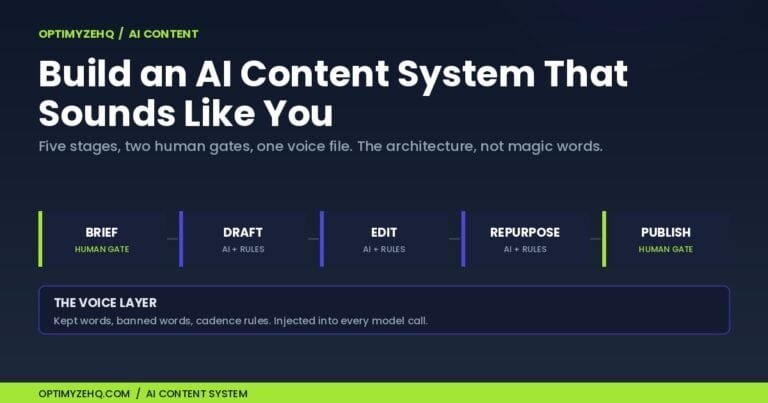
Go deeper on content: The Cluster C pillar, How to build an AI content system, shows the five-stage pipeline that keeps AI drafts sounding like you.
Go deeper on client operations: The Cluster D pillar, Client Management for Freelancers, maps the five-stage system, intake to testimonial, including the invoice chase that gets you paid.
Start with the plan: How I build a 90-day content plan in one afternoon shows the planning afternoon behind this site’s pillar map: pick pillars, map spokes, schedule the quarter, brief the first two weeks.