How I automated my client back office with Airtable, Make, and Claude
The third time in one quarter I rewrote a “sorry to chase, any update on that invoice?” message, I stopped and counted. Eleven of them. Six onboarding emails asking new clients for the same five details I always need. And zero testimonial requests, because by the time a project wrapped I’d moved on to the next one.
None of it was hard work. That was the problem. It was repetitive, took no real judgment, and it nibbled the edges of every single week. So I decided to automate freelance client management myself, with the tools I already paid for, instead of renting another app to do it for me.
I run OptimyzeHQ solo from Saint-Sauveur, Quebec, so “hire someone for the admin” was never on the table. Build the boring parts once and stop touching them: that was the plan.
The part of freelancing nobody quotes you for
Here’s the number that made me take it seriously. In freelancermap’s Freelancer Study, 43 percent of freelancers said they spend roughly 10 to 20 percent of their working time, about five hours a week, on unproductive tasks like client acquisition, accounting, and customer care. Five hours, every week, that no client pays for. Multiply it by your own rate and the cost stops being abstract.
The obvious fix is to buy one of the all-in-one client platforms. They’re genuinely good. I tried two. Each time I hit the same wall: another $20 to $40 a month forever, a setup that ate the better part of a weekend, and a feature list where I’d use maybe a quarter of what I was paying for. One popular option is involved enough that people hire certified specialists to set it up, and even then a full build can run days or weeks. I didn’t want a second business to run inside my business.
What I wanted was narrower. Fix the three things that actually wasted my time, own the result, and never see a renewal charge for it.
Automate the boring 20 percent, keep the human 80 percent
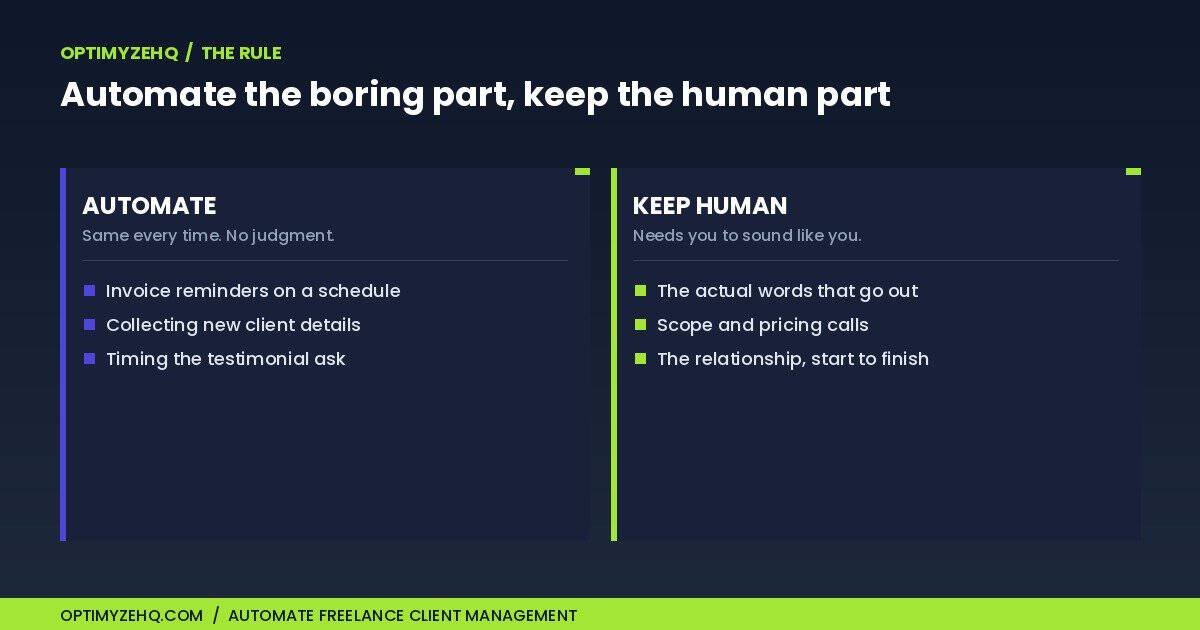
My rule was plain to state and surprisingly useful to apply: automate the steps that happen the same way every time and need no decision from me. Leave everything that needs a human to sound like one.
Chasing an unpaid invoice on a schedule? Same every time. No judgment required. Automate it. Collecting a new client’s name, project, budget, and deadline? Same fields every time. Automate the collection. Writing the actual project update or the testimonial request? That needs to sound like me, so I kept a human in the loop, with a draft already written so I’m editing instead of facing a blank screen.
Three jobs cleared that bar:
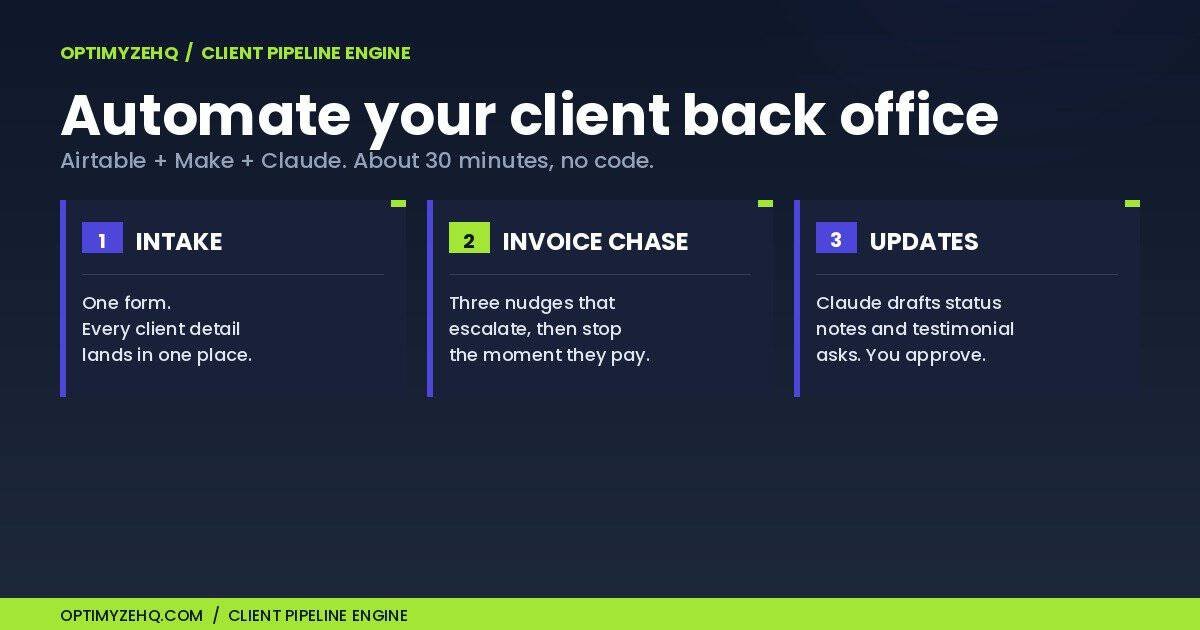
- Client intake from a single form, so details land in one place instead of four.
- A three-tier invoice chase that escalates politely and stops the moment a client pays. If you want the actual copy, I share three invoice reminder email templates you can paste in.
- Status updates and testimonial requests, drafted automatically and sent after I approve them.
The whole thing runs on three tools, and I’ll walk through each piece below.
The stack I use to automate freelance client management
Three tools do the whole job, and there’s a good chance you already pay for at least one.
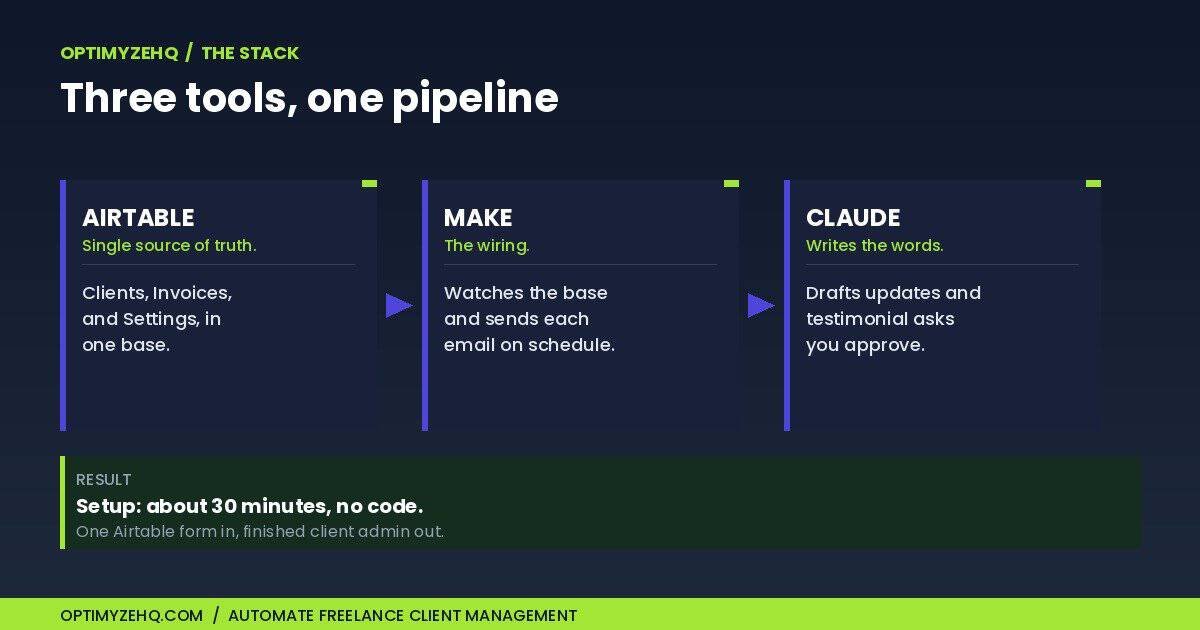
Airtable is the single source of truth. One base, three tables: Clients, Invoices, and a Settings tab that holds the knobs, like how many days to wait between reminders. Every client detail and every invoice with its status lives in one place instead of scattered across a notes app, my inbox, and a spreadsheet I forget to update. The free tier, capped at 1,000 records per base, handles a solo roster comfortably.
Make is the wiring. It’s the automation platform that watches the base and acts on it: send this email, wait three days, check whether the invoice got paid, move on. If you’ve weighed automation platforms before, I’ve written about why Make beat Zapier and Claude Cowork for this kind of work. Its free tier covers 1,000 credits a month, which is plenty for a solo client load.
Claude writes the words that need to sound human. Project updates and testimonial requests shouldn’t read like a machine sent them. Claude drafts each one from the client’s real project details, and I approve it before it goes out. The blank-page tax disappears; the human judgment stays.
Total setup time was about 30 minutes, and I wrote no code.
Piece 1: client intake from one form
The old way was a back-and-forth email thread to collect a new client’s name, company, project scope, budget, and deadline, then me copying all of it into wherever it needed to live.
The new way is one Airtable form. I send the link, the client fills it once, and a new row appears in the Clients table with everything attached. No retyping, no “can you resend that?” The form asks for the same fields every time, so there’s nothing left to think about.
That’s the whole piece. The least glamorous of the three, and the one that removed the most low-grade friction from my week.
Need the templates first? The form is one piece; the welcome packet, scope summary, and onboarding emails still have to be written. Our client onboarding checklist covers all six steps from first inquiry to a booked kickoff.
Piece 2: a three-tier invoice chase that stops when they pay
This is the one I’m proudest of, because it solved the task I hated most: following up on money without sounding like a collections agency.
When an invoice’s due date passes and it still isn’t marked paid, Make starts a polite, escalating sequence:
- Nudge 1 (a few days late): friendly, assumes they forgot. A quick heads-up that the invoice is past due.
- Nudge 2 (further out): firmer, still warm. Restates the amount and the original due date.
- Nudge 3 (further still): direct and businesslike, with a clear ask for a payment date.
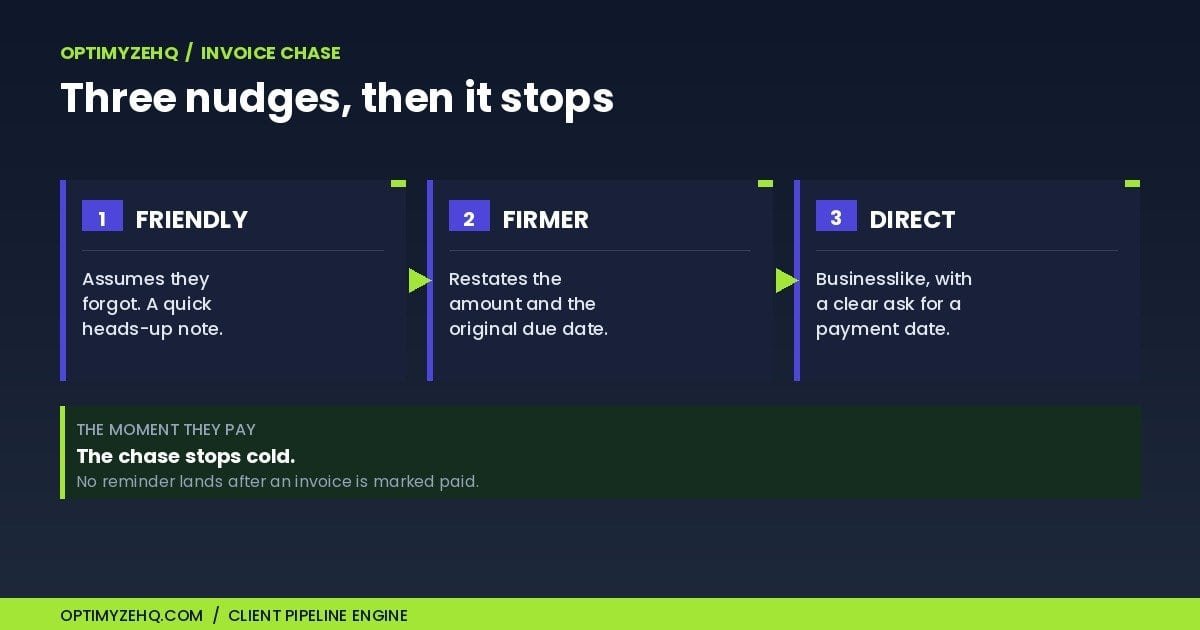
Here’s the part that matters. The sequence checks the invoice status before every send, and the moment the invoice is marked paid, the chase stops cold. No awkward “friendly reminder” landing in a client’s inbox the morning after they already paid you. I wired that stop-check into several points in the flow, because chasing someone who already paid is worse than not chasing at all.
Piece 3: status updates and testimonial requests, drafted for me
Two jobs, one pattern: Claude writes the first draft, I approve, it sends.
For status updates, the automation pulls the client’s project details and Claude drafts a short progress note in my tone. For testimonials, when a project is marked complete, Claude drafts a request that references the actual work instead of a generic “mind leaving a review?” I read both before they go out, so my voice stays mine. If you want to see how I get Claude to draft copy that doesn’t sound generic, I’ve covered my approach to writing Claude prompts for automation.
The testimonial piece quietly fixed a real revenue leak. I used to forget to ask, every time. Now the request drafts itself the day a project closes.
What this isn’t
I want to be straight about the edges, because the fastest way to lose your trust is to oversell.
This is not a full CRM. It doesn’t track a sales pipeline, score leads, or manage deal stages. It isn’t a client portal, so there’s no login for your clients. It doesn’t do time tracking or bookkeeping. If you want one dashboard that does all of that, buy one of the all-in-one platforms. They earn their monthly fee for people who use the whole thing.
What this does is narrower, and for me more valuable. It removes the three repetitive admin jobs that ate my week and leaves the work that needs me alone. I’d rather own a small system that does three things well than rent a large one I half-use.
The mindset behind it is the same one I wrote about in my case for using Claude Cowork as a solo creator: when you’re a team of one, the goal isn’t more software, it’s removing the work that doesn’t need you.
The shortcut: skip the build
I built this for myself first. Enough other freelancers asked how it worked that I packaged the whole thing into a product: the Client Pipeline Engine.
It’s the exact Airtable base and the three Make automations, ready to import. You connect your own accounts, add your details, and the setup that cost me a few evenings of trial and error takes you about 30 minutes, with no code. If you’d rather not build it from scratch, it’s the quickest way to automate freelance client management from intake to testimonial.
It’s $147 for the first 50 founding buyers, then $197. You can see exactly what’s inside on the Client Pipeline Engine page.
I haven’t rewritten a “sorry to chase” email since. That alone was worth the half hour.
The bigger picture: this back-office build is the client-ops layer of a larger system. See all five in AI workflows for solopreneurs.
Zoom out: this build is the wiring behind a larger discipline. The pillar on client management for freelancers maps all five stages of the system this stack runs.