Make vs Zapier vs Claude Cowork: The Automation Approach I’d Pick in 2026
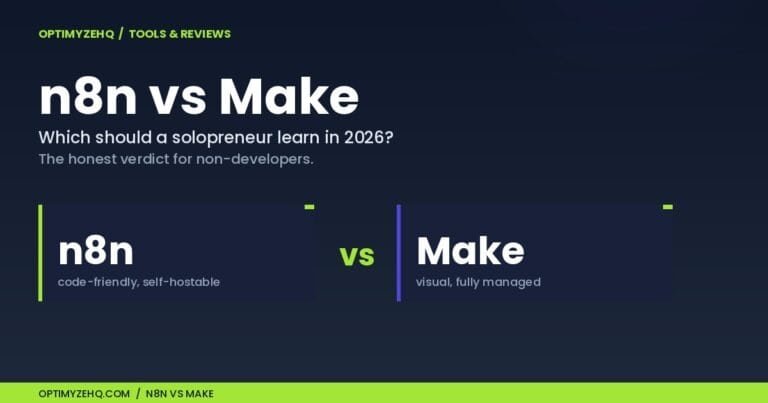
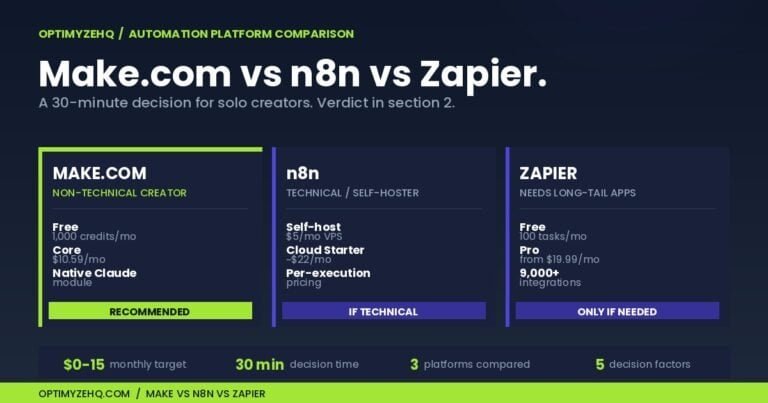
The automation comparison I get asked about most used to be Make vs n8n vs Zapier. I wrote that one, and for moving data between apps on a fixed schedule, the answer still holds.
In 2026 the question changed shape. The new contenders aren’t another box of triggers and actions. They’re agents: software you hand a goal to instead of a flowchart. So the real question for a solo creator weighing Make vs Zapier vs Claude Cowork isn’t “which workflow builder is best.” It’s “which approach fits the job, and when does an agent beat a fixed automation.”
I didn’t want to answer that from a spec sheet. I run a 19-module Make scenario in production right now. It powers the Creator Content Engine I sell. Before writing this, I set up and ran all three approaches against real work: my live Make pipeline, a Zapier agent on the free tier, and Claude Cowork on my own files.
Here’s what each one is actually for, and the approach I’d pick if I were starting from scratch today.
Make vs Zapier vs Claude Cowork: three approaches, not three tools
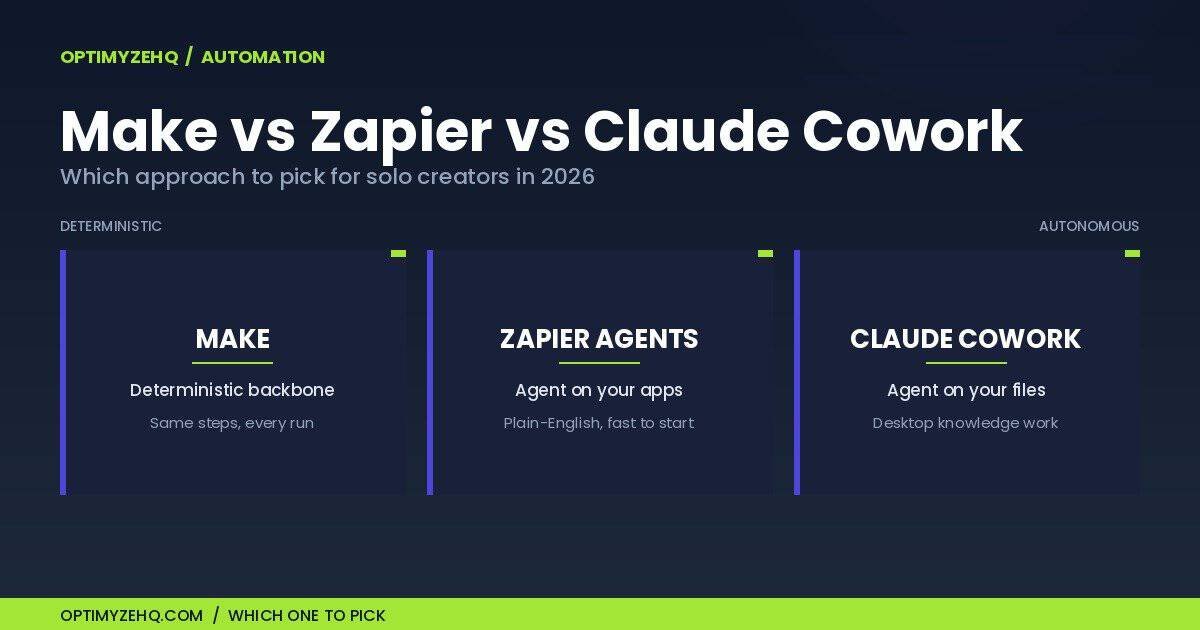
The mistake I see solo creators make is treating these three as the same kind of thing, like three brands of one product. They aren’t. They sit at three different points on a single line: how much of the decision-making you hand to the software.
At one end is deterministic automation. You define every step, and the software runs those exact steps every time. Make and classic Zapier “Zaps” live here. Same input, same output, no surprises. You can open the thing up and see precisely why it did what it did.
At the other end is an autonomous agent. You give it a goal in plain language, and it decides which steps to take, in what order, with whatever tools it has. Zapier Agents and Make’s new AI Agents work this way, and so does Claude Cowork. They handle messy input better. They’re also less predictable, because the same prompt won’t always produce the same path.
The three also split by where they run. Make is a cloud pipeline that fires on a schedule or an event, unattended. Zapier Agents is a cloud agent layered on top of your connected apps. Claude Cowork is a desktop agent that works on your own files and applications, with you watching.
Once you see the axis, the choice stops being “which tool wins” and becomes “how much judgment does this job need, and where should it run.” That one question decides the rest of this post.
Make.com: the reliable backbone
Make is where my actual business runs, so I’ll start with what I know best.
The Creator Content Engine is a 19-module Make scenario. A Notion trigger fires, ten Claude steps generate and edit the content, and the results get written back to Notion. It runs about 500 times a month and costs very little to keep on. That’s the case for Make in one sentence: a deterministic pipeline that does the same thing correctly every time, and you can watch every step.
That last part matters more than it sounds. When a run misbehaves, I open the scenario, click the module that failed, and see the exact data that went in and came out. There’s no guessing about what the software “decided.” It didn’t decide anything. It ran the steps I built.
Cost is the other reason Make fits this kind of work. The Core plan is about $10.59 a month for 10,000 credits, or $9 a month billed annually. My scenario uses about 19 credits per run, one per module, so a few hundred runs a month sits well inside that allowance. Next to per-task pricing elsewhere, multi-step workflows stay inexpensive here.
Make added agents too. Make AI Agents (New) came out of a rebuild on February 2, 2026, and it’s still in open beta. It lets you drop a reasoning step into an otherwise fixed scenario: the agent reads a goal, picks which of Make’s tools to call, and acts, while the rest of the pipeline stays deterministic. Connect your own model API key instead of Make’s built-in AI provider and each agent call costs about one credit, with token costs paid directly to the provider. That keeps spending predictable. I go deeper on wiring Claude into Make in a separate guide.
Where Make breaks down is worth saying plainly. The learning curve is real; the canvas is powerful but takes a few builds before it clicks. Credits can disappear faster than you expect when a scenario loops over a long list, since every pass through a module counts. And the new AI Agents are beta, with rough edges around memory and visibility. None of that changes the verdict: for an always-on, scheduled, app-to-app workflow, Make is the backbone I’d build on.

Zapier Agents: the fastest to set up
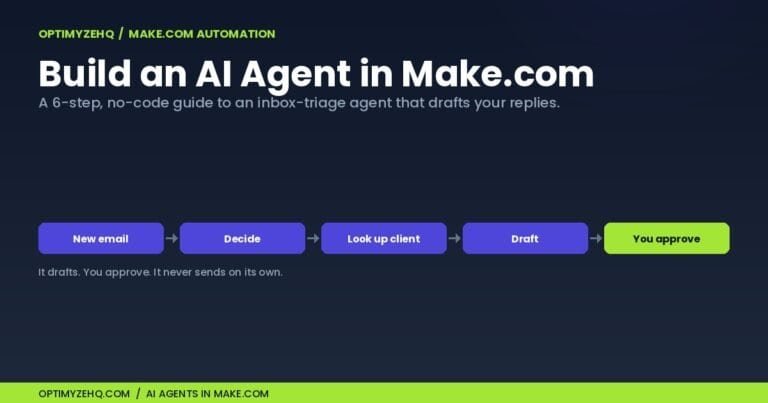
If Make is the backbone, Zapier Agents is the fastest way to get a working agent in front of you. I built one in about 15 minutes with no documentation open.
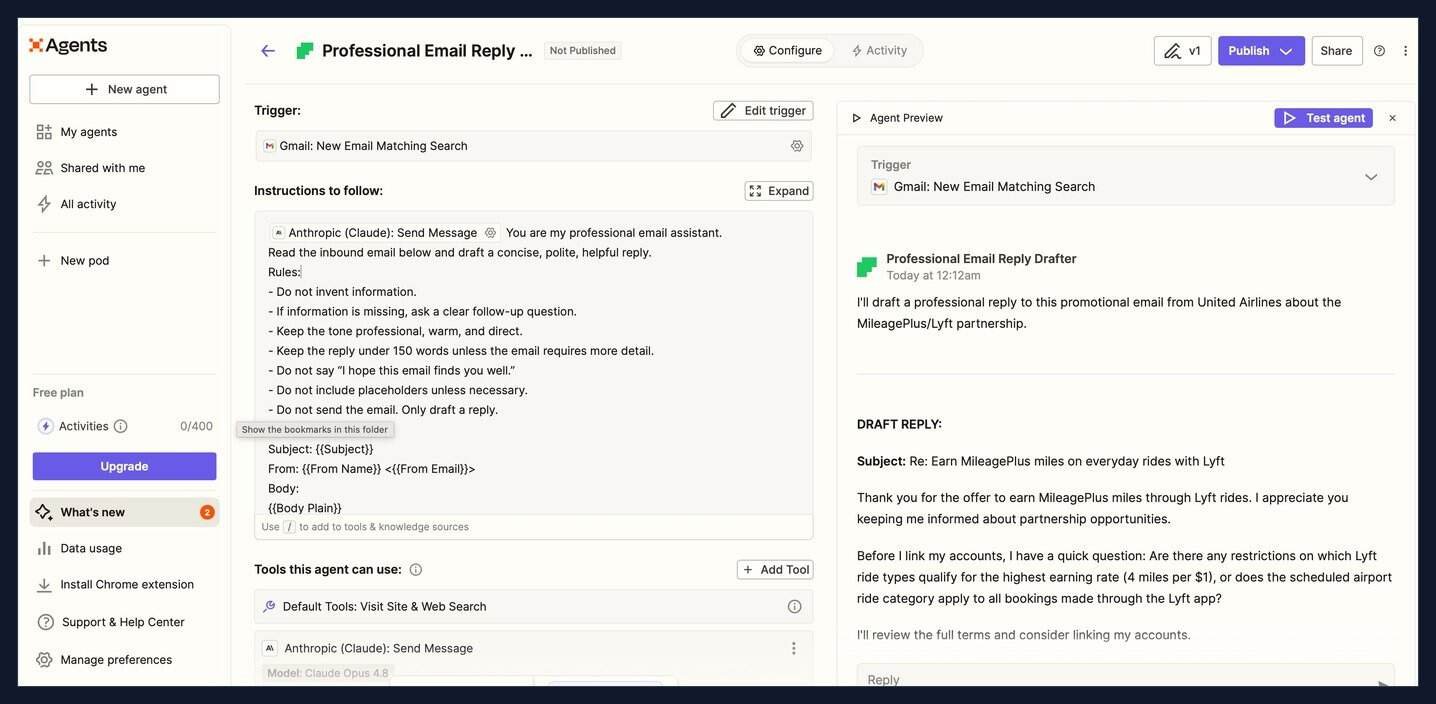
The setup is plain English. I picked a Gmail trigger (“new email matching a search”), wrote the agent’s job as a short brief with rules (“draft a concise, polite reply; do not invent information; if something is missing, ask a follow-up question; do not send, only draft”), chose Claude Opus 4.8 as the model, and left the default tools on. That was the whole build.
Then I ran a test against a real promotional email. The interesting part wasn’t that it drafted a reply. It was that it followed the rule I gave it. Rather than inventing details about the offer, it drafted the reply and asked a specific clarifying question about the earning rate before committing. That is the difference between a fixed automation and an agent in one screenshot: it made a judgment call I didn’t script.
Cost is where Zapier needs care. Agents run on the free plan with 400 “activities” a month, and building and previewing my agent used zero of them. Activities get consumed when the agent actually runs: each trigger it reads, each action it takes, each web search it makes counts as one. So the meter stays at zero while you build, then moves once it’s live and working through real emails.
The catch I can’t give you a clean number for is the paid tier. Zapier doesn’t publish the price of the Agents Pro add-on that raises the limit to 1,500 activities; the page says “let’s talk,” and third-party estimates range from about $25 to $50 a month. Treat that as unconfirmed until you see it in your own account.
Where Zapier fits: it’s the best pick when you want a judgment layer on top of apps you already use, set up in minutes, with the widest integration catalog of the three. Where it breaks down: the activity metering is harder to predict than Make’s per-step credits, and the real paid price is opaque. I’d reach for it to triage and draft, not to run high-volume production work.
Claude Cowork: knowledge work on your own files
Claude Cowork is the odd one out, and that’s the point. It isn’t a cloud automation that fires on a trigger. It’s a desktop agent that works on your own files and applications while you watch, and it reached general availability on April 9, 2026. If you already pay for Claude Pro at $20 a month, you have it; heavier use lives on the Max plans at $100 to $200 a month.
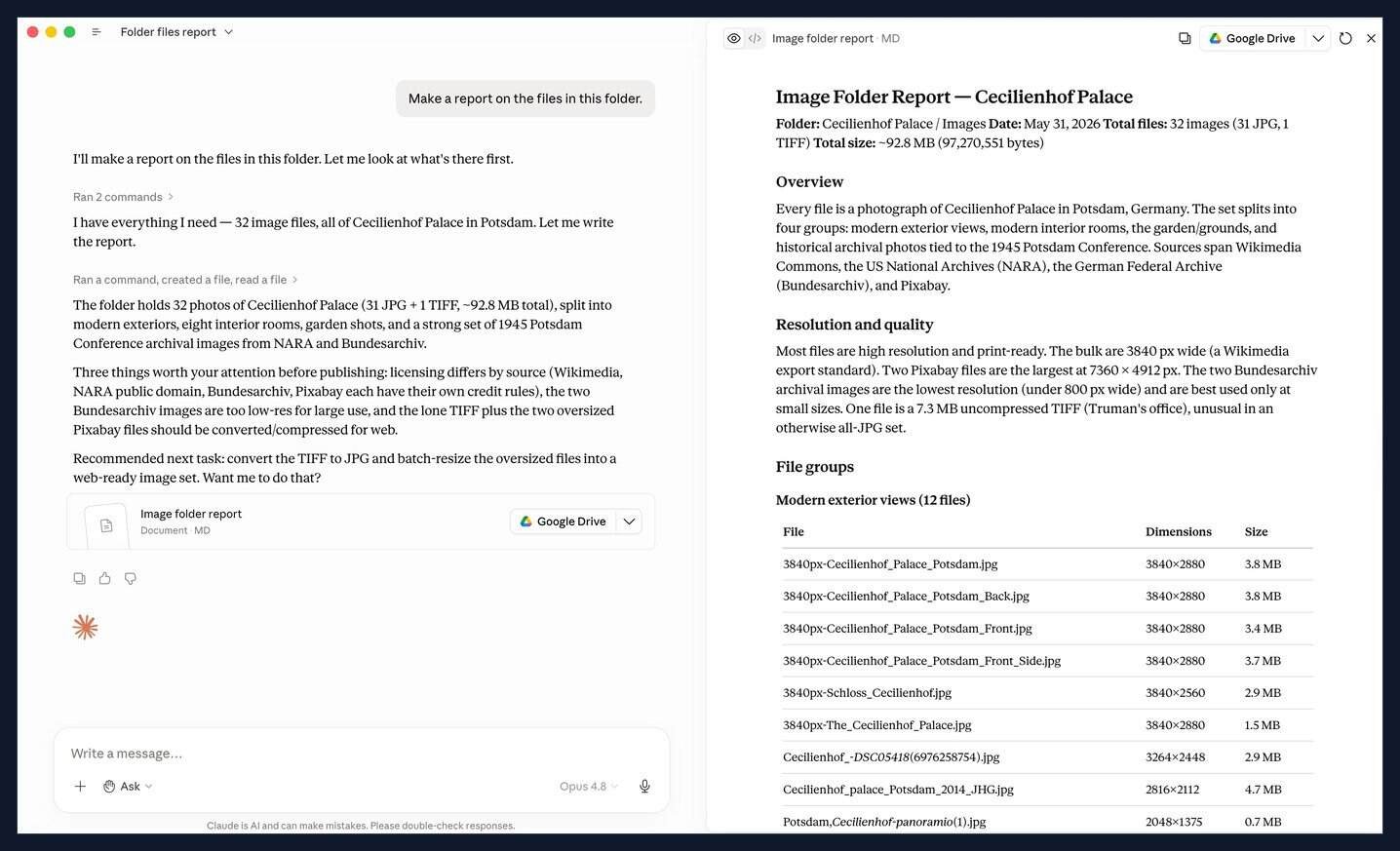
I tested it on a folder of images, with a single instruction: make a report on the files in this folder. Setup was about 10 minutes, most of which was me deciding what to ask. Claude inspected 32 files, about 92.8 MB in total, sorted them into four groups, and produced a structured report. It flagged three real problems on its own: licensing that differed by source, two files too low-resolution for large use, and oversized files that needed converting for the web. Then it saved the report to Google Drive and recommended the next task without being asked.
That is the shape of what Cowork is good at: knowledge work on your own material where the output needs thinking, not only moving. Drafting a brief from a pile of notes, cleaning and naming a messy folder, pulling structure out of unstructured files. It runs on the current Claude lineup, with Opus 4.8 as the flagship, so the reasoning is strong.
What it is not: a server that runs your business while you sleep. It’s tied to the desktop app, it works with you present, and its usage shares Claude’s rolling limits, so a heavy session on Pro can hit a wall that pushes you toward Max. Like the other two agents, it’s non-deterministic, so you check its work rather than trust it blind.
The thread running through all three is the same one I wrote about in the prompts guide: an agent is only as good as the brief you give it. Cowork made that obvious. The clearer my one-line instruction, the better the report came back.
What I’d actually pick
Here’s the approach I’d build today, in order.
Start with Make as the backbone. Anything that needs to happen reliably, on a schedule or a trigger, with the same result every time, belongs in a Make scenario. This is the 80% of automation that quietly runs a creator business: publishing, syncing, formatting, moving data between Notion, your site, and your email tool.
Add an agent only at the point that needs judgment. When you find yourself building an ever-bigger tree of if-this-then-that branches to cover every variation of an input, that’s the signal to replace that one node with an agent instead of more rules. Inside Make, that’s the AI Agents beta with your own API key. If the judgment task lives across apps you already run in Zapier, a Zapier Agent is the quicker route.
Keep Cowork on your desktop for one-off work. Research synthesis, a first draft from source files, cleaning up a folder before you publish. These are jobs you do with the tool open, not jobs you hand to a server.
The short version: Make for the things that must be right every time, an agent for the things that need a decision, Cowork for the things you’d otherwise do by hand at your desk.
One thing the building made concrete: the Zapier agent took about 15 minutes to set up and the Cowork task about 10, both firmly in the “minutes” range, while the Make backbone is the order-of-magnitude bigger build. The five-minute gap between the two agents isn’t wasted time. Cowork’s ten minutes produced a one-time report, while Zapier’s fifteen built a standing automation that keeps running on every new email.
A few thresholds that would change the call. If your Make scenario routinely burns more than about 30,000 credits a month from large loops, look at a self-hosted option. If your Zapier agent activities push past 1,500 a month, you’re into paid-tier territory and should get the real quote. If Cowork keeps hitting limits on Pro during normal weeks, that’s your cue to move to Max.
The honest cost math
Sticker prices mislead here, because the three tools bill on different units. Here’s the monthly floor for a solo creator, with the parts I can verify and the part I can’t.
Make Core is about $10.59 a month for 10,000 credits, or $9 a month billed annually. That’s the cheapest backbone for multi-step work, because you pay per step, not per task.
Zapier starts free: 400 agent activities a month, which covers light use. The classic Zaps paid plans begin around $19.99 a month, and the Agents Pro add-on that lifts you to 1,500 activities has no published price, with third-party estimates near $25 to $50 a month.
Claude Cowork is included in Claude Pro at $20 a month, with no separate fee. If you already pay for Claude, Cowork is effectively free to try. Heavy use moves you to Max at $100 to $200 a month.
Then there’s the model cost, which only applies when you bring your own API key into Make or Zapier. The current Claude prices per million tokens are roughly $1 in and $5 out for Haiku 4.5, $3 and $15 for Sonnet 4.6, and $5 and $25 for Opus 4.8. The practical move is to route cheap, high-volume steps to Haiku, everyday work to Sonnet, and only the hardest reasoning to Opus. Batch processing cuts that in half, and prompt caching can cut repeated-input costs by up to 90%.
The lesson from running my own scenario: cost per finished outcome matters more than the headline subscription. A Make plan around $11 a month that produces 500 finished pieces a month is cheaper per result than a pricier tool that bills every individual step.
Before you go all-in
Three honest cautions before you rebuild your stack.
All three agent features are young. Make’s AI Agents is in open beta, Cowork reached general availability only in April 2026, and Zapier Agents still carries early-access labels in places. Capabilities and prices are moving, so treat anything specific in this post as a snapshot.
Don’t replace working automations for the sake of using an agent. If a Make scenario or a classic Zap already does the job reliably, an agent makes it less predictable, not better. Make’s own guidance is the rule I follow: only hand an agent a task you’d trust an intern to handle, and keep anything sensitive or high-stakes on deterministic rails.
And the pace is real. Claude’s flagship Opus 4.8 shipped 41 days after Opus 4.7, so the model names and prices here will date faster than the strategy will. I’ll review this post around August 2026 to keep the numbers current. The decision framework, though, should outlast any single release: match the amount of judgment a job needs to the amount of autonomy you give the tool.
The bottom line
The reframe is the whole point: these aren’t three versions of one tool, they’re three points on a line from fully defined to fully autonomous. Make for the steps that must be right every time. An agent for the steps that need a decision. Cowork for the work you’d otherwise do by hand at your desk.
If you want the pre-agent version of this comparison, my Make vs n8n vs Zapier guide still holds up for pure app-to-app plumbing. And whichever tool you choose, the brief you write decides the result, which is the case I made in the prompts guide.
If you’d rather skip the building and start from a scenario that already works, the Creator Content Engine is the 19-module Make backbone I described here, ready to import. And the Newsletter Engine does the same for a publishing workflow.
Want the prompts and templates I use to brief these tools? Grab the free AI Starter Kit below and I’ll send them over.
Go deeper: for a hands-on look at the desktop agent in this comparison, see what Claude Cowork actually does across four real tasks.
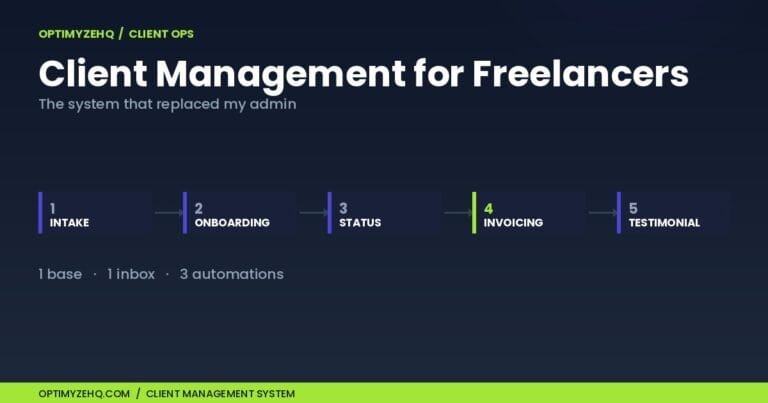
See it in action: here’s how I used Make to automate my entire client back office, from intake to invoice chasing.
First time with Make? Before you compare tools, the Make.com for beginners guide walks through scenarios, credits, and your first build.
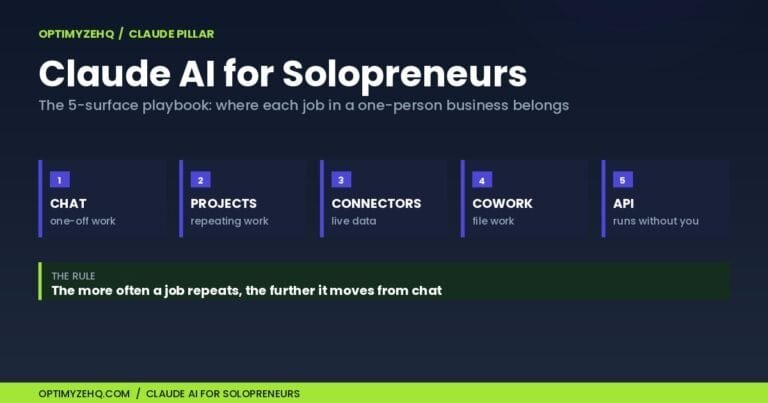
More on the Claude side: The Claude AI for solopreneurs pillar maps all five Claude surfaces, including where Cowork and the API each earn their place.
Comparing the tools, not the approach? If it is n8n on your shortlist rather than a desktop agent, here is the n8n vs Make verdict for beginners.