

Onboard a new client from inquiry to kickoff in a day
The Client Onboarding Toolkit is a Notion template that turns a new inquiry into a booked kickoff call: intake forms, a welcome packet, a scope template, and six tested AI prompts that draft your onboarding emails in your voice.
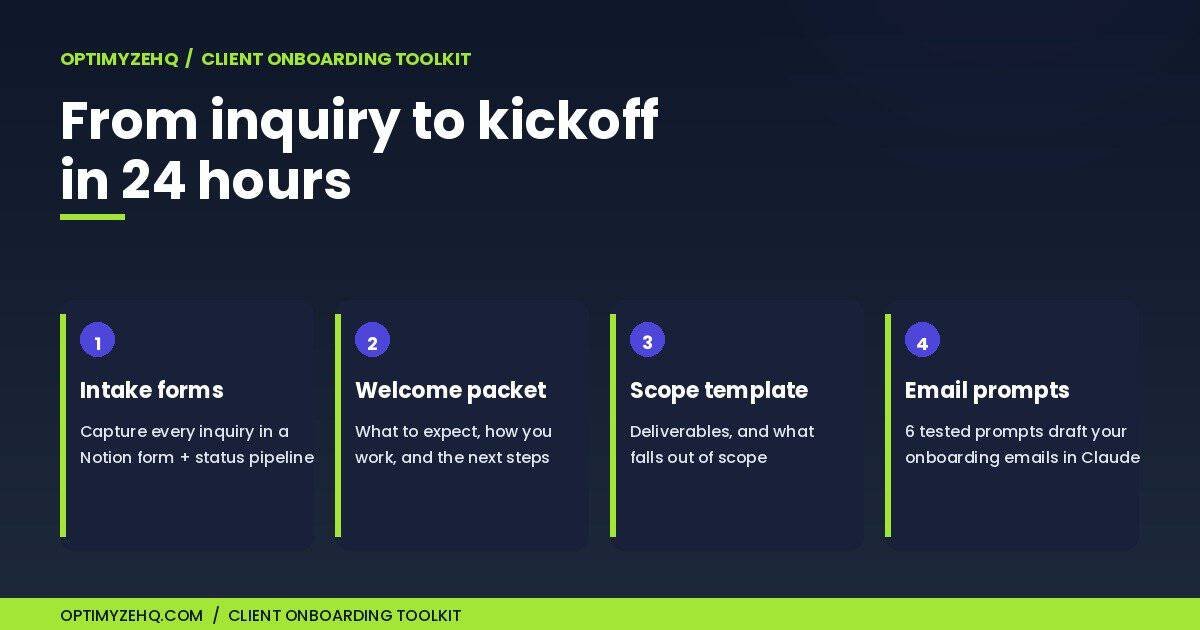
What’s inside the Client Onboarding Toolkit
Four assets, built as one Notion workspace you duplicate in a click. Nothing to configure, nothing to connect. Each asset maps to a step in a six-stage flow that runs from first inquiry to a booked kickoff.
- New Client Intake. A Notion database with a public inquiry form and a status pipeline: Inquiry, Qualified, Onboarding, Kicked Off. Every lead has a home and a next step.
- Welcome Packet. A ready-to-send page that tells a new client what to expect, how you work, what you need from them, and how payment runs.
- Scope of Work. A fill-in template covering deliverables, milestones, revisions, and an explicit out-of-scope section that heads off most disputes before they start.
- Six onboarding-email prompts. Inquiry Reply, Welcome, Scope Confirmation, Kickoff Scheduling, Follow-up, and a graceful Not-a-fit decline. Each one was tested against Claude before it shipped.
- The 24-hour onboarding flow. A six-step sequence on the landing page that ties the assets together, so a new inquiry can reach a kickoff inside a day.
- A worked example. A sample client row pre-loaded in the pipeline, so the system makes sense the moment you open it.
The mechanism underneath is the Status field on the intake database: every client carries a stage, so you always know who is waiting on a reply, a scope, or a kickoff. The prompts are real prompt templates you copy into Claude and fill in, not buttons that send for you.
How it works
- Duplicate the toolkit into your Notion. One click from the delivery email; a free personal Notion account is enough.
- Set up your intake. Share the inquiry form on your site or socials, or fill it yourself when a lead arrives by email. Either way it lands in the pipeline.
- Run the 24-hour flow per client. Reply with the Inquiry Reply prompt, send the Welcome Packet, lock the Scope of Work, and book the kickoff. Move the Status as you go.
- Reuse it forever. Duplicate the Welcome Packet and Scope of Work for each new client, fill the brackets, and copy a prompt into Claude. The setup work is done once.
Where the Client Pipeline Engine takes over
The Client Onboarding Toolkit handles the front door of a client relationship: getting them from inquiry to kickoff. The Client Pipeline Engine handles what comes after, once a client is active and the work is underway.
They are different jobs, not two versions of the same one. This toolkit is the documents and prompts you fill in yourself, a one-time setup per client. The engine is a set of running automations built on Make: it chases unpaid invoices, sends project status updates, and asks for testimonials at the right moment, without you remembering to. If onboarding is sorted and the follow-ups are what eat your week, the engine is the natural next step.
One thing to keep clear: the toolkit’s intake is a Notion form you own and fill; the engine’s intake is an automation that routes inquiries for you. You can start with this toolkit for $57 and add the engine later, or run them side by side. Neither one needs the other to work.
New to systematizing client work at all? The guide to client management for freelancers walks through the whole picture first.
Who this is for (and not)
Built for
- Freelancers and solo service providers who onboard clients one at a time
- Anyone who rewrites the same welcome email and scope document for every project
- People who want a repeatable, professional first 24 hours with a new client
- Client Pipeline Engine owners who want the onboarding front end the engine does not include
Not for
- Anyone expecting automation that runs by itself. This is a Notion template with prompts, not a Make workflow.
- Anyone wanting AI to send client emails for them. The prompts draft; you read and send.
- Teams needing multi-seat client portals or approval chains. It is built for one operator.
- Replacing a contract or legal advice. The scope template is a working document, not a lawyer.