Every Automation I’ve Sold Runs on the Same Prompting System
Last month I shipped a content pipeline with one rule the editor follows on every run: at most one em-dash in the whole piece, and only where a real writer would reach for one. The prompt is good at the rule. Good is not the same as guaranteed.
Run that editor across 200 drafts and a few en-dashes and arrows still slip through, copied out of the source text by a model working at its natural temperature. A prompt can ask for zero. It can’t promise zero.
So I stopped asking the prompt to promise. After the editor runs, the text passes through one line of code that strips those characters before anything gets stored. Zero since.
That moment is the whole post. A prompt is one layer. It is not the system.
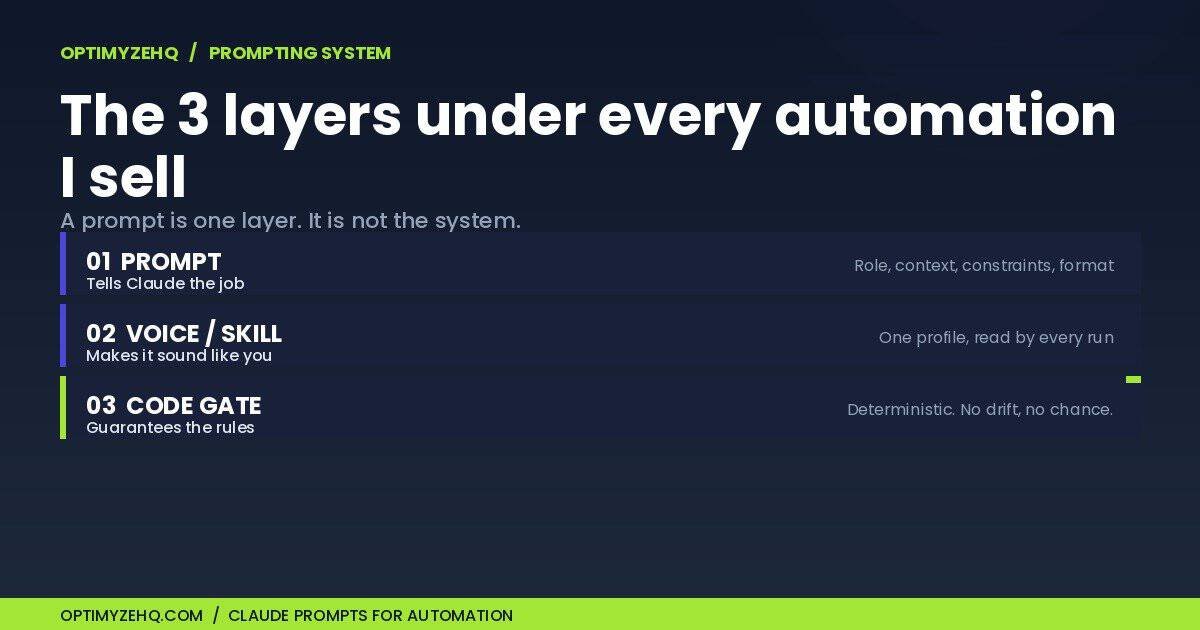
Every automation I’ve built and sold at OptimyzeHQ runs on the same three layers: the prompt that tells Claude what to do, the voice profile that makes the output sound like me, and a deterministic gate that catches what a prompt can’t promise. Most “Claude prompts for automation” articles hand you the first layer and call it a system. Then you wonder why the output drifts after the tenth run.
Here’s the real system, with the actual prompts from products I sell.
The real skill behind Claude prompts for automation
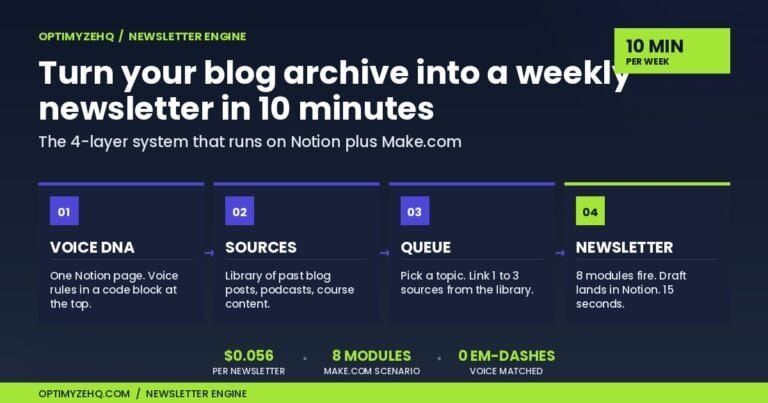
Everything I sell sits on top of prompting. The Creator Content Engine turns one piece into five platform drafts. The Newsletter Engine turns a week of inputs into a sendable issue. Strip away the Make modules and the Notion databases, and the part that decides whether the output is usable or generic is how Claude is prompted.

That’s the unglamorous truth under the whole “AI for creators” category. The model is a commodity. Everyone has the same Claude I do. The edge is in the instructions.
Search around and you’ll find a hundred listicles offering 25 or 50 prompts to copy. They’re not wrong about the core idea: specific input gets specific output, vague input gets vague output. But a list of prompts isn’t a system. A prompt you paste once works once. The real trouble shows up in production as drift. Run the same loose prompt 200 times across different inputs and the output wobbles, because nothing is holding it steady.
Good Claude prompts for automation aren’t clever sentences. They’re four habits applied to every run. I learned them building the full Make and Claude pipeline behind these products. Here they are.
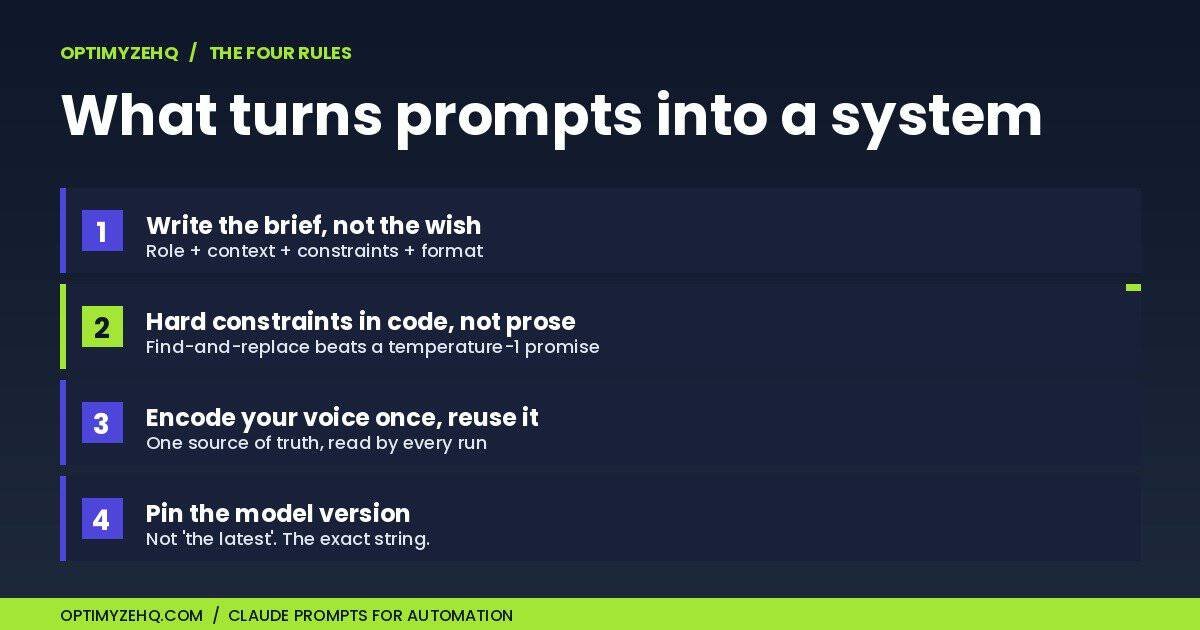
Rule 1: Write the brief, not the wish
Most prompts are wishes. “Write me five LinkedIn posts in my voice.” That’s not an instruction, it’s a hope.
A brief has four parts: who Claude is, what it’s working with, what it cannot do, and exactly what to hand back. Anthropic’s own prompt guidance paints the same picture: treat the model like a brilliant new hire with zero context on your project. You wouldn’t tell a new hire “write some posts.” You’d give them the role, the source material, the rules, and the format.
Here’s the opening of the real generator prompt inside the Creator Content Engine, the module that writes the LinkedIn draft:
Generate one LinkedIn long-form post.

# Source material
Title: {the creator's piece title}
Source type: {newsletter, blog post, transcript...}
Pillar content:
---
{the full source piece}
---

# LinkedIn long-form format conventions
Length target: 1,300-1,800 characters. Hard ceiling 1,900.
Structure:
1. Hook line. The first sentence is everything. LinkedIn truncates
   near 210 characters on mobile. When the pillar has one strongest
   specific (a price, a percentage, a count, a date), lead with it.
2. Setup (1-2 sentences). Why this matters to the reader.
3. Body (3-6 short paragraphs, 1-3 sentences each).
4. Closing line.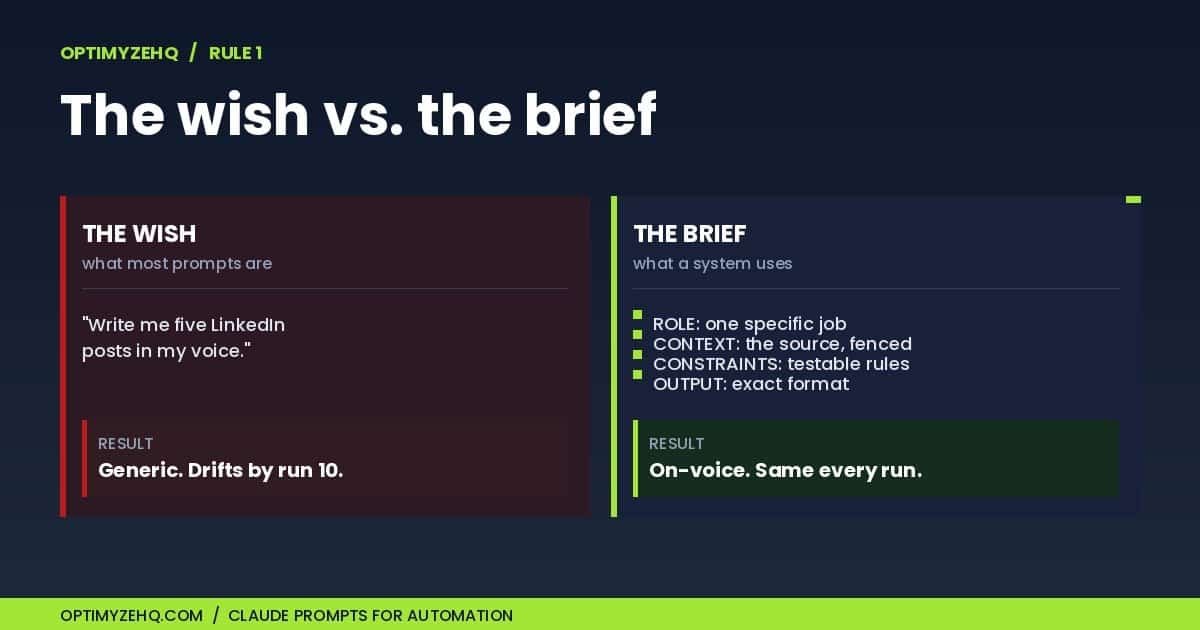
Notice what’s doing the work. The role is one job, not “you are a helpful assistant.” The source piece is fenced inside delimiters so the model never confuses instructions with material. The format is exact down to the character count, because a downstream module stores this and LinkedIn has real limits. And there’s a rule of thumb baked in, lead with the number, that encodes how I actually write hooks.
This is a brief. It would read the same way to a new freelancer as it does to Claude.
Rule 2: Put hard constraints in code, not the prompt
Back to the em-dashes from the top of this post.
The editor prompt in my pipeline has a strict rule about them, rule 8 of 9 in its checklist: at most one em-dash, and only where a human would reach for one. The prompt is good at this most of the time, because judging whether a dash is earned is a judgment call, and judgment is what the model is for.
But “most of the time” is the problem when something runs unattended across hundreds of inputs. At temperature 1, which is the default and the right setting for natural first drafts, the model occasionally reintroduces an en-dash or an arrow it copied straight from the source. A prompt can ask for zero. It cannot promise zero.
So I stopped asking. After every editor module, the text passes through one deterministic step:
{{replace(replace(15.textResponse; "–"; "-"); "→"; "to")}}That’s it. A nested find-and-replace: en-dash becomes a hyphen, arrow becomes the word “to.” No model, no temperature, no chance of drift. The things that have exactly one correct answer get handled by code. The things that need taste stay in the prompt.
This is the rule that took me longest to learn. Early on I tried to fix everything with a better prompt, because the prompt felt like the powerful part. It isn’t. A prompt is the right tool for judgment and the wrong tool for guarantees. Anything you can express as a find-and-replace, a length check, or a regex belongs in code, where it runs the same way every single time.
There’s a second version of this rule that kept the whole pipeline from breaking. The generator hands its draft to the editor wrapped in plain-text delimiters. If you ask Claude for JSON inside an automation and then feed that JSON to the next step, one stray character in the output corrupts the parse and the run dies. A plain delimiter the model can’t accidentally break is more reliable than structured output it might. So I pass plain text between modules and split on the delimiter myself.
Rule 3: Encode your voice once, then reuse it
Look back at the generator and editor prompts. Neither one contains a single word about how I sound.
That’s deliberate. My voice lives in one place, a Voice DNA record, and every Claude module loads it as the system prompt at runtime:
{{join(map(14.body.results[0].code.rich_text; "plain_text"); "")}}That line pulls my voice profile out of a Notion database and injects it as the system prompt for that run. One source of truth, read by all ten Claude modules in the scenario. When I refine how I sound, I edit one record, not ten prompts. I wrote about building that profile in the Voice DNA post, and it’s the single most valuable piece of the whole system.
This is also where Claude Skills fit, and it’s worth being precise about what they are, because the word “skill” gets thrown around loosely. A Skill is a folder with a SKILL.md file: a name, a description, and instructions Claude loads only when a task calls for them. Anthropic launched Skills on October 16, 2025 and published the format as an open standard on December 18, 2025. The mechanic that matters for creators is this: Claude reads only the name and description of each installed Skill up front, then loads the full instructions when the description matches the task. So the description isn’t a label. It’s the trigger.
That changes how you write one. A vague description (“helps with writing”) rarely fires. A specific one (“matches the creator’s established voice when editing or drafting LinkedIn, X, and newsletter content”) fires reliably. I packaged my voice rules into a voice-match Skill for exactly this reason, so the same voice applies whether I’m in the Make pipeline, in Claude directly, or in a one-off task, without pasting the rules every time.
One gotcha worth an hour of your life: a Skill you upload in the Claude app is not visible to the API. If you build automations on the API, as my pipelines do, you upload the Skill there separately. They share a format, not an account.
Rule 4: Pin the model, and know when temperature applies
Every Claude module in my Creator Content Engine names one exact model: claude-sonnet-4-6. Not “the latest Sonnet.” The specific version string.
This matters more than it looks. Anthropic ships new models often. As I write this, verified on May 29, 2026, the lineup is Claude Opus 4.8 (the flagship, released the day before and replacing Opus 4.7), Claude Sonnet 4.6, and Claude Haiku 4.5. If your automation points at a floating alias, a model update can quietly change your output overnight. Pinning the version means the pipeline behaves the same in June as it did in May. When I want a newer model, I change the string on purpose and re-test, instead of getting surprised.
For my editor and generator modules, Sonnet 4.6 is the right pick: strong enough for voice-sensitive editing, far cheaper than Opus at $3 per million input tokens against Opus 4.8’s $5, and fast enough to run the whole scenario in seconds. I save Opus for the hard reasoning jobs and use the cheaper tiers everywhere the work is well defined.
A detail that will trip you up if you copy advice from older posts: the common tip to “lower the temperature for consistent output” no longer applies across the board. The current Opus models, 4.7 and 4.8, don’t accept a temperature setting at all. They sample adaptively, and passing one returns an error. Sonnet and Haiku still take temperature, default 1.0, which is why my generator runs at 1 for natural first drafts. The lesson from Rule 2 still stands: if you need a guaranteed output, the lever is code, not temperature. Even at temperature 0, Anthropic notes the result isn’t fully deterministic.
What this system isn’t
This is not a prompt pack. You can’t buy 50 prompts and end up here. The prompts are the easy part to copy and the smallest part of what makes the output good. What makes it work is the structure around them: the briefs, the code gates, the single voice source, the pinned models. That structure is the real thing, and it’s specific to how I work.
It’s not set-and-forget either. The model lineup I named above will be out of date within a few months, because Anthropic ships new versions every six to ten weeks. Pinning a version buys you stability, not permanence. Every quarter I re-test the pipeline against the current models and decide what to move. A system that runs unattended still needs an owner.
It won’t invent a voice you haven’t defined. The voice profile is an input, not an output. If you don’t know how you sound, the pipeline makes Claude sound like Claude, which is the exact problem you were trying to solve. The work of writing down your voice comes first, and no prompt skips it.
And it won’t rescue a weak source piece. The Creator Content Engine repurposes, it doesn’t originate. Feed it a thin idea and you get five thin drafts faster. The pipeline gets me to roughly 90% on each platform draft. A human read still happens before anything publishes. Anyone who tells you their AI content needs no human pass is either not reading the output or not publishing anything worth reading.
Build your own version this week
You don’t need my scenario to start. You need the four rules, applied to one workflow you already do by hand. Here’s the smallest version that still counts:
- Write one real brief. Take your next “write me a post” moment and replace the wish with a brief: the role, the source material, the constraints, the exact format. One platform. See how much the output improves before you build anything.
- Move one constraint into a check. Find the rule you keep repeating to the model that it keeps missing. Turn it into a find-and-replace or a length check you run afterward, by hand at first if you have to. Let code own the things with one right answer.
- Write your voice down once. A single paragraph of how you sound, what you never say, the words you avoid. Save it somewhere every task can read it. This is the single most valuable hour in the whole process, and it’s where I’d start. The Voice DNA post walks through how I built mine.
- Pin your model. Write the exact version string into your tool, not “the latest.” Put a reminder in your calendar to re-test in three months.
Do those four and you have the system, manual at first, ready to automate once it earns it.
When you want the automated version of all this, the source piece in and five on-voice platform drafts out, that’s what the Creator Content Engine does end to end. And if you’re not there yet, the Free AI Starter Kit walks through the voice and prompting foundation by hand, free, so you can feel the difference before you spend anything.
This is also the post the rest of this series points back to. The next two cover which automation tool to actually build on, and how to put Claude to work without writing code. Both assume the foundation you read above. The prompting system is the part underneath all of it.
Next in this series: the full Make vs Zapier vs Claude Cowork comparison, and a hands-on deep-dive into what Claude Cowork actually does.
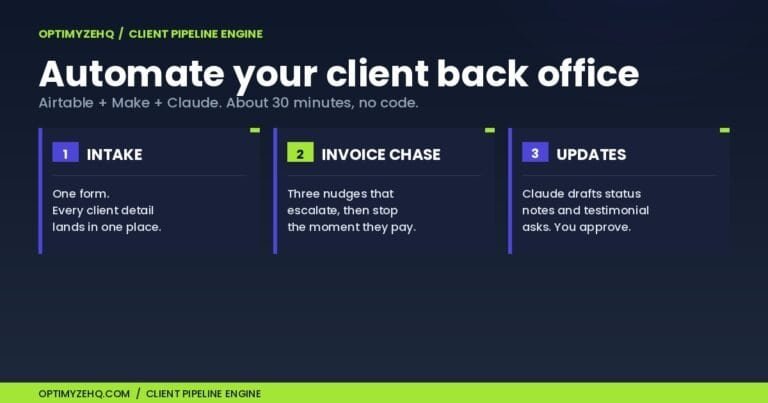
Put it to work: see the prompting system running live in the client back office I automated end to end.
The bigger picture: these prompts power the AI step inside my workflows. See the whole stack in AI workflows for solopreneurs.
The prompts themselves: this system powers the products; for ready-to-run prompts covering client work and operations too, see AI prompts for freelancers: 3 of the 75 I tested first.
Zoom out: This prompting system runs inside a bigger map. The Claude AI for solopreneurs pillar shows which of the five Claude surfaces each job belongs on.
The system around them: these prompts are the judgment layer of a five-stage content pipeline. The full architecture, generator-editor pairs included, is in how to build an AI content system.