Claude Skills for Solopreneurs: The 5 Jobs Worth Building First
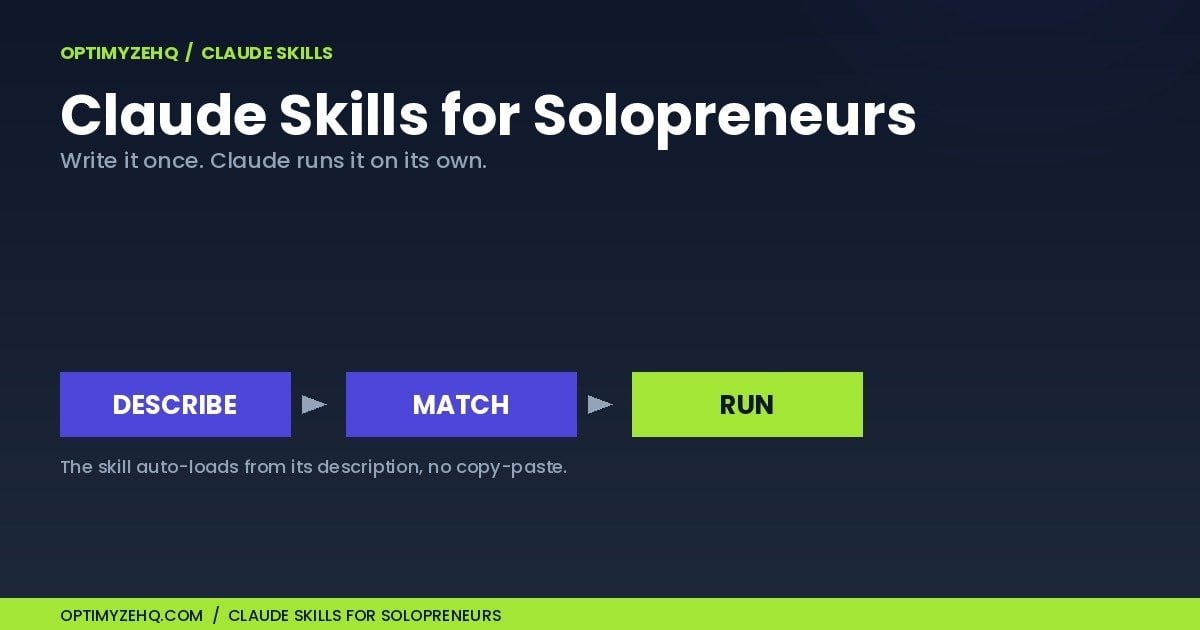
Every time I open a new Claude session, there’s a tax I used to pay without noticing. I’d re-explain who my audience is, re-paste my voice rules, and retype the same context block I’d copied out of Notion a hundred times. Miss one piece and the output drifts. Claude Skills for solopreneurs exist to end that tax: you write the instructions once, install them once, and Claude runs them on its own when the job comes up.
Here’s the part most coverage gets wrong. You don’t need the terminal, a developer setup, or Claude Code to use them. If you’re on any Claude plan from Free to Enterprise, with code execution switched on in your settings, you can install a skill in about two minutes. This piece is for the solo creator or freelancer who keeps hearing “Skills” and can’t tell whether it’s a real upgrade or another thing to learn. It isn’t a coding tutorial. By the end you’ll know what a skill is, how it differs from a prompt, and which of your weekly jobs are worth turning into one.
What is a Claude Skill, exactly?
A Claude Skill is a reusable set of instructions you install once, and Claude loads it on its own whenever a matching task comes up. Underneath, a skill is a small folder with at least one plain-text file (a SKILL.md) holding a name, a short description, and the instructions you want Claude to follow. The description does the heavy lifting: Claude reads it on every message, like skimming a book jacket, and decides whether to pull that skill in.
Installing one is a no-code job. With code execution turned on in your settings, you open Customize > Skills, click to add a skill, and upload a ZIP of the folder. Toggle it on and you’re done. Anthropic offers Skills on the Free, Pro, Max, Team, and Enterprise plans, so most readers already have access. The result: the expertise lives inside Claude instead of inside a document you have to remember to open.
Claude Skills for solopreneurs vs prompts and Projects
The fastest way to understand a skill is to line it up against the two things people confuse it with.
| Prompt | Skill | Project | |
|---|---|---|---|
| What it is | A block of text you write | An installed instruction set | A persistent workspace |
| How you use it | Copy, paste, fill in, run, every time | Describe the task; Claude loads it itself | Holds files, context, brand rules |
| State | Stateless; you supply it each session | Available when enabled, loaded when relevant | Always on for that workspace |
| Best for | One-off or exploratory work | A repeatable job with a fixed shape | Context Claude should always have |
A prompt is something you type each time. A skill is something you write once and reuse, with the method, the output format, and the guardrails baked in. That’s the upgrade in one line: prompts you paste, skills Claude runs. If you’ve worked through my piece on the prompting system behind every automation I’ve sold or the 75-prompt library, a skill is the next rung: the same thinking, except Claude carries it instead of you.
A Project is a different tool again. It’s a workspace that holds your files and standing context. A skill is the triggered method, and it works in any chat, including inside a Project.
How does Claude know when to use a skill?
You describe the task in plain language, and Claude matches it. Type “draft a reply to this client about the delayed timeline,” and Claude scans the descriptions of every skill you’ve enabled, finds the one that fits, and runs it. You can also call a skill by name if you’d rather be explicit.
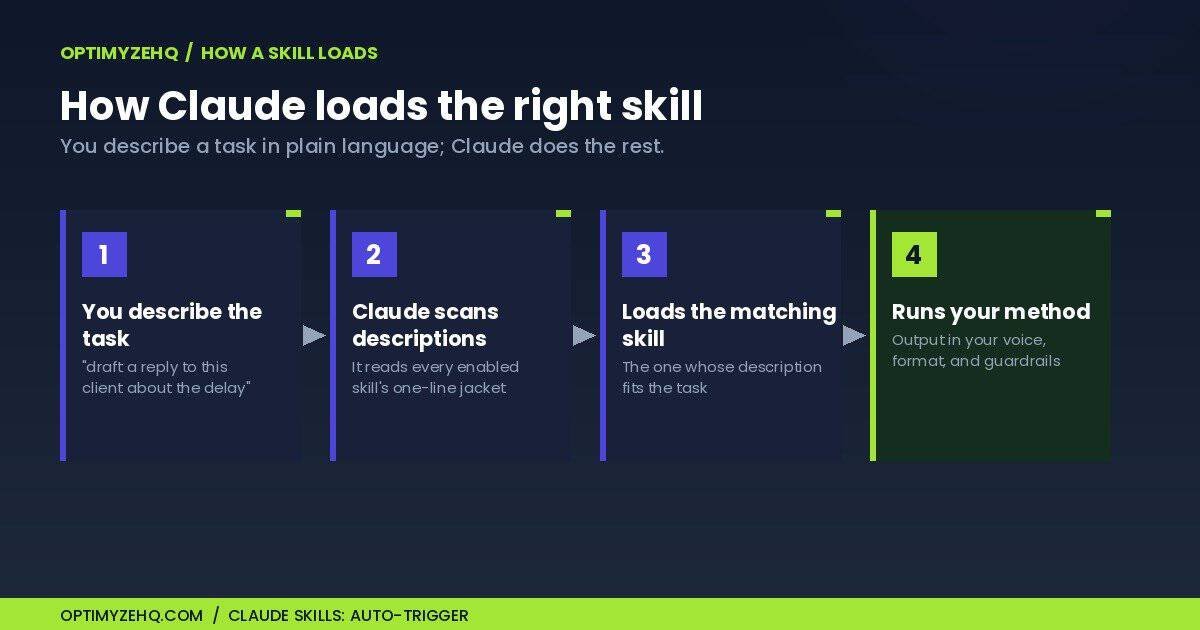
This is why the description field carries so much weight. A vague one means Claude skips the skill exactly when you need it, which feels the same as not having it. A specific description, written the way you’d actually ask for the task, is what makes a skill fire reliably.
Which of your jobs are worth turning into a skill? (5 to start)
The jobs worth a skill share a shape: you do them most weeks, they follow stable rules, the output looks roughly the same every time, and you can check it at a glance before it goes out. These five rank first because they hit all four. They fit almost every solo business:
- Client email replies. Status updates, delays, boundary-setting, scope-creep pushback.
- Meeting notes to action items. A transcript becomes a summary, owned tasks, and a recap to send.
- Cold outreach. A personalized first email built from real research: a name, a company, and one genuine detail, never invented.
- SOP writing. A “how I do X” brain-dump becomes a clean, repeatable procedure.
- Weekly review. Your wins, misses, and open loops become a prioritized plan for next week.
Take the first one. Without a skill, every hard client email starts the same way: I tell Claude my tone, the relationship, what I’m trying to protect, then the situation. With a skill, that standing context already lives in the instructions. I write one line about the situation and get a reply that already sounds like me and holds the line I wanted to hold. The re-briefing is gone.
The honest flip side: not every job should be a skill. One-off research, creative exploration, anything where you want a different answer each time, those stay prompts. A skill is for consistency. If consistency isn’t the goal, you don’t want one.
Do you need Claude Code or to be technical? (No)
This is the confusion worth clearing up, because most writing about Skills is aimed at developers running Claude Code in a terminal. That version exists and it’s powerful, but it isn’t what a non-technical solo operator needs. The browser-and-desktop path is the whole job: enable code execution, upload a ZIP, toggle on. No command line, no repository, no install scripts.
One trade-off to plan for: skills don’t update themselves, so when a new Claude model lands, rerun your important ones once on a real task and adjust if anything drifted.
FAQ
What is a Claude Skill? A reusable instruction set you install once that Claude loads on its own when a matching task comes up. It bundles the method, the format, and the guardrails into one file, so you stop re-explaining the same job every session.
Are Claude Skills free? The Skills feature itself is free. It’s included on every plan from Free up to Enterprise, and only needs code execution turned on in your settings. Most solo operators on Pro or Max already have what’s required.
Should I use a prompt or a skill? Use a prompt for one-off or exploratory work where you want a fresh answer each time. Use a skill for a job you repeat with a fixed shape, where consistency is the point. Many people start with a prompt and promote it to a skill once they’ve run it enough times.
Do Claude Skills work outside the chat window? Yes. A skill you enable in your settings is also available in Cowork and, where your plan includes them, the Claude add-ins for Word, Excel, PowerPoint, and Outlook, so the same instructions follow you across the tools you already work in.
Do skills break when a new Claude model comes out? They don’t break, but they’re worth retesting. Skills don’t auto-update and behavior can shift slightly between models, so the habit is to rerun your key skills on a real task whenever a new model ships and adjust the wording if needed.
Pick one job this week
Here’s the move that turns this from interesting into useful: pick a single job you did three or more times last week, and decide whether it should stay a prompt or become a skill. If it’s the same shape every time, it’s a skill. That’s the whole filter.
Then take one of two paths. Build it yourself: the 15-minute walkthrough on how to create a Claude Skill covers the file, the packaging, and the testing. Or skip the building: the Solo Operator Skill Pack ships twelve of these jobs as ready-to-install skills, already written and tested, for the price of an hour of your time.
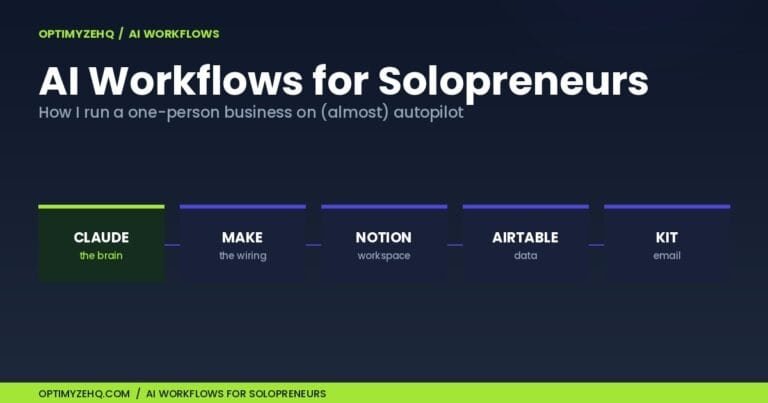
Skills are one layer of the system. The Claude for solopreneurs playbook covers how the rest fits together, the whole approach lives under AI workflows for solopreneurs, and if you would rather paste prompts for now, the Solo Operator Prompt Library is the starting point.
Still choosing your main assistant? Before you invest in Claude Skills, see how Claude stacks up against the alternative for a solo operator in Claude vs ChatGPT for solopreneurs.
Skills, Projects, or custom instructions? If you’re sorting out which Claude layer does which job, and how they stack, see Claude Skills vs Projects vs Custom Instructions.