Claude Skills vs Projects vs Custom Instructions: Which Layer Does What
Last verified June 2026.
Last week a reader sent me a question I get almost every week: “I already have a Claude Project for my client work, and I filled in the custom instructions box. Do I also need Skills, or is that the same thing?”
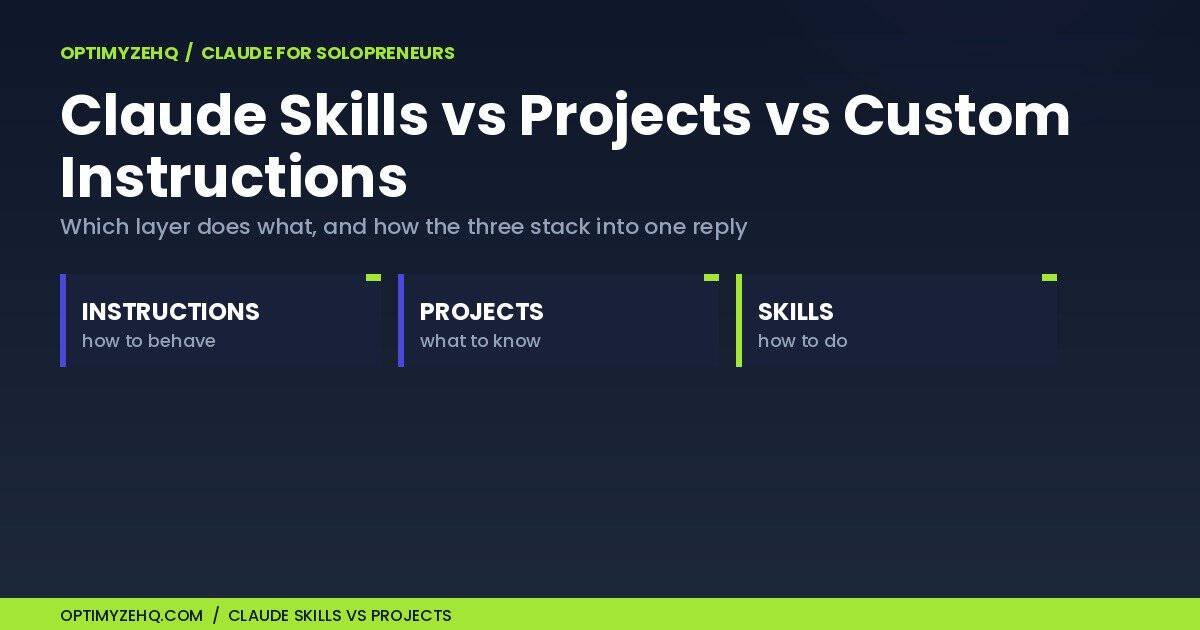
Short version: they aren’t the same thing, and you aren’t really choosing between them. Claude Skills, Projects, and custom instructions are three different layers, and the solo operators who get the most out of Claude run all three at once. Each one answers a different question:
- Custom instructions set how Claude should behave, everywhere.
- Projects hold what Claude should know, for one body of work.
- Skills carry how Claude should perform a specific repeatable task, in any chat.
So the real question isn’t Claude Skills vs Projects. It’s which layer you reach for, for which job. That’s what this piece sorts out, and I’ll use the exact three-layer setup I run this blog on as the worked example.
Who this is for: the solo creator or freelancer who already uses Claude, has a Project or two, and keeps re-pasting the same instructions wondering if there’s a cleaner way. If you’re wiring up the API, this isn’t that piece.
The three layers in plain language
Here’s each layer in one breath, then a sentence on how it works.
Custom instructions (officially called Instructions for Claude, the box some guides still label Profile Preferences) are account-wide standing instructions that load into every new conversation automatically. They’re free on every plan. You set them once in Settings, and Claude carries them into every chat from then on. Mine include “no em-dashes” and a short list of words to avoid, so I stop hand-correcting the same things on every draft.
Projects are self-contained workspaces, each with its own chat history and knowledge base, plus instructions that apply to every chat inside that workspace. They’re now available on all plans, including Free (up to five projects). Upload your reference docs once, and every chat in that Project can use them. When a project’s knowledge gets large, Claude retrieves the most relevant parts rather than loading every file into each reply.
Skills are small folders, each holding a SKILL.md file that teaches Claude how to do one task your way, and they travel into any chat, any Project, the desktop apps, and (on paid plans) the Word and Excel add-ins. Skills themselves work on every plan with code execution turned on, code execution being the file-running capability you switch on in Settings. The clever mechanism: Claude only loads each skill’s short description until your request actually matches it, then it pulls the full instructions. That lets you keep a dozen skills switched on without loading every full instruction set into every request.
Claude Skills vs Projects: what actually differs
The cleanest way to tell the two apart comes from Anthropic’s own guide to the Claude stack, which I’ll paraphrase: a Project tells Claude what to know; a Skill tells Claude how to do things.
A Project is persistent context for one body of work: Claude draws on its instructions and knowledge across every chat there, retrieving the most relevant material when the knowledge base is large. A Skill is a procedure that sits dormant until it’s relevant, then fires anywhere. Concretely: your “Q3 Client Launch” Project holds the brief, the brand assets, and the past emails. Your “format a proposal” Skill knows the structure, headings, and tone you use for every proposal, and it works in that Project and the next one.
| Layer | What it gives Claude | When it loads | Plan |
|---|---|---|---|
| Instructions for Claude (custom instructions) | Your standing rules, how to behave | Always, in every chat | Free and paid |
| Projects | What to know for one body of work | While you’re in that Project | Free (up to 5) |
| Skills | How to do a specific repeatable task | Only when the task matches | Free and paid (code execution on) |
How the three layers stack (the part most comparisons skip)
Because each layer answers a different question, they don’t compete, they compose. Your custom instructions are always in effect. The Project’s knowledge and instructions apply while you’re working inside it. And a skill joins in when your request matches what it covers. Claude can draw on all of it for one reply.
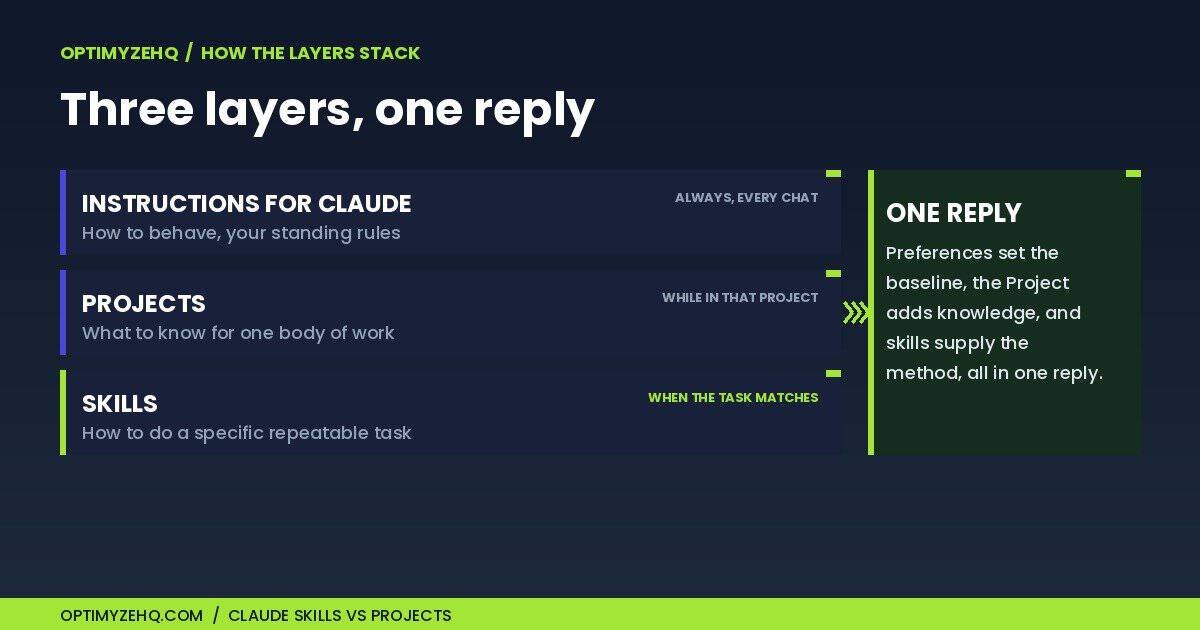
Anthropic confirms skills are built to work alongside each other: Claude can use several at once automatically, and that composability is a big part of the point. So a single request can pull your account-wide voice rules, one Project’s knowledge, and two skills, with no copy-paste from you.
Where should each thing go?
If you remember one thing, match the thing to the layer by what it is, not by whichever feature you found first. Here’s the quick map.
| What you’re storing | Best layer | Example |
|---|---|---|
| A rule for every conversation | Instructions for Claude | No em-dashes; answer first, skip the preamble |
| Knowledge for one client or project | Project knowledge | Brand guide, briefs, past work |
| A rule for one workspace only | Project instructions | Write only for OptimyzeHQ readers |
| A repeatable multi-step procedure | Skill | Turn an approved outline into a formatted draft |
| A one-off request | A prompt | Summarize this thread |
Brand voice is the classic in-between, and it can live in all three: the always-on rules (no em-dashes) go in Instructions for Claude, the full style guide and approved samples go in a Project, and the repeatable “make this sound like us” pass is a Skill.
Two things to avoid: don’t bury client-specific facts in a Skill, since those change per client, and don’t spin up a Project for a single throwaway question. A Skill can still hold supporting examples and templates, but its reusable core should stay the procedure, not the facts that change per client or campaign.
The exact three-layer setup I use to run this blog
This isn’t theory. This blog runs on all three layers, and here’s the real wiring.
The Project is named OptimyzeHQ. It holds the brand voice document, the editorial procedure, and past posts as reference, so every drafting chat already knows how the site sounds and what’s live.
The custom instructions carry the rules that never change: no em-dashes, the list of words to avoid, and the spelling of OptimyzeHQ with a Y. Those load into every chat I open, inside the Project or not.
The skill is a voice-match skill: hand it an approved draft and it standardizes the piece to the house voice and formatting in one pass. I wrote it once. Now it runs on command in any chat.
The result is one clean pass. I describe the post, the Project supplies the context, the instructions hold the voice, and the skill handles the formatting. Three layers, one reply, no re-explaining.
Here’s the same shape on a different job, a weekly newsletter, so you can copy the pattern:
- Instructions for Claude: concise, no hype, my spelling rules.
- Project: the audience profile, past issues, product notes, the editorial calendar.
- Skill: turn an approved outline into a full issue in the house structure.
- Prompt: “Draft this week’s edition from the attached notes.”
When to reach for which (and the four mistakes I see most)
The decision rules are short:
- Use custom instructions for anything that should be true in every conversation: your role, your tone, your hard rules.
- Use a Project when work accumulates around one subject: a client, a launch, a course.
- Build a Skill the moment you catch yourself pasting the same multi-step instructions across chats or Projects. That’s Anthropic’s own signal that the procedure belongs in a skill.
The mistakes I see most often:
- Pasting the same standing rule into every Project. That rule belongs in your custom instructions or a skill, not copied into ten places.
- Spinning up a Project for a one-off task. A Project is for work that builds. A quick ask is a prompt.
- Re-typing the same long prompt all week. If you’ve run the same multi-step prompt three times, it’s a skill; a one-line standing rule belongs in your instructions instead.
- Treating it as Skills vs Projects. The strongest setups use both, with the instructions running underneath.
One failure mode is worth naming on its own: a skill only fires when its description matches your request, so a vague description like “helps with writing” makes it fire unreliably, or not at all. Write the description like a trigger, specific about when Claude should use it. And when you want certainty, you can point Claude at a skill directly, by naming it in your request (or, in the Microsoft 365 add-ins, with a slash command), instead of waiting for it to match automatically.
What if two layers disagree? Say your instructions ask for brevity but a skill produces a long deliverable. Claude doesn’t publish a strict order of precedence, so in practice the more specific, task-relevant instruction tends to win. When it matters, say which you want in the prompt (“keep this under 300 words, skip the long-form skill here”).
One safety habit: a skill can carry scripts and files, not only text, so treat one like any download. Review a third-party skill before you enable it, especially anything with scripts, and install only from sources you trust.
You’ve outgrown prompts and Project-pasting when…
You’ve outgrown the prompt-and-paste habit at a clear moment: when you’re copying the same instructions between chats or Projects, or retyping the same long prompt for the third time. That’s the signal to turn your most-repeated jobs into skills.
Fair disclosure, since I’m about to point at something I sell: OptimyzeHQ sells tools built for Claude, including a Skills pack, so weigh my enthusiasm for skills with that in mind. Nobody sponsored this piece.
You can build skills yourself, and I’d start with my walkthrough on how to create a Claude skill (no code, about fifteen minutes), then pick your first jobs from the five worth building first. If you’d rather skip the writing and start from a set that already works, the Solo Operator Skill Pack is a paid set of twelve ready-to-run Claude Skills for solo operators. It removes the setup, not the thinking. Which jobs matter is still your call.
Either way, the move is the same: stop re-explaining yourself to Claude, and let a layer do it for you.
FAQ
What’s the difference between Claude Skills and Projects?
Projects give Claude persistent knowledge for one body of work; Claude pulls the relevant parts of that knowledge whenever you’re in the Project. Skills give Claude a repeatable procedure that stays dormant until your request matches it, then works in any chat or Project. Projects are what to know; Skills are how to do.
Are Claude Skills free?
Skills are available on every plan, including Free, as long as code execution is turned on in Settings. Projects are on Free too, up to five. Custom instructions are free on every plan.
Can I use a Skill inside a Project?
Yes. Skills travel everywhere, including inside Projects, so a Project’s knowledge and a skill’s procedure run together in the same chat.
Should I put my brand voice in a Project or in custom instructions?
If the voice should apply everywhere, put it in your custom instructions. If it only matters for one body of work, set it as that Project’s instructions. If it’s a repeatable production step, like formatting something the house way, make it a skill.
Is there a ChatGPT equivalent?
The closest single analog is a Custom GPT, which packages instructions and knowledge into one reusable assistant. But ChatGPT isn’t one container either: it also has account-wide custom instructions, Projects, and its own Skills in beta on business plans. The concepts overlap with Claude’s three layers; the setup, availability, and behavior differ.
New to building automated workflows with Claude? Start with Claude AI for Solopreneurs: the complete workflow playbook, or grab the free starter kit of prompts to get going.
Sources, last verified June 2026: Anthropic’s help center on using skills, Projects, personalization features, and Projects RAG. Plan details and limits change, so check the current pages.