
How I built a system that turns my blog archive into a weekly newsletter in 10 minutes
You published 47 blog posts last year. Last quarter’s newsletters cited zero of them.
AI newsletter automation was supposed to close that gap. For most creators, it hasn’t.
That gap is not a writing problem. It is a system problem. Solo creators sit on hundreds of pages of past blog posts, podcast transcripts, course modules, and conference talk drafts. None of it is being repurposed. Every newsletter starts blank, gets dragged to the deadline, and ships at 60% of what the archive could have produced if anyone had bothered to wire it up.
The reframe that fixed this for me: a newsletter is a remix, not a fresh draft. The job is selection and voice, not invention. Once I treated it that way, the workflow collapsed from two hours a week to under fifteen minutes, with most of that time spent on the parts that should stay human.
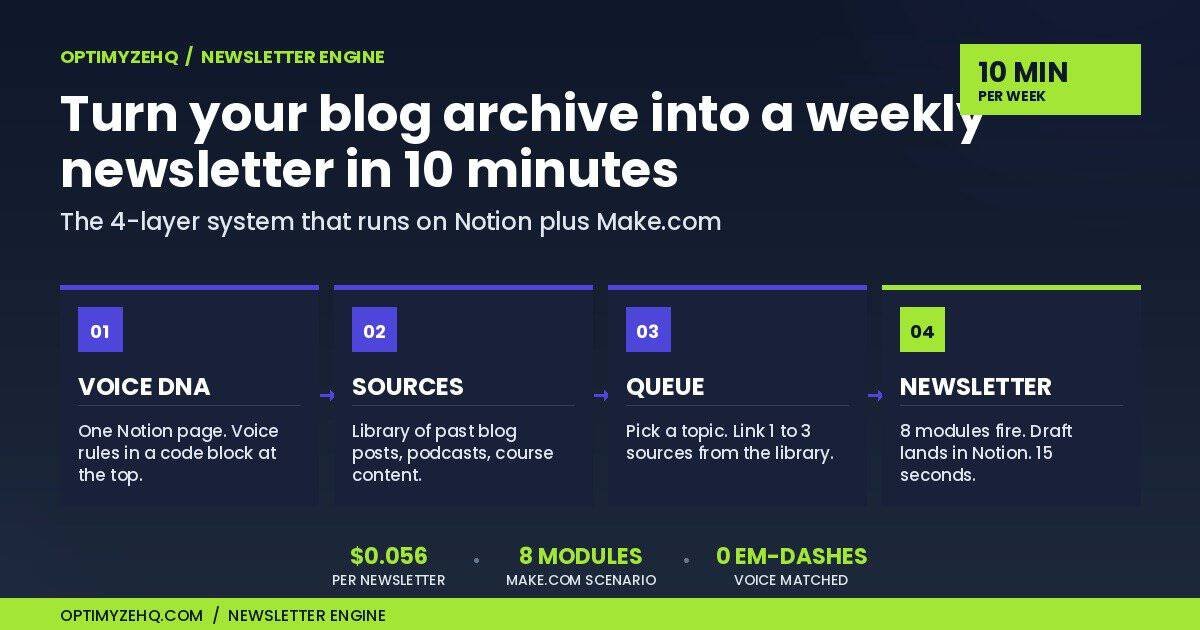
This is the four-layer system I built to make AI newsletter automation actually work the way most setups don’t. It is live, in production, and writes my weekly newsletter from old content.
Update, May 2026: The system in this post is now a product. Newsletter Engine ships the full stack (Notion template, Make.com scenario, Voice DNA framework, setup guide) so you can install everything in this post in about 30 minutes instead of building it from scratch. The first 50 buyers get it at the Founding price of $67. See Newsletter Engine.
What this isn’t
A few things to clear out of the way before we get into the architecture.
This is not a prompt template. Pasting a clever prompt into ChatGPT and calling it a newsletter system is not what you are about to read.
This is not “let AI write your newsletter.” AI does the structural lift here. It does not invent the topic, pick the sources, or set the voice. You do that.
And this is not a generic blog-to-email tool. The system pulls from a curated source library you maintain, runs the output through a voice profile that sounds like you, and produces drafts you would actually publish. Not aggregated headlines. Not generic summaries. Your archive, in your voice, on your schedule.
The four-layer system
Each layer has a single job. The cleaner the separation, the better the output.
Layer 1: Voice DNA
One Notion page. One code block at the top of that page. The code block is the active system prompt that Claude reads every time the pipeline runs.
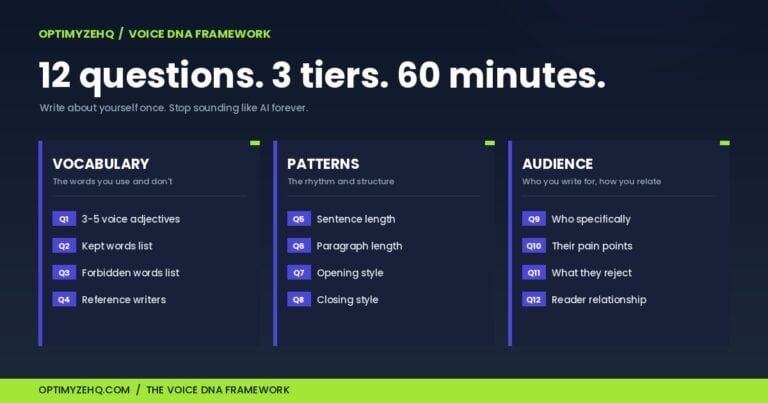
The Voice DNA page captures everything that makes your writing sound like you. Reference creators, kept words, forbidden words, sentence rhythm, opening and closing patterns. Edit the code block, save the page, and the next pipeline run picks up the new voice. No Make UI changes required.
This layer never changes per issue. It evolves when your voice does, maybe once a quarter. The rest of the system inherits voice from this page for free.
(If you read our Voice DNA guide, this is the same prompt format. The Creator Content Engine reads the same page. Two products, one voice file.)
Layer 2: Source library
A Notion database. One row per source. Title, full content pasted into a long-text field, a few tags for filtering.
You add rows when you publish something or when you import an old piece. The library grows whether or not you are running the newsletter that week. After three months, you have a real archive that any future issue can pull from in seconds.
Layer 3: Issue queue
A second Notion database. One row per upcoming newsletter. Topic, 1 to 3 linked sources from the library, status field.
Building a new issue takes about a minute. Type the topic. Click Add Source on the relation field. Pick the rows from the library you want this issue to draw from. Set status to “Ready to Draft.”
That is the entire human input per issue. Topic plus source selection. Everything downstream runs from these three fields.
Layer 4: The pipeline
This is the layer that does the work, and where most “automate your newsletter” attempts collapse.
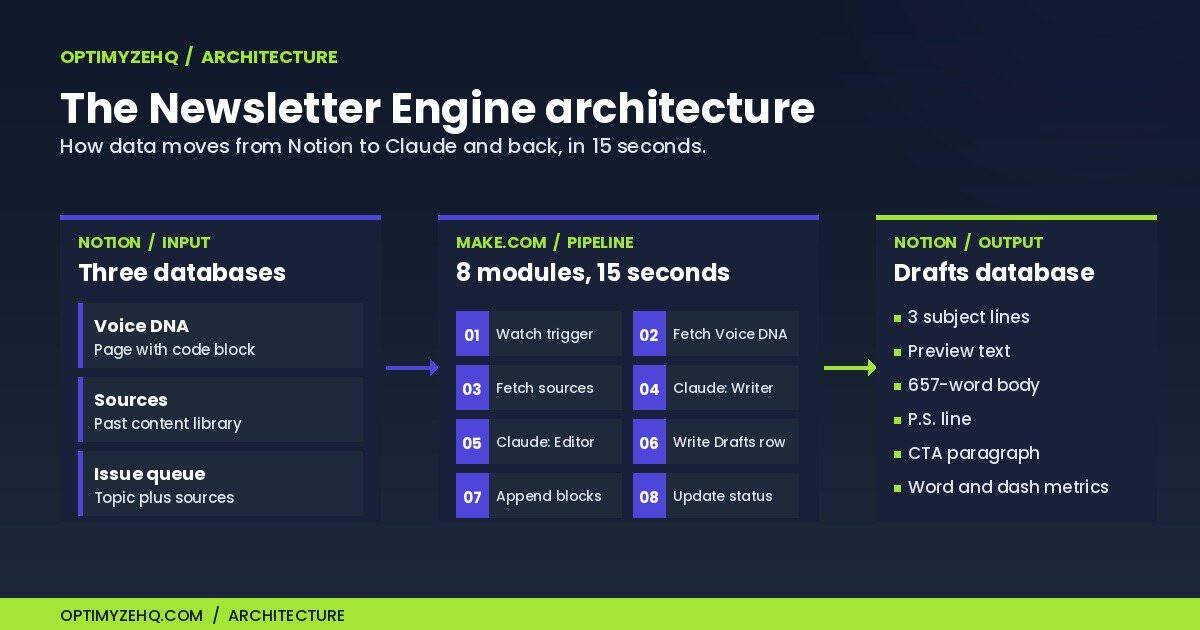
A Make.com scenario watches the Issue queue. When a row flips to “Ready to Draft,” eight modules fire in sequence:
- The trigger picks up the new row.
- A Notion API call fetches the Voice DNA page and grabs the code block.
- A second Notion call follows the source relation and pulls the full content of every linked row.
- The first Claude call drafts the newsletter using Voice DNA as the system prompt.
- The second Claude call runs the draft through a stricter editor pass, with em-dash removal and tighter voice enforcement.
- The output gets parsed and written to a Drafts database with subject lines, preview text, body, P.S., and CTA in separate fields.
- The body gets broken into proper paragraph blocks on the Notion page itself, so it copies cleanly into any email tool.
- The Issue row flips to “Drafted.”
Total runtime: about 15 seconds. Total API cost: about 5.6 cents per newsletter on Claude Sonnet 4.6. The 8 modules consume 8 credits per run, so a weekly newsletter burns 32 credits a month, well inside Make.com’s free credit tier of 1,000.
This took 16 blueprint iterations to land. The 17th deployed cleanly. You skip steps 1 through 16.
If you want the underlying Make and Claude patterns at the module level, our Make.com + Claude workflows guide covers every module choice in depth.
What it produces
Here is what comes out the other side of the pipeline. Real output from a test issue I ran while writing this post.
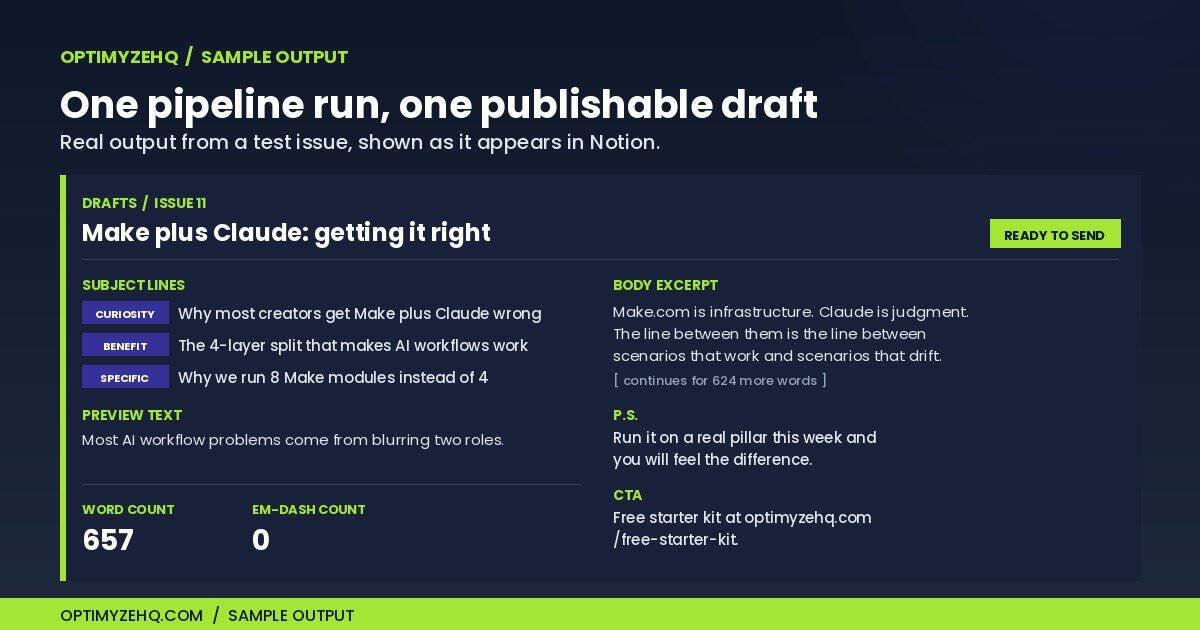
Three subject line candidates, each with a different angle:
- Curiosity: “Why most creators get Make and Claude wrong”
- Benefit: “The 4-layer split that makes AI workflows actually work”
- Specific: “Why we run 19 Make modules instead of 4”
Preview text, 96 characters: “Most AI workflow problems come from blurring two roles that should stay separate.”
Body: 657 words, three to five paragraphs per section, broken into proper paragraph blocks on the Notion page. Mixed sentence rhythm. Zero em-dashes. Voice-matched to the Voice DNA file.
A P.S. line: “If you’ve ever run a workflow that worked in testing and broke under real load, this is usually why.”
A CTA paragraph drafted in the same voice, linking to whatever resource the issue points to.
And two metrics written back to the row as numbers: Word Count (657) and Em-dash Count (0). The metrics are the QA gate. If Word Count drops below 500 or Em-dash Count goes above zero, the draft does not ship without a review.
That is one issue. Open the row from the Notion sidebar, pick the subject line you like, copy the preview, copy the body from the page, paste into Kit, Beehiiv, or whatever email tool you send from. Send.
Why it works: separation of concerns
The reason this system produces drafts I will actually publish, and the reason most AI newsletter setups produce drafts I will not, comes down to one mental model.
Make is infrastructure. Claude is judgment.
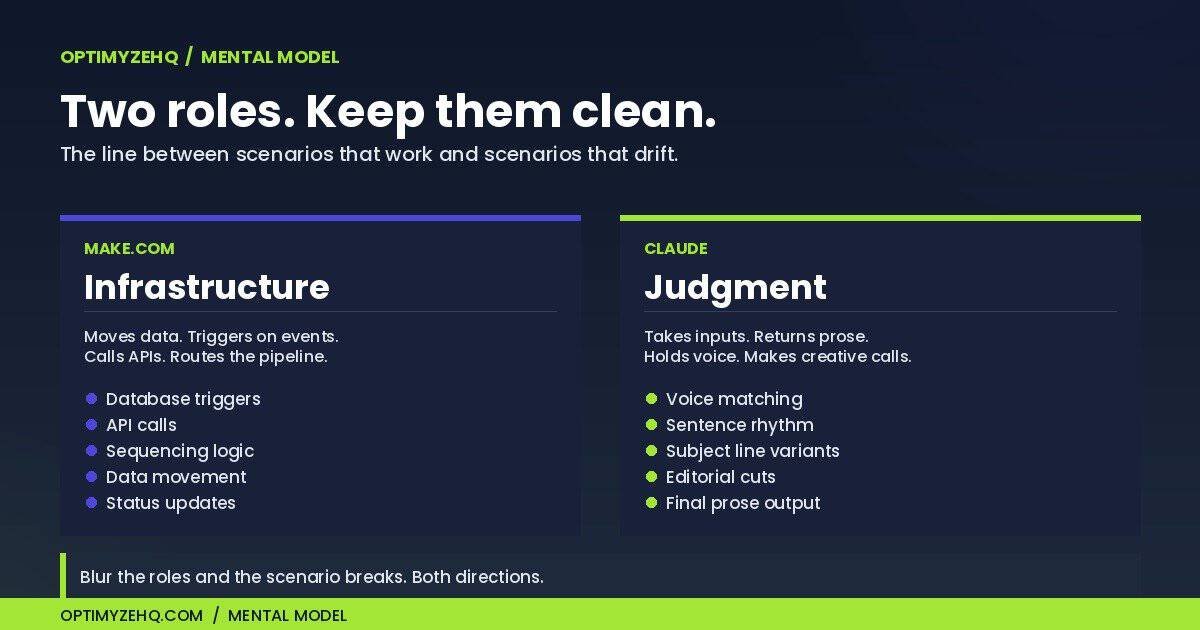
Make moves data. It triggers on events, queries databases, calls APIs, writes results back. It does not think. Its job is to be reliable, sequential, and transparent. Every time you ask Make to do something it should not (parse fuzzy text, hold context across modules, make creative decisions) the scenario gets fragile.
Claude is the opposite. Claude produces voice-true prose given the right input. It does not need to know what database the source came from, what time the cron fires, or what the next module in the chain does. Its job is to take inputs and return judgment-shaped output.
Most setups blur these roles. They ask Make to do AI-shaped work (extracting structure with regex from a Claude response, deciding what to do based on output sentiment) or they ask Claude to do infrastructure work (calling an external service, fetching a URL, managing state across calls).
Both directions break.
Keep them clean: Make routes, Claude writes. The two Claude calls in my pipeline (writer pass, then editor pass) are the only places creative work happens. Every other module is plumbing.
The economics work out the same way. The system runs about 5.6 cents per newsletter in Claude API costs. Sonnet 4.6, roughly 3,500 input tokens, roughly 1,200 output. That is about $2.91 a year for a weekly newsletter, and it sits comfortably inside Make.com’s free credit tier. The cost is not where the value sits. The structure is. You are not paying for AI tokens. You are paying for the architecture around them.
What is not automated
Worth being honest about where this system stops.
It does not decide which topics matter. That is human judgment, weekly. I look at what readers asked about, what is happening in the niche, what I have been thinking about, and I pick one.
It does not pick the sources. I scan the library, choose 1 to 3 rows that actually fit the topic, and link them on the Issue row. A model with no taste cannot do this for you. The moment it tries, the newsletters get generic.
It does not send the email. Notion is the staging area, not the sending platform. Once the draft lands, I paste into my email tool and hit send.
That last boundary is the one worth naming. Call it the review-board rule: AI can draft, format, and route an issue, but it cannot publish one. The human gate on send is structural, not a courtesy. A model has no stake in your reputation, so it should never be the last step before your list sees the email. Keep that line and automation stays an asset. Remove it and you have built a content mill.
And it does not maintain the Voice DNA. That is one-time setup, with quarterly refinement. The first time you fill it in is the heaviest lift in the whole system. Every issue after that inherits the work.
Everything else runs by itself. The 10-minute weekly number breaks down to: about a minute building the Issue row, 15 seconds for the pipeline, a few minutes reviewing the draft and picking the subject line, a couple minutes pasting and scheduling in the email tool. Almost all of it is the parts that should stay human.
Where this goes next
This system shipped as OptimyzeHQ’s Newsletter Engine in May 2026. The full stack is packaged so you can install the architecture above in about 30 minutes: the Notion template duplicates with one click, the Make.com scenario imports from a blueprint, the Voice DNA framework comes pre-filled with my voice profile as a reference (you customize from there), and the written setup guide walks you through the placeholders to replace and the connections to wire.
It is a one-time purchase, not a subscription. The first 50 buyers get it at the Founding price of $67 instead of the $97 regular price. After that, the Founding link closes and the price moves to $97. The actual product is the same at both prices; Founding buyers get to shape v1.1 with a 14-day feedback email.
Running cost after install: about 5 to 6 cents per newsletter for the Claude API call. A weekly newsletter burns about $3 of Anthropic credits per year. Make.com’s free plan covers about 125 newsletter runs per month, which is enough for any normal weekly cadence.
30-day refund. One-time purchase. No subscription.
If you want to install the system yourself from scratch instead, the post above has the full architecture. Both paths produce the same result. The product saves you the setup time.
The system I described is real. I write my own newsletter on it. The next one is already queued up.
Related on OptimyzeHQ: the productized version of this system, the Newsletter Engine, its launch story, and the prompting playbook the automation runs on.
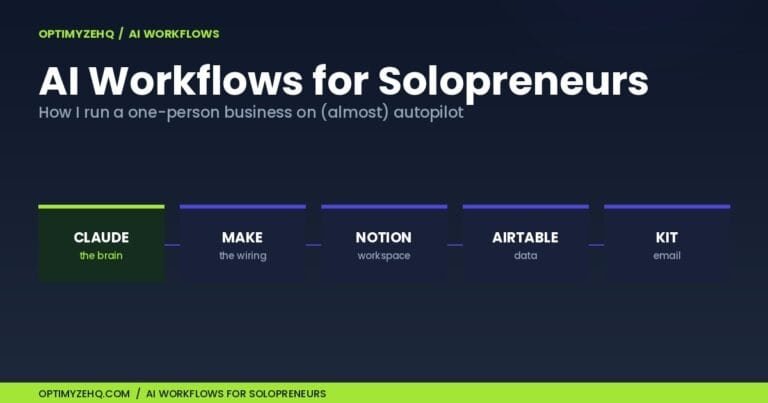
The bigger picture: this newsletter build is one piece of my full setup. See the whole map in AI workflows for solopreneurs.
Zoom out: this newsletter build is one format pair inside a bigger pipeline. The complete five-stage architecture is in how to build an AI content system.