The 5 Make.com Automations Every Solopreneur Should Build First
You picked Make. The canvas is blank, the app library has thousands of modules, and you have no idea which automation earns its keep first. I build and sell systems on Make, and the honest answer is that you do not need most of that library. You need five automations, built in the right order, with Claude handling the writing or judgment step wherever it earns its place. What follows is a shortlist of make.com automation ideas a solo operator can ship this week, plus one wired all the way through so you can copy the shape.
Who this is for
This is for the solo creator or freelancer who already has a Make account and wants a starting set. If you have never opened Make, read the beginner guide first and come back. If you are still choosing between Make and n8n, read the verdict before you build anything.
The build order matters more than the list
Build the automation that returns the most hours first, get it running for a week, then add the next one. The numbered order below is a sensible default, so if one of these maps to your biggest recurring time-sink, start there. Every automation here follows the same shape: a trigger watches for something, Make passes it along, and Claude writes the part that used to keep you at the keyboard. The beginner guide names a handful of starter automations in a sentence each. This is the build-out, with the modules and the order spelled out.
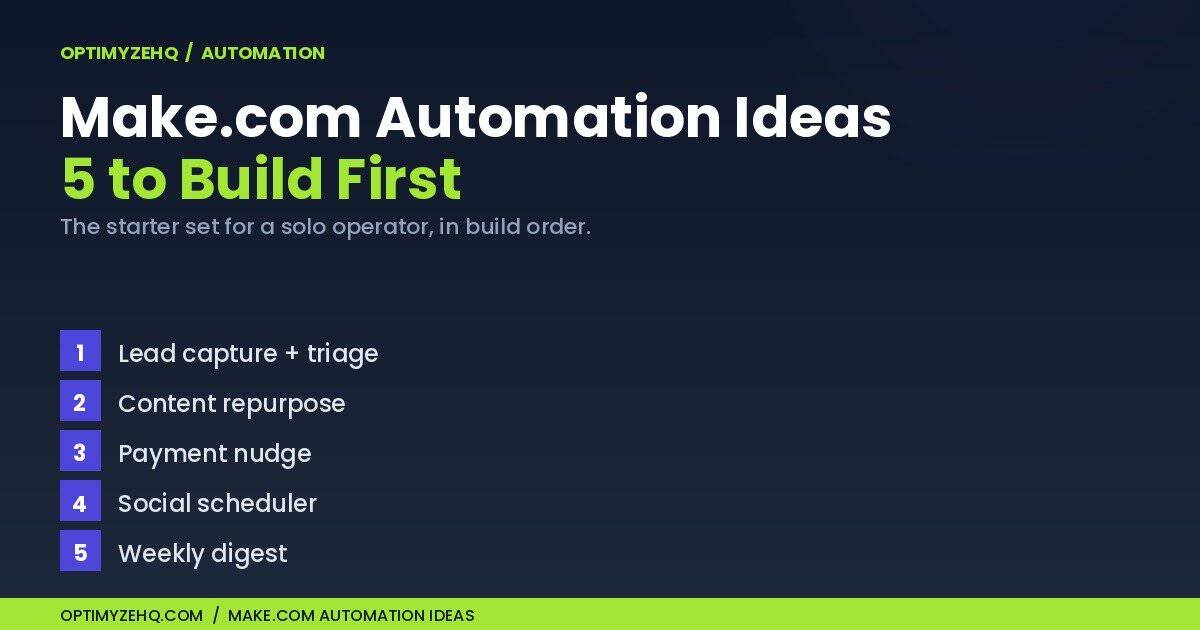
Five Make.com Automation Ideas, in Build Order
| Automation | What it does | Trigger | Claude’s job | Effort |
|---|---|---|---|---|
| 1. Lead capture + triage | Saves and sorts every new lead | Form submission | Scores each lead | Low |
| 2. Content repurpose | Turns one piece into many | New published post | Writes the platform versions | Medium |
| 3. Payment nudge | Chases overdue invoices for you | Daily schedule | Drafts the reminder | Medium |
| 4. Social scheduler | Drips your queue on a cadence | Schedule | Light: captions | Low |
| 5. Weekly digest | Emails you what needs attention | Weekly schedule | Summarizes and flags | Low |
1. Lead capture with instant triage. Your form (Fluent Forms, Typeform, a Stripe checkout) fires a webhook into Make. Claude reads the submission and scores it hot, warm, or cold, then a Router sends the record to Airtable and pings you in Slack only when it is hot. You stop reading every lead and start reading the three that matter.
2. Content repurpose. One long piece goes in, several short ones come out. A new published post triggers the scenario, Claude rewrites it into a LinkedIn post, a few short social posts, and a newsletter blurb, and Make drops each into a draft. The full step-by-step build lives in the no-code content pipeline tutorial, and the Creator Content Engine, a paid template, runs this exact flow end to end.
3. Payment nudge. A daily Schedule trigger checks an Airtable Search Records module for invoices marked unpaid with a due date in the past. Claude drafts a short, friendly reminder in your voice. Have Make create it as a Gmail draft for your approval at first, and add a last-reminded date field so the same invoice never gets chased two days running. No more Sunday-night dread about who owes you. The Client Pipeline Engine, a paid Airtable-and-Make system for client work, handles this as one piece of a larger pipeline.
4. Social scheduler. This one is mostly plumbing, and that is fine. A queue in a Make Data store or an Airtable table holds your posts, a Schedule trigger releases them on a cadence, and Make posts to your platform of choice. Claude’s job is light here: it writes a platform-native caption for each item. If you want Claude doing real work, build the other four first.
Wire One End to End: The Weekly AI Digest
I will build the fifth one in full, because it is the fastest win and the easiest to copy. Five stages, one Claude call a week, an email every Monday that tells you which new leads came in (point it at a different table and the same shape gives you a weekly read on tasks, sales, or overdue invoices).
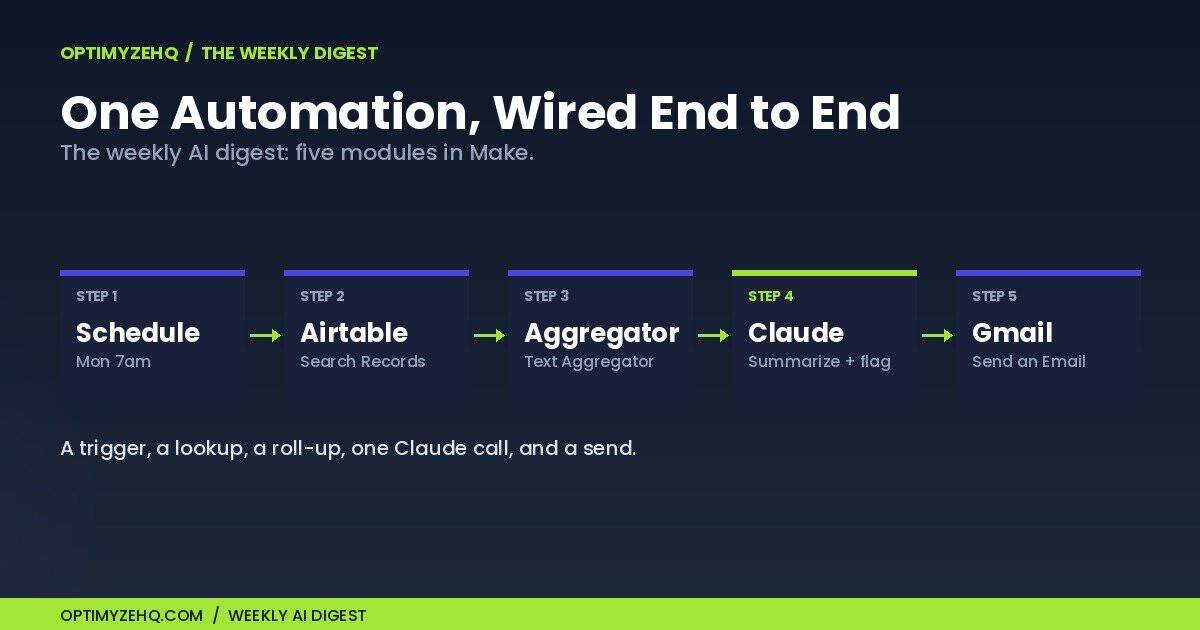
- Schedule. In the scenario settings, set it to run every Monday at 7am. On the free plan the tightest interval is 15 minutes, which is far more than a weekly run needs.
- Airtable, Search Records. Point it at your Leads table and filter to records created in the last 7 days. Notion users: the Search Objects module does the same job.
- Aggregator. A Text Aggregator rolls the matching rows into one block of text, so Claude reads them in a single pass instead of once per row. Reading once per row would multiply your credit use for no benefit.
- Claude module. On a paid Make plan, connect the Anthropic Claude app with your own API key (your tokens are billed by usage on Anthropic’s side); on the free plan, custom key connections are not available, so use the Anthropic Claude app’s no-key option (the Simple Text Prompt module), which still runs Claude, drawing from your Make credits instead. Set the input to a single message and give it a prompt like: Here are this week’s new leads as plain text. Write a one-paragraph summary in plain, natural language, call out anything that needs my attention this week, and keep it under 120 words. Add a
replace()step right after it to strip any em-dashes the model adds, so the email reads in your voice and not a robot’s. - Gmail, Send an Email. Drop Claude’s output into the body field (use the HTML body field so the formatting survives) and send it to yourself.
That is a complete automation. A trigger, a lookup, a roll-up, one Claude call, and a send. Hit Run once to test it before you switch it on.
What These Automations Cost to Run
Make’s pricing, as of June 2026: the free plan gives you 1,000 credits a month, 2 active scenarios, and a fastest run interval of 15 minutes. A credit is roughly one module run (AI steps can cost more), so a five-step scenario spends about five credits per run, and the free 1,000 goes faster than it looks. The paid Core plan removes the active-scenario cap and raises you to 10,000 credits a month, for $9 a month on annual billing, around 15% less than paying month to month. Check the live pricing page before you commit, because Make adjusts its plans from time to time.
The binding limit on the free plan is the 2-active-scenario cap, not the credits. You can keep two of these five running for free. The other three need Core. Most solo operators hit the scenario ceiling long before they run out of credits.
If you bring your own Anthropic key (paid Make plans only), Claude is billed by usage through the Anthropic API, not a flat subscription: a weekly summary costs a fraction of a cent, while long documents or high run volumes cost more. On the free plan, that no-key Claude option draws from your Make credits instead. Either way, the AI step is the one that scales with how much text you send.
Common Mistakes, and What This Isn’t
- Building all five before one works. Ship one, watch it run for a week, then add the next. A pile of half-built scenarios saves no hours.
- No error handling. Add an error handler route so a failed run alerts you once, instead of dying silently or retrying in a loop.
- Over-triggering. A digest does not need to fire every 15 minutes. Match the schedule to the job.
- Sensitive data in prompts. These automations move lead and client data through Make and the Anthropic API. Anthropic does not train on data sent through its API by default, which applies to the API and not to consumer Claude accounts. Even so, keep genuinely sensitive inputs (full payment details, health information, anything regulated) out of automated prompts until you have vetted compliance for your situation.
What this isn’t is a full system. These are starters. The paid systems I mentioned remove the setup, not the thinking. The method above is the whole method, and the products are a shortcut through it, never a gate in front of it.
Make.com Automation Ideas: Your Questions
What are good make.com automation ideas to start with? Lead capture with triage, content repurpose, a payment nudge, a social scheduler, and a weekly digest, built in that order. Each saves a recurring chunk of manual work, and each one is small enough to ship in an afternoon.
How many automations can I run on Make’s free plan? Two active scenarios at once, regardless of how many credits you have left. The 2-scenario cap is the limit most people hit first, so plan which two earn the free slots.
Do these need Claude, or can I skip the AI? Four of the five lean on Claude for the writing or judgment step; the social scheduler barely touches it. You can build the plumbing without any AI and keep the keyboard work that Claude would have taken off your plate.
Which should I build first? The one that returns the most hours for your kind of work. For most solo operators that is lead capture or the weekly digest, and both are low-effort builds.
How do I stop an automation from running away or spamming me? Two guards. Match the schedule to the job, so a weekly digest runs weekly and not every 15 minutes. And add an error handler so a broken run alerts you once instead of retrying in a loop. Test with the Run once button before you turn anything on.
Build one this week
Pick the automation that buys back the most time and ship it. When the basics are running and you want the next layer, the beginner guide covers the foundations and the Make versus n8n verdict is there if you are still weighing platforms. When you outgrow do-it-yourself, the Creator Content Engine and the Client Pipeline Engine are the ready-made versions of two of these.
Ready for the next step? Once your automations are running, learn how to build an AI agent that triages your inbox for the one job that needs judgment, like triaging your inbox.