
How to Get Claude API Key Access Without Being a Developer
You were following a tutorial. Step four said “paste your Anthropic API key,” and the walkthrough carried on as though everyone already has one. You pay for Claude Pro, so you went looking in your Claude settings, found nothing that looked like a key, and stopped there.
Your account is fine. The subscription you pay for and the key that tutorial wants are two different products from the same company, sold separately and billed separately. Almost every beginner hits this wall, and most of them assume they did something wrong.
Here is how to get Claude API key access when you do not write code: what the key actually is, how to tell whether you need one at all, the steps to create it, and the setup that stops it from surprising you on a bill. A handful of clicks, not a project. It is the step that sits between you and every automation tutorial that mentions Claude.
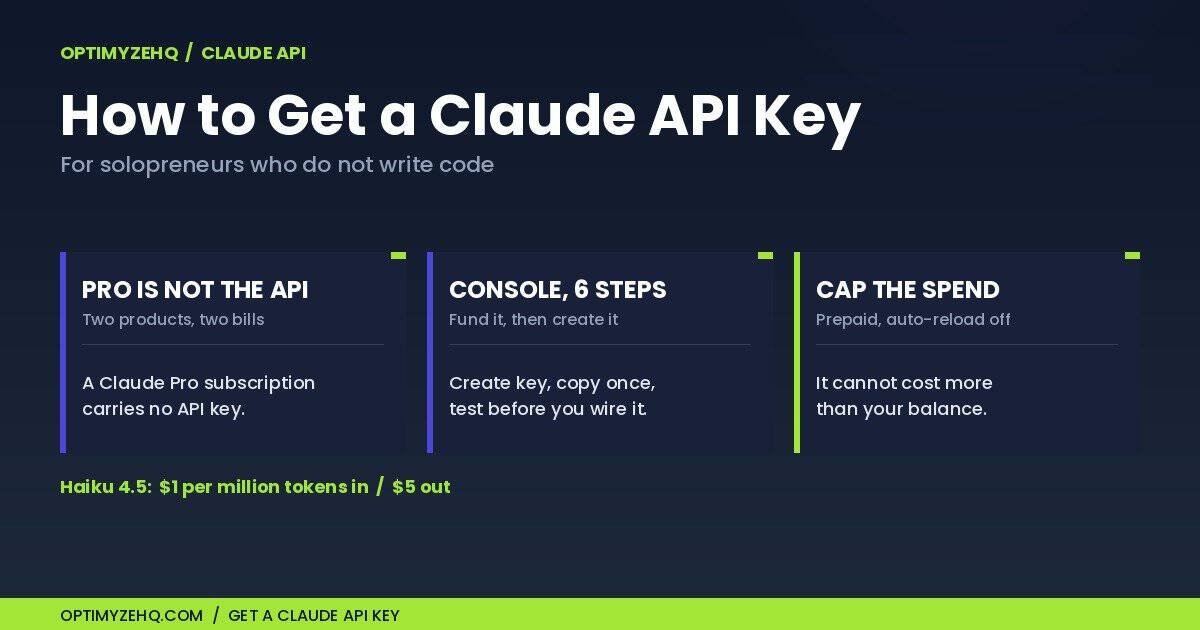
The short version: create a Console account at platform.claude.com (separate from Claude.ai), add credits on the Billing page, go to Settings then API keys, click Create key, copy it once into your password manager, and test it in the Workbench before wiring it anywhere. Leave auto-reload off. Roughly ten minutes of clicking. The rest of this explains the parts that trip people up.
Do you actually need a Claude API key?
A fair number of people who search for this do not need one, and finding that out now saves you a payment method and a support ticket.
Use the chat app when you are the one at the keyboard. You open Claude, paste something in, read what comes back, and use it. Drafting, summarizing, rewriting, thinking out loud. Your subscription already covers this, and no key is involved.
You may need an API key when software talks to Claude while you are not there. A tool like Make or Zapier running a scenario at 7am on a Monday cannot open a browser and type into a chat window, so it needs credentials of its own. That is the key: a long string of characters a program sends with each request, so Anthropic knows whose account to bill.
“May,” because the software might bring its own. Make has a built-in AI provider available on every plan, including the free one, and it bills through Make’s own credits rather than your Anthropic balance. Connecting your own Anthropic key is the other route, and that one needs a paid Make plan.
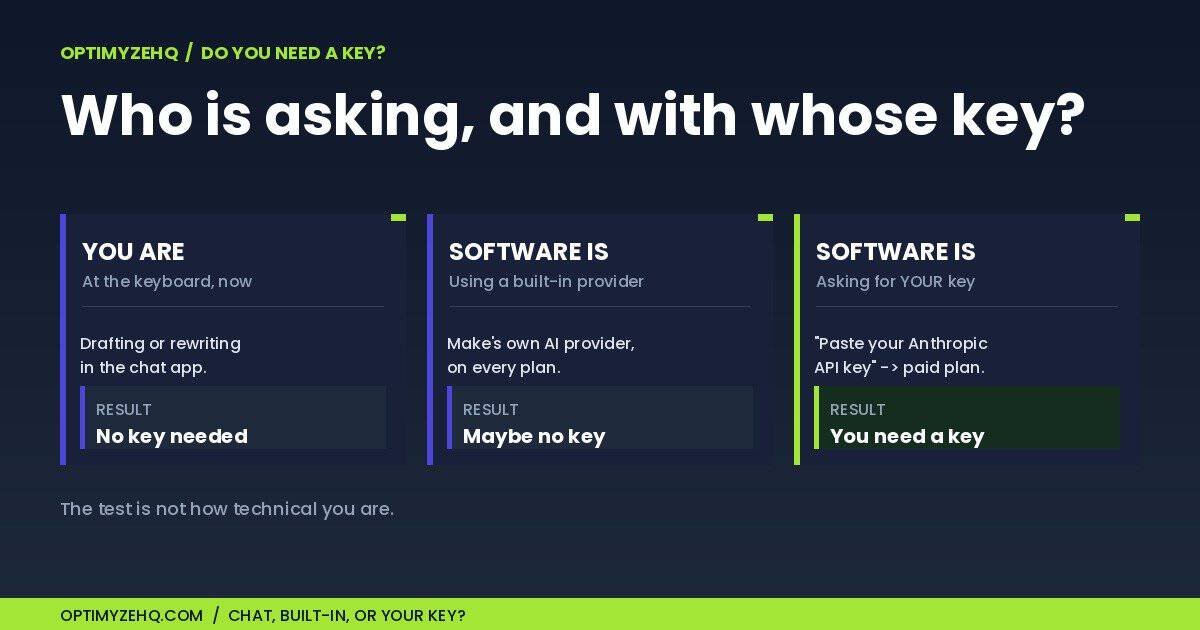
So the test is not how technical you are. It runs in three steps:
You are asking, at the keyboard. No key. Your subscription covers it, and you can skip the rest of this article.
Software is asking, through a built-in AI provider. Possibly no key of your own, depending on the tool. You pay that tool instead.
Software is asking, and it wants you to paste an Anthropic key. That is when you need one, and that is what the rest of this covers.
Worth saying plainly: needing a key does not mean needing to code. In Make you paste it into a connection box once, and you are done with it.
Why your Claude Pro subscription does not include API access
This is the part that stalls people, so it is worth being exact about it.
Anthropic sells two separate things. Claude.ai is the chat product, with Free, Pro, Max, Team, and Enterprise plans, billed as a subscription, monthly or annually. The Claude API is the developer product, accessed through the Claude Console at platform.claude.com, billed by usage. Anthropic’s own help center addresses the question directly, under the heading “I have a paid Claude subscription (Pro, Max, Team, or Enterprise plans). Why do I have to pay separately to use the Claude API and Console?”
Different products, different terms, different bills. Your Pro subscription buys you the chat app. It does not carry over into the API, and no amount of hunting through Claude.ai settings will produce a key, because the key does not live there.
That means a solopreneur running Claude-powered automations is usually paying twice: once for the chat app they use by hand, and once for the API their automations use. Small amounts, as the cost section below shows, but two lines on the statement rather than one.
The reverse is also true and less well known. You can create a Console account and an API key without ever subscribing to Claude Pro. If automations are all you want, that is the cheaper path.
How to get Claude API key access, step by step
Before you start, have three things ready: an email address, a payment method, and a password manager open in another tab. Creating a key costs nothing by itself. You pay only for what the key is then used for.
One caveat on order. If a tutorial has you blocked right now, work through these steps. If you have not built anything yet, read Where the key goes next further down first, because you may not need to spend anything today.
Anthropic’s Console is where keys are created. The current path, from their documentation, with one step moved to the front:
1. Sign in to the Claude Console. Go to platform.claude.com and sign in, or create an account. This is a separate account from Claude.ai even when you use the same email address.
2. Add credits before you do anything else. Go to Settings → Billing and click Buy credits. You will need a payment method on the account. Claude API usage runs on prepaid credits, and Anthropic’s help center puts it plainly: “Claude API and Workbench usage is billed via prepaid ‘usage credits.’ Credits must be purchased prior to using the API.” (Workbench is a testing area inside the Console. You do not need it to create a key, but step 6 uses it.)
Anthropic’s pricing FAQ says new users receive a small amount of free credits to test the API. Treat that as a possible bonus rather than a plan: we have not verified it on a fresh account, the amount is not published, and a key with no balance behind it will not work. Fund it and you do not have to care either way. Anthropic publishes no minimum purchase, so buy the smallest amount the Console will take: at the rates in the cost section below, a few dollars will outlast the credits themselves. Your balance sits on the same Billing page. Funding first saves you debugging a scenario that was never going to run.
3. Open the API keys page. Settings → API keys.
4. Create the key. Click Create key and give it a name. Name it for where it will live, not for what it does. “Make – content digest” tells you something useful in six months; “key 1” does not. Make it one key per tool while you are at it: if a key ever leaks, you kill that one and only that one connection breaks.
The Console offers two more options on this screen. You can scope a key to a workspace, which matters once you are keeping projects apart; working alone, the default is fine. You can also set an expiration date, and that is a real tradeoff rather than a setting with a right answer. An expiring key limits the damage if it ever leaks, which is why it exists. It will also stop an unattended automation dead on a day you have long since forgotten. Either set one and put the date in your calendar the same minute, or leave it off and rely on being able to disable the key if something goes wrong.
5. Copy it now. Anthropic’s documentation is blunt about this: “The Console shows the full key, which starts with sk-ant-, only once, at creation,” and “If you lose a key, you can’t view it again in the Console. Create a new key instead.” Paste it into your password manager before you close that dialog. Not a sticky note, not a text file on the desktop, not a message to yourself.
6. Confirm your account works in the Workbench. Select Workbench in the Console navigation, type a short message in the prompt area, pick Haiku from the model selector, and click Run. A reply means your account is funded and the model answers. If your account happens to have starter credits it costs nothing, and if not it costs a fraction of a cent on the balance you added in step 2. What it does not prove is that the key in your clipboard survived the copy, because the Workbench runs on your signed-in session rather than on the string you pasted somewhere. The key itself gets tested when you build the connection. Do this anyway: if Make fails afterward you are down to two suspects, a Make problem or a bad paste, instead of five.
One thing that trips up people working inside someone else’s organization: if the Create key button is disabled, you may not have permission in that workspace, and an organization admin has to either grant you access or make the key for you.
That is the whole procedure, and the friction was never the clicking. One thing is still outstanding: confirm auto-reload is off before you build anything, which is the next section. Console paths checked 2026-08-07, and Anthropic moves these occasionally.
The capped key: making sure it cannot overspend
Here is the fear that keeps most people from finishing step two, and it deserves a real answer rather than reassurance. You are handing a payment method to a robot that will run on its own schedule. What stops a mistake from becoming a four-figure bill?
The prepaid model does, if you set it up deliberately. Call this the capped key: fund it with a small balance, leave auto-reload off, and the key cannot cost you more than what you put on it.
Two settings make it work.
Prepaid balance. You buy credits before you use them, not after. This is the opposite of a normal utility bill, and here it works in your favor: your exposure is capped at your balance, because there is no line of credit behind it. The cap sits on the balance rather than on any one key, so every key you create draws from the same pot. Two keys do not mean two budgets.
Auto-reload, off. The Console offers an auto-reload that buys more credits when your balance drops below a threshold. It is optional, and it is off unless you switch it on. Leave it off. With auto-reload off, running out of credits means your automation stops, and Anthropic’s help center states the effect directly: “If you run out of credits, you will no longer be able to call the API or use Workbench.” An automation that halts is an annoyance you notice on Tuesday. A card that keeps funding a runaway loop is a different kind of problem.
So the worst realistic outcome of a badly built scenario is that it burns through the balance you chose and then stops.
Two honest limits on that. The cap holds your money, not your actions: a runaway scenario that spends five dollars of Haiku has also, in those same minutes, sent a stack of emails or written a few hundred rows somewhere. Run the scenario by hand once and look at what it actually did before you turn a schedule on. And since Anthropic publishes no minimum purchase, the balance you load rather than the tokens you spend is your real floor. At beginner volumes you are prepaying a lump you will not use up, and purchased credits expire one year from the purchase date. So your real Claude bill is one small top-up a year, most of it expiring unspent, and the Make subscription in the next section costs more than all of it.
Set the tripwire before you leave. A cap you cannot see is not a control, it is an outage with an unknown date, and the advice above guarantees you will reach it eventually. Two things to do while you are still on the Billing page. First, open the Edit control in the auto-reload section and confirm auto-reload is off. Second, in the Spend limits section, set your own monthly spend limit below your tier’s cap. Pick a figure you would be comfortable seeing on a statement.
Be clear about what that limit is, though: it is a second hard cap, not a warning. It stops your calls rather than telling you the balance is going. Anthropic’s threshold alerts are a per-workspace feature, and here is the catch for anyone working alone: you cannot set limits or alerts on the default workspace, which is the one you are in. If you want an email before the money runs out rather than a silent stop, you have to create a second workspace and set the threshold on that. For a first automation that is probably more setup than it is worth, so plan on checking the balance yourself and read the next paragraph carefully.
What running dry looks like. Your calls start failing. In Make, repeated errors will disable the scenario and email you about it, and here is the part that catches people: topping up your credits does not switch it back on. The recovery order is credits first, then re-activate the scenario, then read the execution history to find when it broke, and check the source itself for whatever arrived while it was off.
Later, when the automation starts to matter. Not today. For your first build, auto-reload stays off and the worst case is free. But once you depend on something running, the better pairing is the opposite one: auto-reload on at the smallest increment, plus a monthly spend limit set at a ceiling you would be comfortable seeing. That gives you a cap and continuity, rather than a cap and a silence.
You are not trusting yourself to build a perfect automation on the first try. You are making an imperfect one cheap.
What this actually costs
Vague reassurance is worth nothing here, so here are the published rates and the arithmetic.
Anthropic charges per million tokens, in and out separately. A token is roughly four characters of text, so about 750 words per thousand tokens. Rates as published on Anthropic’s pricing page, checked 2026-08-07:
| Model | Input (per million tokens) | Output (per million tokens) |
|---|---|---|
| Claude Haiku 4.5 | $1 | $5 |
Haiku is the small, fast, inexpensive model, and it is the right default for the work beginner automations do: sorting, summarizing, drafting short text. The larger models cost several times more and are built for harder reasoning than a weekly digest requires. Anthropic’s own guidance says to choose Haiku for simple tasks and reserve the larger models for complex reasoning.
Put numbers on it. Say a weekly digest sends about 2,000 tokens of input and gets back about 500 tokens of output. At the rates above that is a fifth of a cent for the input and a quarter of a cent for the output: under half a cent per run. Run it once a week and the model cost for the month lands under five cents.
Two honest caveats on that. The token counts are an estimate of a typical small job, not a measurement of your job; a scenario that feeds Claude a long document each time will cost more, and the rates are what let you work out how much, or the Claude API pricing calculator will do it from a word count. And this is the model cost only. The tooling around it is the real expense, which is the next section.
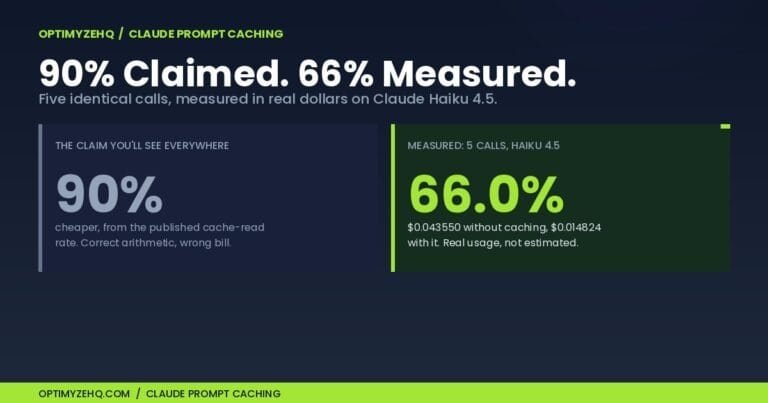
One more lever, once something of yours is running regularly. If your automation sends the same long block of instructions on every run, you can often stop paying full price to re-send it. We measured what that is worth on real calls in what Claude prompt caching actually saves, including the cases where it costs more than it saves.
Prices and plan limits change. This table is a snapshot with a date on it, not a permanent fact. Check the pricing page before you plan around it.
Where the key goes next
A key on its own does nothing. It has to go into something that will make the calls.
The key behaves the same wherever you paste it. What differs from tool to tool is the plan you need in order to use it, so the rest of this section is specific to Make. On Zapier or anything else, check that tool’s own plan page for whether custom AI connections are included before you build.
If that something is Make, there is a plan requirement worth knowing before you start: connecting your own Anthropic key needs a paid Make plan. Make Core runs $9 a month billed annually, or $10.59 month to month, for 10,000 credits. Both figures confirmed on Make’s pricing page 2026-08-08; prices can vary by region, so check yours. Make’s free plan runs automations happily, and the first two builds in our 30-day plan never touch an AI key at all, but the moment you want your own Claude key in a scenario, that is the tier you need.
That gives you a fork worth being deliberate about:
Stay free. Build automations that move information around without AI: a form submission that emails you, a weekly summary pulled from a Notion table. No key, no Make subscription, real automations running. Our Make and Claude workflow guide covers what fits in this category.
Go paid. Make Core plus a small prepaid Anthropic balance, and Claude starts doing the thinking inside your scenarios.
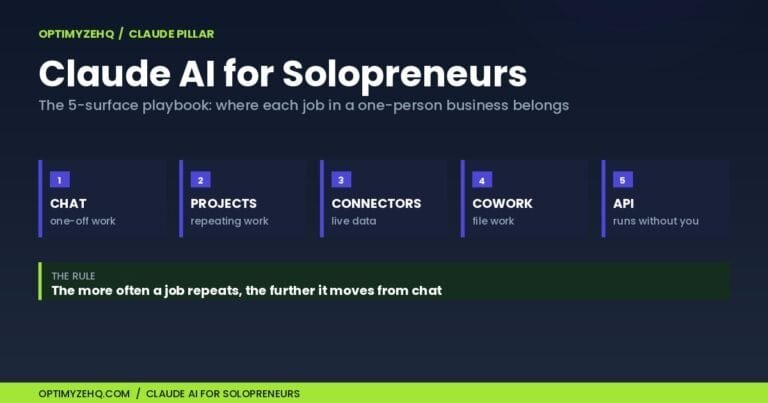
Most people should do the first one first. An automation you built and understand is worth more than a clever one you copied, and the free path teaches you to read a scenario before an AI step makes the output harder to debug. If you want the wider picture of how these pieces fit together, the Claude for solopreneurs playbook and the AI workflows for solopreneurs pillar sit one level up from this article.
Common mistakes (and the safe defaults)
The steps above are the short part. Learning how to get Claude API key access is quick; most of what goes wrong happens on either side of those steps.
Pasting the key somewhere it will outlive you. Not in a shared Google Doc, not in a Slack message, not in a screenshot in a tutorial. A password manager, or the tool’s own connection field. Anyone holding the key can spend your balance.
Switching auto-reload on before you know your monthly number. It exists for systems people depend on and watch. That is not your first automation. Turn it on deliberately later, paired with a spend limit, rather than early.
Replacing a leaked key without shutting off the old one. A new key does not disable an old one. Both stay authorized against the same balance until you deal with the one you meant to retire. On the API keys page, open the three-dot menu on that key’s row and choose Disable API key or Delete API key.
Reaching for the biggest model. The flagship models are priced for hard reasoning. Sorting incoming form entries is not hard reasoning. Start on Haiku and move up if the output disappoints you.
Closing the dialog before copying. The key is displayed once. There is no way to view it again; the only path is creating a new one.
Building the scenario before adding credits. Once the free grant runs out, the key authenticates fine and the call fails anyway on a billing error that Make may truncate into something you do not recognize as one. Fund it first.
Assuming the subscription covers it. Covered above, and worth repeating because it is the single most common one.
What to build after you have the key
Credentials are the part people get stuck on, but they are not the part that makes an automation happen. That takes knowing what to build, in what order, and how to tell it worked.
A key is a login. What most people are missing is not credentials but a sequence: what to build first, what to build after that, and how to tell whether it worked.
That is what the AI-Curious Starter is. Thirty days as a guided Notion program, 21 on-ramp prompts, and three Make blueprints you import rather than build by hand. The first one runs with no AI key at all, so you get something working before you spend anything. Getting the key, the one covered above, is day fifteen of the month, and the program is built so that the days on either side of it make sense. It is $19, one time, yours to keep, with no subscription, which is roughly two months of Make Core for the month of structure the key is for.
If you would rather work it out yourself, the 30-day plan is free and complete, and the article you are reading covers the step most people get stuck on.
Last verified 2026-08-08. Prices and Console paths are checked against vendor documentation on that date and do change.
FAQ
Can I use the Claude API for free?
Not on an ongoing basis. Anthropic’s pricing FAQ says new users receive a small amount of free credits to test the API, but the amount is not published and we have not verified it on a fresh account, so do not count on it. The Claude API runs on prepaid credits you buy before use.
Does Claude Pro include API access?
No, and this catches almost everyone. Claude Pro is a subscription to the Claude.ai chat app. The Claude API is a separate product with separate billing through the Claude Console, and Anthropic’s help center addresses the question directly. A Pro subscription produces no API key.
How much does a Claude API token cost?
It depends on the model and on whether the token is going in or coming out. Claude Haiku 4.5, the inexpensive model most beginner automations should use, is $1 per million input tokens and $5 per million output tokens as of 2026-08-07. A million tokens is roughly 750,000 words. Larger models cost several times more.
Do I need a paid Make plan to use my key?
To connect your own Anthropic key in a Make scenario, yes. Make Core is $9 a month billed annually, or $10.59 month to month, for 10,000 credits, both confirmed 2026-08-08. Prices can vary by region, so check yours. Make’s free plan runs automations that do not call Claude with your own key.
What happens if I lose the key?
You create a new one. The Console shows a key in full only once, at creation, and there is no way to view it again afterward. If a key may have been exposed, creating a replacement is not enough on its own: a new key does not disable an old one, and both stay authorized against the same balance. On the same API keys page where you created it, open the three-dot menu on the old key’s row and choose Disable API key or Delete API key, then update any connection that was using it.