Claude AI for Solopreneurs: The Complete Workflow Playbook
The Make scenario behind one of the products I sell makes ten Claude API calls every time it runs. Five write, five edit. No chat window anywhere in the chain.
That sentence surprises most solopreneurs I talk to, because for most of us, Claude is the chat window. You type, it answers, you paste the answer somewhere else. Useful. Also about one fifth of what you’re paying for.
The gap matters because solo operators don’t have spare hours to leave on the table. In freelancermap’s 2025 survey, 43% of freelancers reported spending roughly five hours a week on unproductive tasks: client acquisition, accounting, customer care. That’s the exact category of work Claude absorbs well, but only if you put each job on the right surface. So this is the playbook for Claude AI for solopreneurs: which surface does which job, what it costs, and what to build first.
Who this is for: solo creators and freelancers who already use Claude, or pay for it, and suspect they’re underusing it. If you came for SDK-level agent engineering or enterprise seat comparisons, this isn’t your page.
What Is Claude AI, and Why Does It Need a Playbook in 2026?
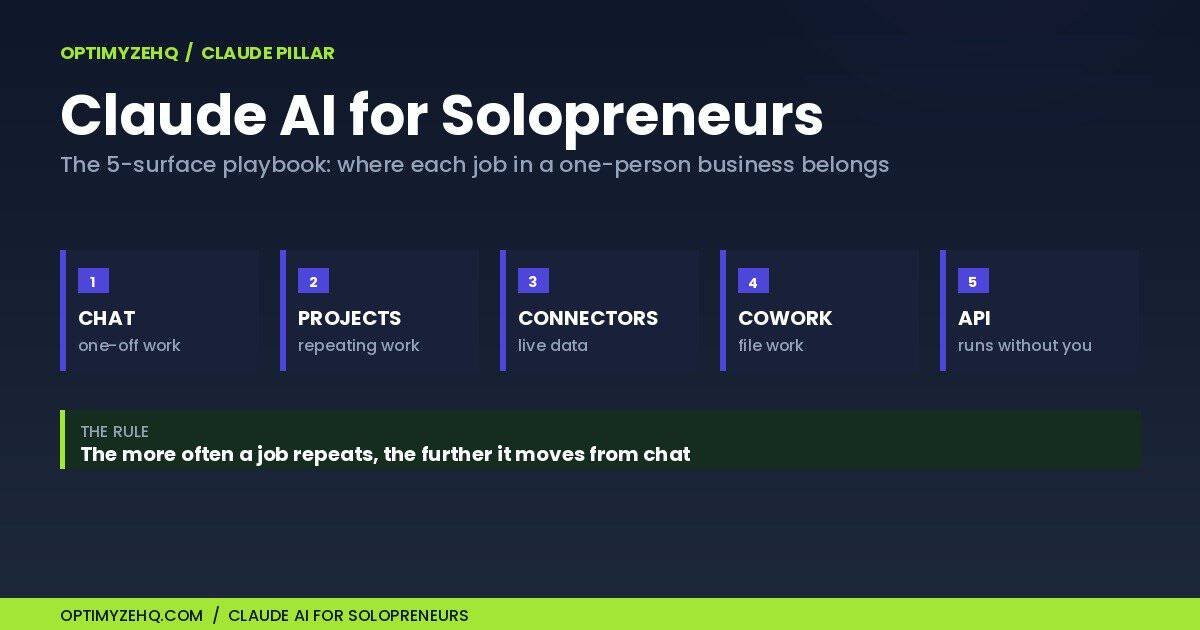
Claude is the AI assistant built by Anthropic. You give it text, files, or access to your tools; it reasons, writes, and analyzes. The reason it needs a playbook in 2026 is that it stopped being one product. Claude now ships as five distinct surfaces, and a surface, in plain language, is one of the separate places you can put Claude to work, each with its own strengths, plan requirements, and failure modes: the chat window, Projects, connectors, Claude Cowork, and the API inside your automations.
A feature list would be the obvious format here, and it would be stale before fall. Anthropic shipped two flagship models twelve days apart this spring: Claude Opus 4.8 on May 28 and Claude Fable 5 on June 9. Features rot at that pace. A decision framework holds. This guide gives you the framework and date-stamps the perishable parts.
One more reason the timing isn’t an accident: running a real business alone is becoming normal. Carta’s data shows the share of new startups with a solo founder rose from 23.7% in 2019 to 36.3% in the first half of 2025. Tools like this are a large part of why that’s possible.
Claude AI for Solopreneurs: Which Surface Does Which Job?
The rule in one sentence: the more often a job repeats, the further it should move from chat. One-off work lives in chat. Repeating work with fixed context lives in a Project. Work that needs your other tools runs through connectors. Multi-step file work goes to Cowork. Anything that runs on volume or a schedule belongs in the API.
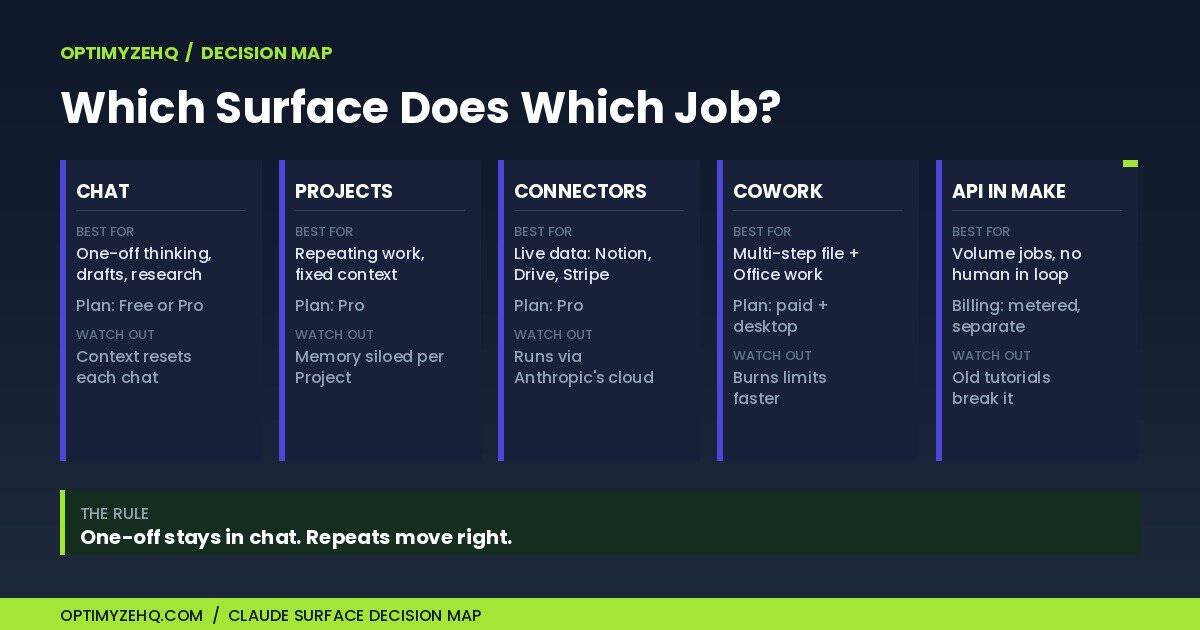
| Surface | Best for | Plan needed | Watch out for |
|---|---|---|---|
| Chat | One-off thinking, drafting, research | Free or Pro | Context evaporates between chats |
| Projects | Repeating work with fixed context (brand voice, client briefs) | Pro | Memory is siloed per Project |
| Connectors (MCP) | Pulling live data from Notion, Drive, Stripe | Pro | Runs through Anthropic’s cloud, not your machine |
| Cowork | Multi-step file work, Office documents, scheduled tasks | Paid plan + desktop app | Consumes usage limits faster than chat |
| API in Make | High-volume jobs that run without you | Separate metered billing | Old tutorials break it (see the callout below) |
When is plain chat enough?
When the job happens once. Thinking through a pricing change, drafting one awkward client email, researching a niche with web search turned on. Chat’s strength is zero setup. Its weakness is amnesia: each new conversation starts from scratch unless a Project or the memory feature carries your context forward. The tell that you’ve outgrown chat is re-explaining your business every Monday morning. The other half of getting value from chat is the prompt itself, and I’ve published the three prompts I’d hand a freelancer first if you want proof that wording is the difference between generic output and usable output.
What do Claude Projects actually do?
A Project is a workspace where you load reference files and standing instructions once, and every chat inside it starts already briefed. The mechanism: project knowledge (your uploaded files) and custom instructions are applied to every conversation in that Project, and each Project keeps its own memory of what you’ve discussed there. Two builds earn their keep immediately: a brand-voice Project holding ten samples of your real writing, and one Project per active client holding the brief, the scope, and past deliverables. One caveat to plan around: Project memory is siloed, so a standalone chat doesn’t know what your client Project knows. The prompts you run inside a Project compound in value, which is why every automation I’ve sold runs on the same prompting system. And if you’d rather start from prompts that are already tested, the Solo Operator Prompt Library, a paid Notion template, is 75 of them organized by business job.
What are Claude connectors, and what is MCP?
A connector lets Claude read from and act on tools you already use, like Notion, Google Drive, Gmail, and Stripe, instead of you ferrying text between tabs. MCP, the Model Context Protocol, is the open standard those connections are built on; think of it as the USB port that lets any tool plug into any AI assistant. Anthropic’s directory now lists over 300 connectors. The concrete payoff: ask Claude to pull this week’s content calendar from Notion and draft the posts against it, with no export step. The caveat worth knowing before you rely on one: remote connectors run through Anthropic’s cloud rather than your laptop, which means they work from any device but can’t reach a tool that sits behind a private network. And to keep connectors and the API straight: with a connector, you’re still in the conversation directing the work; with the API, another system, like Make, does the asking while you’re elsewhere.
What is Claude Cowork, and when does it beat chat?
In chat, Claude can describe the work. In Cowork, it can do the work, because you grant it permission to read, edit, and create files in folders you choose. Anthropic pitches it as “built around the outcome”, and that’s accurate: you describe the finished thing, approve the plan it shows you, and it produces the files. The solo-operator use case that sold me: point it at a client folder and have it assemble the monthly report as a finished Word document, on a schedule. Three cautions. It requires a paid plan and the desktop app (macOS or Windows). It consumes your usage allowance noticeably faster than chat, by Anthropic’s own warning, because it works in agentic loops, reading, editing, and re-checking files until the outcome is done. And grant folder access conservatively, because once a folder is authorized, Claude works inside it without asking file by file. I tested it the week I got access and wrote up the four no-code tasks I ran through Claude Cowork as a solo creator.
When do you need the Claude API?
When the job should run without you in the room. The API is the programmatic doorway: a tool like Make.com sends Claude a request and receives the answer inside an automation, no human at the keyboard. This is the surface my business actually runs on. The Creator Content Engine, a paid Make template I sell, makes ten Claude calls per run: five generator calls draft the content, five editor calls rewrite each piece against the buyer’s voice rules. The API is billed separately from your Claude subscription, metered by usage; the costs section below has the numbers.
Before you copy an old tutorial: since the Opus 4.7 generation shipped in spring 2026, the API rejects the temperature setting with a 400 error. Older guides tell you to tune that field; current models refuse it. The fix is deletion, not adjustment: remove temperature from your Make module entirely. The full wiring lives in my Make.com + Claude workflow guide, and if you’re still choosing an automation tool at all, start with where Make fits against Zapier and Claude Cowork.
What Does Claude Cost a Solopreneur in 2026?
Most solopreneurs need exactly one paid plan, Pro, plus a separately billed API key once automations enter the picture. Everything in this section is a snapshot verified June 10, 2026, and the lineup changed twice in the two weeks before that, so treat Anthropic’s live pricing page as the source of truth before you budget.
The subscription side is short. Free costs nothing and gets you the chat surface on the workhorse model, a limited number of Projects, and basic connectors. Pro runs $20 a month, or $17 a month billed annually, and unlocks the full solo kit: unlimited Projects, connectors with remote MCP, Claude Cowork, extended thinking (Claude reasoning longer before it answers), and access to more models. Max starts at $100 a month for five times Pro’s usage and $200 for twenty times, and it exists for people who hit Pro’s ceiling on Cowork-heavy days, not as a starting point.
Now the misunderstanding that costs people real money: your subscription does not include the API. Pro and Max buy usage inside Anthropic’s own apps. The moment Make.com calls Claude on your behalf, you’re on API billing, a separate account, metered and prepaid, priced per token. A token is the word-fragment unit models bill by; 1,000 tokens is roughly 750 words. Here’s the ladder as of June 2026:
| Model | Role for a solo operator | API price per million tokens (in / out) |
|---|---|---|
| Claude Haiku 4.5 | Routing, tagging, extraction inside automations | $1 / $5 |
| Claude Sonnet 4.6 | The default workhorse: drafting, editing, summarizing | $3 / $15 |
| Claude Opus 4.8 | Genuinely hard reasoning, long documents | $5 / $25 |
| Claude Fable 5 | The new flagship, for the highest-stakes work | $10 / $50 |
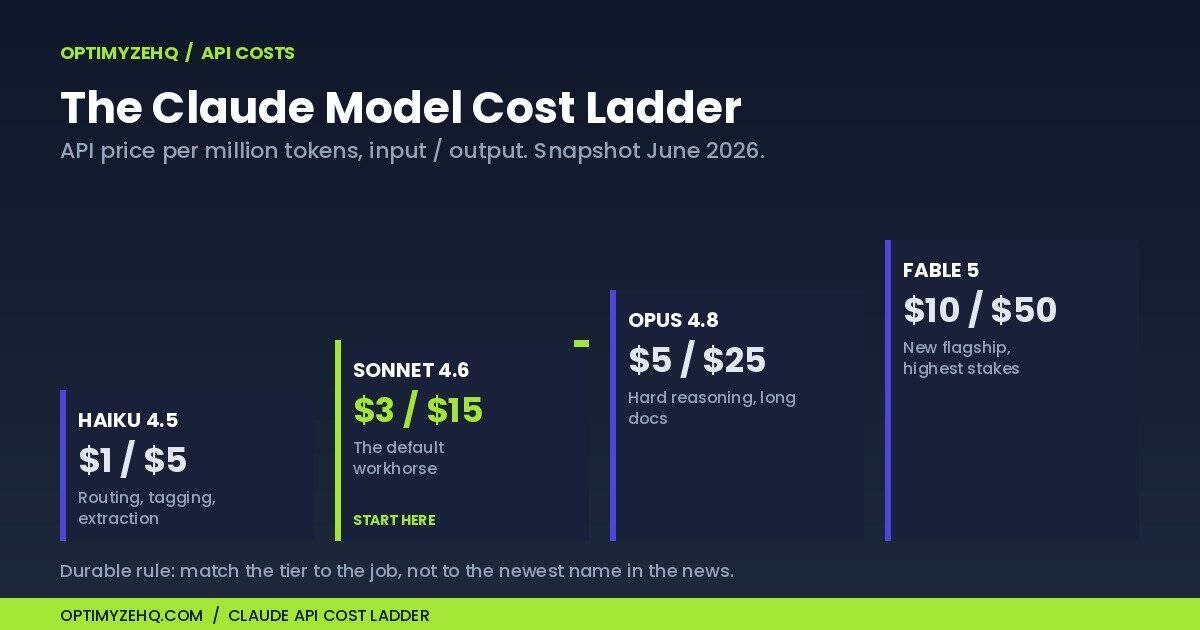
The math runs smaller than people expect. A full blog draft on the workhorse model, about 1,000 tokens of prompt in and 2,000 tokens of article out, lands around three cents. The ten-call run I described earlier costs pocket change, not subscription money. Where API bills grow is volume and model choice, which brings us to the two durable rules that survive every lineup rotation: match the model tier to the difficulty of the job, not to the newest name in the news, and reserve the top tiers for work where reasoning quality is the actual bottleneck. A tagging job on a flagship model is the most common way solo operators overpay.
One dated note on the new flagship: Fable 5 is included on Pro and Max at no extra charge only from June 9 through June 22, 2026, after which it requires usage credits, so check the announcement before you count on it.
What Should You Build First with Claude?
Concrete beats conceptual, so here are the five builds I’d do in order, each on the surface it belongs to:
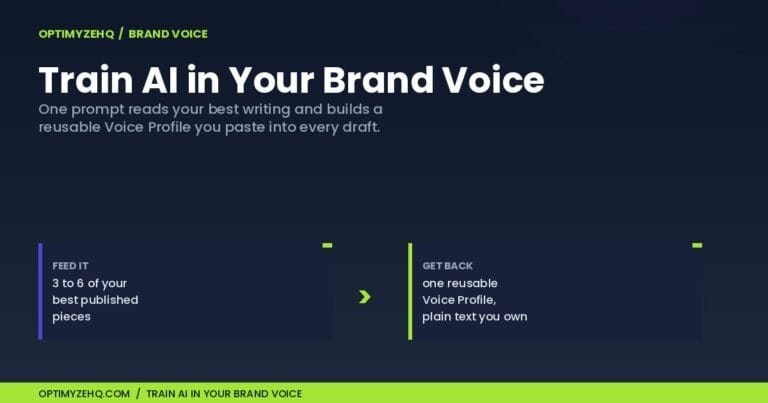
- A brand-voice Project. Upload ten samples of your real writing, ask Claude to extract the patterns, and save them as the Project’s instructions. Every draft afterward starts most of the way to sounding like you instead of sounding like a press release.
- One Project per active client. Brief, scope, contract terms, past deliverables. This single habit ends the Monday-morning re-explaining and makes every client email, proposal revision, and status update a two-minute job.
- A Notion or Google Drive connector for your content plan. Connect it once, then ask Claude to pull this week’s calendar and draft against it. The win is structural: no exporting, no pasting, no version drift between what’s planned and what’s drafted.
- A scheduled Cowork report. Point Cowork at a client folder and have it assemble the monthly report as a finished Word document on a recurring schedule. This is the build that converts skeptics, because the deliverable arrives as a file, not a chat reply.
- One small API call in Make. Start with a Haiku-tier job: tag incoming leads, classify support emails, extract action items from form submissions. Low stakes, lowest tier on the ladder, and it teaches you the request-and-response pattern everything bigger is built on. If Make itself is new territory, my Make.com for beginners guide walks the first scenario step by step.
Build the first two this week. They take an evening combined and they compound from day one.
Ready to build one? If your first job is the same shape every time, it belongs in a skill. Here is how to create a Claude Skill, no code, in about fifteen minutes.
Example: a weekly content workflow, input to output
Here’s how three of those builds chain into one run:
- A brand-voice Project holds your writing samples and standing instructions.
- Inside that Project, the Notion connector pulls this week’s content plan.
- Claude drafts the newsletter and three social posts against both.
- The drafts land in a review page in Notion, status set to pending.
- You approve, edit, or reject. Nothing publishes without that pass.
When a run like this starts repeating identically every week, it has earned the move to the API in Make, the same graduation the build list follows. And on the workhorse model, the drafting in a run like this costs under a dime. The expensive part of content was never the tokens; it was your Tuesday afternoon.
What Are the Most Common Claude Mistakes Solopreneurs Make?
- Living entirely in chat. The pattern from the decision table bears repeating because it’s the mistake underneath most of the others: if a job repeats, it belongs on a different surface. Re-typing the same context into a fresh chat is the manual labor Claude was supposed to remove.
- Pasting client-confidential material into a consumer chat with training left on. Free, Pro, and Max are consumer accounts, and Anthropic’s 2025 policy change means your chats can be used for model training when the “Help improve Claude” setting is on, which arrives pre-selected in the acceptance flow, as TechCrunch reported, and retention extends to five years. Turn it off under Settings, then Privacy, and your data stays out of training with 30-day retention. The API under commercial terms doesn’t train on inputs or outputs by default, which is one more reason client-facing automations belong there. Either way, keep genuinely sensitive client data, financials, health information, legal matters, out of automated prompts until you’ve vetted the compliance side for your own situation.
- Upgrading to Max before getting full value from Pro. Most limit pain I see is workflow pain in disguise: rebuilt context burns usage, wrong-surface jobs burn usage, flagship-everything burns usage. Fix the workflow first; upgrade when Cowork-heavy days genuinely hit the ceiling.
- Paying the context tax. Every time you re-explain your business, you pay twice: in your minutes on the chat side and in input tokens on the API side. The mechanism that ends it is the same in both places. In chat, Project knowledge carries the context. In Make, the standing instructions live once in the module’s system field instead of being re-sent in every prompt you write by hand.
- Trusting tutorials more than one model generation old. The temperature rejection from earlier is one example of a wider pattern: parameters get deprecated, defaults change, and a six-month-old walkthrough can break a current build in ways that look like your mistake. Before copying any configuration, check its date against the model generation it was written for.
What Claude Isn’t
It isn’t a set-and-forget employee. Every workflow that ships under my name carries a review gate, and a structural one, a status field in Notion or a draft step in Make, because willpower is not a quality-control system. The model produces; you approve. The judgment your clients pay for is still yours.
It isn’t a stable target. Anthropic shipped five flagship releases between November 2025 and June 2026, two of them twelve days apart. Any fixed claim about models, prices, or limits, including the ones on this page, is a dated snapshot, which is why every perishable fact above carries its date and its link to the live source.
And it isn’t free at volume, or magic on bad inputs. A chat message feels free at the margin; an automation that runs hundreds of times a month carries a real bill, small but real, and worth designing for. Meanwhile a vague brief produces confident, vague output at every price point on the ladder. The five builds above work because each one feeds Claude specific context, which remains the whole game.
FAQ
What is Claude AI?
Claude is an AI assistant built by Anthropic. You give it text, files, or access to your tools, and it reasons, writes, and analyzes. In 2026 it ships as five surfaces: a chat app, Projects (persistent workspaces), connectors to outside tools, the Claude Cowork desktop app for file work, and an API for automations.
Is Claude AI free?
Yes. The free tier includes chat on the workhorse model, a limited number of Projects, and basic connectors. Paid plans add unlimited Projects, Claude Cowork, heavier usage limits, and broader model access, which is where most working solopreneurs end up.
What does Claude cost per month?
Claude has a free tier, two subscription tiers (Pro and Max), and separately metered API billing for automations. The exact June 2026 figures are in the costs section above, stated once and dated, because the lineup changes often enough that Anthropic’s live pricing page is the only durable source.
Is Claude better than ChatGPT for a solo business?
They overlap heavily, and a wrong-tool choice costs you less than a split-attention one. In my own work, Claude earns its place through depth on the solo-operator surfaces: Projects for persistent client context, Cowork for finished files, and an open connector standard. Whichever you pick, the compounding returns come from going deep on one rather than maintaining shallow setups in both.
What is Claude Cowork?
Claude Cowork is Anthropic’s desktop app, included on paid plans for macOS and Windows, where Claude works inside folders you authorize: reading, editing, and creating real files, including Word documents and spreadsheets, and running scheduled tasks. The practical difference from chat is the output, a finished file in your folder instead of text in a reply.
Do I need the Claude API, or is Pro enough?
Pro is enough as long as you’re personally in the loop: chatting, reviewing, approving. You need the API the moment a job should run on volume or on a schedule without you, because that’s when a tool like Make.com calls Claude directly, billed separately per use. If the workflow runs while you sleep, it’s an API job.
Start with One Surface
This playbook is one cluster of a larger system. The wider map, how content, clients, and newsletters run through one stack on (almost) autopilot, is in the master pillar on AI workflows for solopreneurs.
That’s Claude AI for solopreneurs in practice: pick the surface that matches the job, and let anything that repeats migrate off chat. If you want the shortest path to a first win, build the brand-voice Project tonight. Ten samples, one instruction set, and every draft afterward starts sounding like you. And if you’d like the prompts, checklists, and starter workflows gathered in one place, the free Creator’s AI Starter Kit below is where I’d start.
Put it to work on content: the Cluster C pillar, how to build an AI content system, turns these Claude surfaces into a five-stage publishing pipeline with your voice built in.
Put Claude to work on client email: the client management for freelancers pillar shows the drafted-not-sent system for status updates, invoice chasing, and testimonial asks.
Claude or ChatGPT? If you are weighing Claude against the other big assistant before you commit, my honest, job-by-job take is in Claude vs ChatGPT for solopreneurs.
Three ways to customize Claude. Skills, Projects, and custom instructions each do a different job, and the strongest setups use all three. See Claude Skills vs Projects vs Custom Instructions.